Pairing
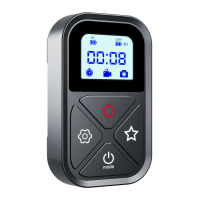
Setting Button
3S Long Press
Camera Settings
The remote control enters pairing mode,
and the Bluetooth indicator flashes
Select Connections > Connected Devices > Remote Control.
Putthe camerainto pairing mode.Wait for a successful
pairing message to appear on the camera screen.
• If the pairing fails, select Reset Connection in the camera settings and
repeat the process.
If the camera has already been paired, you don't need to pair it again when
you connect the remote control next time, just make sure the wireless
connection of the camera has been turned on, and it will be connected
automatically after a few moments.
When the camera is not used for a ong time, the wireless connection may
be turned off completely, so please unplug the camera battery and plug it
back in to activate the wireless connection.
Pair up to 5
O Camerasmode
In the state of the first camera connected, long press the
[pairing button 3 seconds remote control Bluetooth [indicator]
flashing, you can connect the second camera and so on, the
maximum number of connected 5
Status Display
The display status of the first camera connected
O PowerOn/Off
All the connected cameras can be controlled at the same time to
[On/Shutdown]


 To Next Page
 Loading...