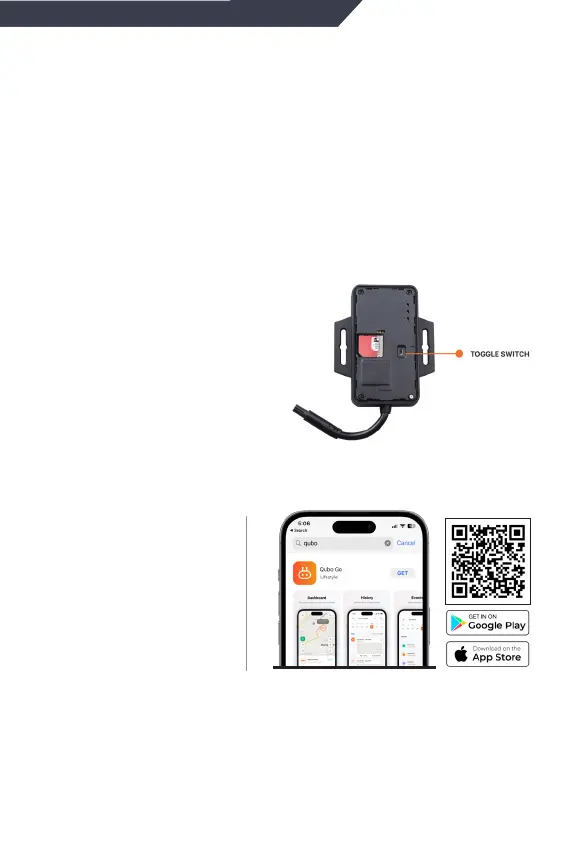
Download Qubo
Go App from App
store or
Playstore in your
mobile
Create an account & add the GPS tracker device.
Scan the QR code of device in the App & follow the
instructions to commission.
Step 6
Step 7
App onboarding
Step 5
You will notice LEDs will start blinking to indicate that
device is turned ON. If the LEDs are not blinking, plz
check the wiring connection again.
During power ON , Device will blink for some time &
then goes to sleep mode for power saving. In sleep
mode, the LEDs wont blink. The device will resume
again to normal mode once any activity is detected in
the device.
Remove the Top cover,
switch ON the toggle
switch & close the cover
back


 To Next Page