Owner’s Manual
Please read the Owner’s Manual completely BEFORE operating the unit.
five
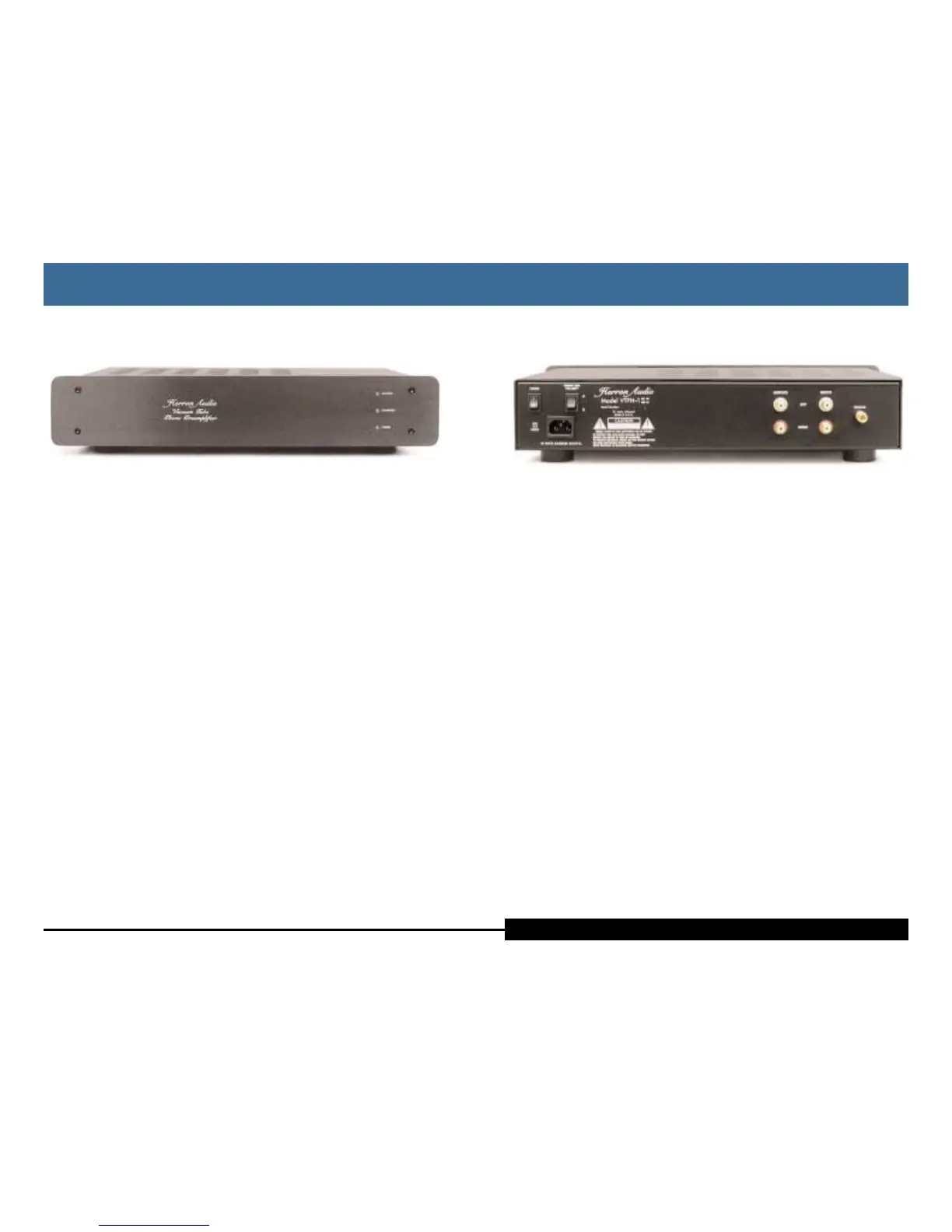
Rear Panel Features
Power Switch On / Off switch (1 = On, 0 = Off)
AC Polarity Allows the user to select the AC polarity offering the best
performance. Used during set-up of the unit, and whenever
changes are made to the AC source.
IEC Power Jack Used to connect the AC power cord to the unit.
Ground Used to connect the phono ground bleed wire to the unit.
Connects to the star ground system in the unit.
Input Jacks Used to connect the input signal from the cartridge to the
unit. The left channel is closest to the top of the unit.
Output Jacks Used to connect the unit to a line stage or preamp.
Optimum performance is gained by using the Herron
Audio Line Stage, though good performance can also
be derived by using other top-quality preamps. The left
channel is closest to the top of the unit.
Model Number VTPH-1MM for moving magnet (Tube only, 44 dB gain
nominal)
VTPH-1MC PLUS for moving coil (22 dB gain FET front
end
+ 44 dB tube section)
Switch
(Power Line)
Connector
The Rear Panel
The Rear Panel
Herron Audio Vacuum Tube Phono Preamplifier
four
Front Panel Indicators
The VTPH-1 features a fully-functional front panel capable of monitoring the
operational readiness of the preamp. When the VTPH-1 is powered up, the
automute feature is engaged until the unit is ready for operation. The first indi-
cator on the panel is the POWER LED, which indicates the unit has been turned
on. After a few moments, the FILAMENTS LED gradually brightens, as the volt-
age to the filaments slowly increases. When the unit is ready to operate, the
OUTPUTS LED comes on and the automute is disengaged, allowing signal to be
passed to the line stage/preamp. This process generally takes just more than a
minute, but can take considerably longer if the unit has not been operated for
long period of time.
The Front Panel
The Front Panel
Owner’s ManualHerron Audio Vacuum Tube Phono Preamplifier



 To Next Page