Need help?
Do you have a question about the Herschel XLS and is the answer not in the manual?
Details power requirements and wall-mounting specifications.
Covers setpoint range, protection class, wireless, accuracy, and hysteresis.
Includes programming, energy saving, app features, warranty, certifications, and compliance.
Advises on indoor use, dryness, competent installation, and isolation of mains supply.
Specifies IPX0 rating and installation outside bathroom splash zones.
Describes the thermostat's purpose, remote control via app, and voice assistants.
Explains manual, 7x1 day program, holiday modes, and energy-saving features.
Details how to pair the T-MT with multiple heaters in a room.
Step-by-step guide for wall mounting the thermostat onto a back box.
Crucial warning about ensuring mains power is off before connecting.
Details how to connect the live and neutral wires to the terminals.
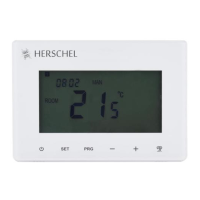
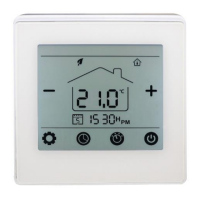
Identifies and describes the functions of the thermostat's display icons and buttons.
Step-by-step instructions for pairing the thermostat with the SMART-R receiver.
Recommends using the Smartlife App for simpler and convenient operation.
Informs users that app versions may differ and to check the website for updates.
Provides instructions for downloading the Smartlife App via QR code or search.
Details the requirement to register an account with email and password.
Step-by-step guide to add the T-MT controller to the Smartlife app via Wi-Fi.
Explains how to navigate the app to add devices and select thermostat types.
Instructs on naming the thermostat and accessing its main control screen within the app.
Lists available operations on the Smartlife app, mirroring keypad functions.
Describes the efficient programmed mode for maintaining desired temperatures.
Details how to set and maintain a constant temperature regardless of time.
Explains how to temporarily adjust set temperatures in Smart or Manual modes.
Describes the energy-saving holiday mode with a day-counter feature.
Covers settings for program schedules, temperature units, calibration, and adaptive start.
Explains how to lock the T-MT keypad using the app to prevent unauthorized use.
Covers altering device details, enabling voice assistants, and integrating with other devices.
Step-by-step guide to set the time and date using the thermostat keypad.
Details the process to calibrate the T-MT temperature against another thermostat.
Explains how to switch between Celsius and Fahrenheit temperature scales.
How to select and set temperature for Manual (MAN) mode using the PRG button.
Shows the default program schedules for weekdays and weekends.
Guide to setting time and temperature for 4 periods across 7 days.
Instructions to set the holiday mode countdown and fallback temperature.
Details on activating/deactivating Open Window and Adaptive Start energy-saving features.
Instructions for activating keypad lock and setting up energy consumption monitoring.
How to view heating hours and energy consumption data on the display.
Instructions to restore the thermostat to its original factory settings.
Explains how to adjust the T-MT's temperature reading to match other thermostats.
Information on registering the product and the process for making a warranty claim.
Instruction to note down the product's serial number.
 General
| Brand | Herschel |
|---|---|
| Model | XLS |
| Category | Thermostat |
| Language | English |

 To Next Page