EasyManua.ls Logo

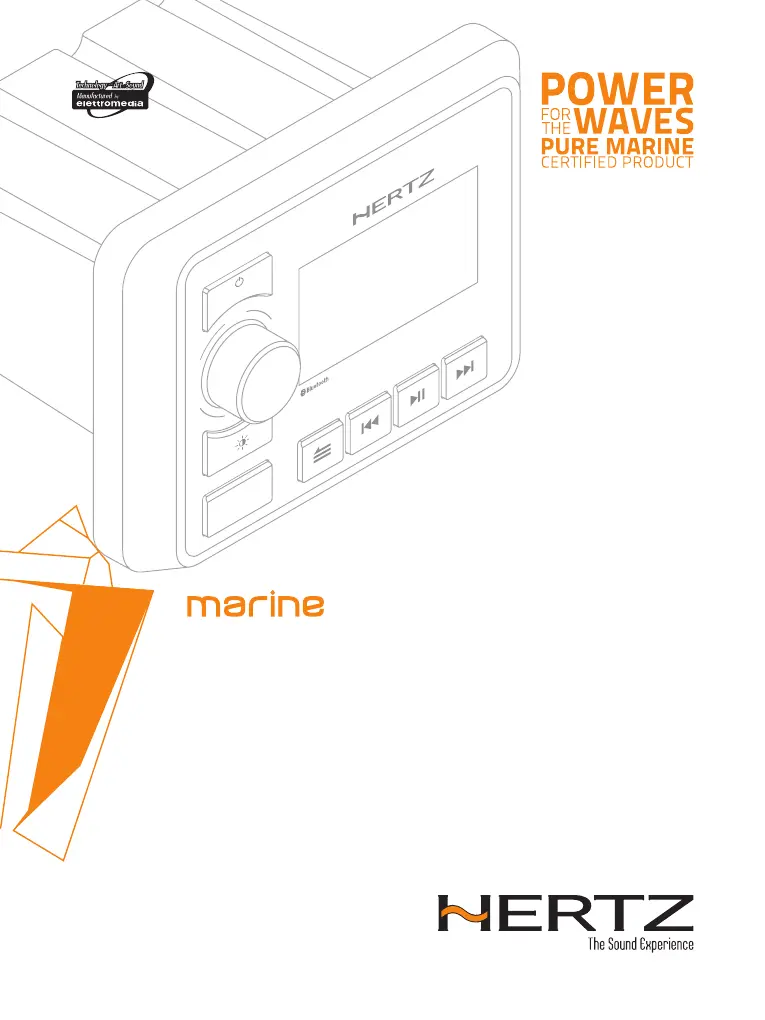
Hertz marine HMR 20 - User Manual

Hertz marine HMR 20
24 pages
Print Icon
To Next Page IconTo Next Page
Loading...
HMR 20
Rev. 0.1
OWNER’S MANUAL
Marine grade source units
hertzaudiovideo.com
SEL
HMR 20
ZONES
VOL
SRC

Questions and Answers

  • K
    Kristina TapiaAug 17, 2025
    Why is there no or low audio output from my Hertz Receiver?
    • J
      Justin RichardsAug 17, 2025
      If you're experiencing no or low audio output from your Hertz Receiver, there could be several reasons: * An incorrect audio output connection. Check the wiring and correct as necessary. * The volume is set too low. Increase the volume level. * The speakers are damaged. Consider replacing them. * The volume balance is heavily biased. Adjust the channel balance to the center position. * Speaker wiring is in contact with a metal part of the vessel. Insulate all speaker wiring connections.
  • T
    taylorcaitlinAug 20, 2025
    Why is the sound quality poor or distorted on my Hertz marine HMR 20 Receiver?
    • J
      Jessica Jones DDSAug 20, 2025
      If you notice poor sound quality or distortion from your Hertz Receiver, consider the following possible causes: * The speaker power rating doesn't match the unit. Replace the speakers. * There are wrong connections. Check the wiring and correct it. * The speaker is shorted. Check the wiring and correct it.
  • C
    ckellyAug 22, 2025
    How to fix a Hertz Receiver that cannot power on?
    • A
      Andrea AdamsAug 22, 2025
      If your Hertz Receiver unit cannot power on, it might be due to: * A blown unit fuse. Replace it with a new fuse of the correct value. * A blown vessel battery fuse. Replace it with a new fuse of the correct value.
  • L
    Laurie DavisAug 25, 2025
    What to do if the Hertz marine HMR 20 auto seek function can not find any stations?
    • A
      Alicia JacksonAug 26, 2025
      If the auto seek function on your Hertz Receiver can't find any stations: * The antenna cable might not be connected. Ensure the antenna cable is securely inserted. * The signals might be too weak. Try selecting a station manually.
  • T
    Tammy HuntAug 27, 2025
    What to do if USB device is not recognized or USB SOURCE not accessible on Hertz marine HMR 20?
    • B
      Brittany KellerAug 28, 2025
      If your USB device isn't recognized or the USB source is inaccessible on your Hertz Receiver: * The USB device may be damaged. Disconnect and reconnect the USB device. If it's still not recognized, try replacing it with a different USB device. * Connectors are loose. No suggested solution.
  • T
    Tanya DennisAug 31, 2025
    Why does my Hertz marine HMR 20 Receiver reset itself when the engine is off?
    • A
      Amanda FlowersAug 31, 2025
      If your Hertz Receiver unit resets itself when the engine is off, it could be due to an incorrect connection between the ACC and the battery. Check the wiring and correct it.
  • V
    victoria35Sep 2, 2025
    What to do if a USB device cannot be inserted into Hertz Receiver?
    • J
      Jorge SanchezSep 2, 2025
      If a USB device cannot be inserted into your Hertz Receiver: * The USB device might have been inserted incorrectly. Reverse the connection direction of the USB device and try again. * The USB connector might be broken. Replace it with a new USB device.
  • O
    Olivia ArnoldSep 5, 2025
    Why is there no sound heard with the display showing “No File” on my Hertz Receiver?
    • C
      Carlos RamosSep 5, 2025
      If you hear no sound and the display shows “No File” on your Hertz Receiver, it means no MP3 / WMA/WAV* file is stored in the USB device. Store these files properly in the USB device.
  • F
    felicia44Sep 7, 2025
    Why is the audio quality poor after connecting with a Bluetooth enabled device on my Hertz marine HMR 20 Receiver?
    • E
      Elizabeth MillerSep 8, 2025
      If the audio quality is poor after connecting a Bluetooth enabled device to your Hertz Receiver, the Bluetooth reception may be poor. Move the device closer to the audio system or remove any obstacle between the device and the system.
  • J
    jane29Sep 12, 2025
    Why does the sound skip or is noisy on my Hertz Receiver?
    • D
      Diana DeleonSep 12, 2025
      If the sound skips or is noisy on your Hertz Receiver, it might be because the MP3 / WMA / WAV* files are not encoded properly. Use properly encoded MP3 / WMA / WAV* files.

Summary

2. PRECAUTIONS

3. PACKAGING CONTENTS

4. DIMENSIONS

5. INSTALLATION

5.1 BEFORE STARTING

Guidance before commencing the installation process.

5.2 INSTALLATION CAUTIONS

Important warnings and precautions during installation.

5.3 MOUNTING HOLE

Details on the required mounting hole size and placement.

6. MOUNTING

7. CONNECTIONS

8. CONTROLS

8.1 FRONT PANEL CONTROLS

Overview of the physical controls on the front panel.

8.2 NAME OF BUTTONS AND THEIR FUNCTIONS

Detailed explanation of each button's function and operation.

9. OPERATIONS

9.1 BASIC OPERATION

Fundamental steps for operating the unit.

9.2 System Setting

Configuration and adjustment of system parameters.

9.3 Tuner Operation (AM;FM)

How to use the AM/FM radio tuner functions.

9.4 DAB Operation (HDM DAB + optional)

Instructions for operating the DAB digital radio feature.

9.5 USB Mode Operation (when USB device is connected)

How to operate the unit using a connected USB device.

9.6 AUX In Mode Operation

Instructions for using the AUX input for external audio.

9.7 Bluetooth Operation

Steps for connecting and using Bluetooth devices.

10. OPTIONAL ACCESSORIES

11. TROUBLESHOOTING

11.1 General

Common problems and their solutions for the unit's general operation.

11.2 USB

Troubleshooting specific issues related to USB device connectivity and playback.

11.3 Bluetooth

Solutions for problems encountered with Bluetooth pairing and audio quality.

11.4 DAB

Troubleshooting for DAB reception and station list issues.

12. TECHNICAL SPECIFICATIONS

Hertz marine HMR 20 Specifications

General IconGeneral
IlluminationYes
Buttons IlluminationYes
Conformal Coated PCBYes
USBYes
AUXYes
Voltage12V DC
Output Power4 x 20W
Dimensions178 x 50 x 130 mm
Water Protection GradeIP66
Power Supply12 VDC
Tuning Range FM87.5 - 108 MHz
SourceUSB, AUX
Display1 line LCD