4. Using the appliance
05
4.2 Plug into the power supply
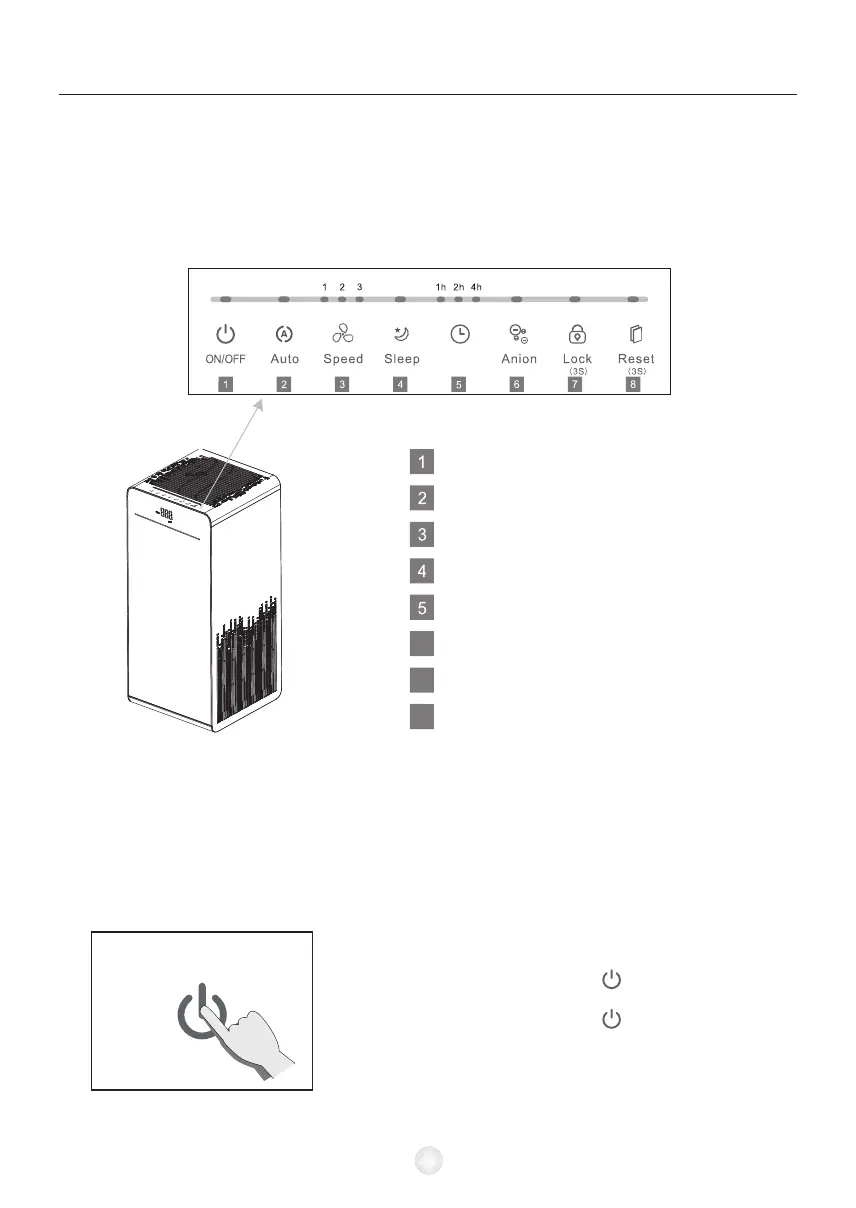
4.1 Control panel function description
The LED on the control panel will be on for 1 second, and you will hear a click,
then the indicator will go out again and go to standby.
In the standby state, touch the “ ” button to enter the
working state.
In the working state, touch the “ ” button to enter the
standby state.
6
7
8
On/Off
Auto Mode
Fan Speed
Sleep Mode
Timer
Ion
Key Lock
Filter Replacement Indicator
4.3 Turn on the air purifier
Timer


 To Next Page