Need help?
Do you have a question about the Hewlett Packard Enterprise Aruba 2530 and is the answer not in the manual?
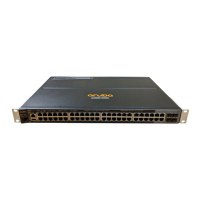
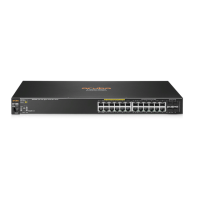
Lists the Aruba 2530 Switch Series models covered by this guide.
Explains the simplified command-line prompts used for clarity in examples.
Explains the concept of VLANs, their benefits, and planning considerations for implementation.
Details how static VLANs are configured using names, VLAN IDs, and port members.
Describes different VLAN configurations, including default, multiple, and protocol VLANs.
Explains the general operation of VLANs, including bridging and routing between VLANs.
Details the types of static VLANs: Port-based, Protocol-based, and Designated.
Explains how switches use forwarding databases and the implications of multiple vs. single forwarding databases.
Describes issues with single forwarding databases when connecting switches with different database types.
Introduces CLI and GUI configuration for port-based and protocol-based VLANs.
Shows options for assigning ports to static VLANs and the effect of GVRP.
Explains the `vlan <vid>` command for creating static VLANs and entering VLAN context.
Explains how to convert a dynamic VLAN to a static VLAN using the `static-vlan` command.
Provides the syntax and caution for deleting static VLANs, including port reassignment.
Explains how to administratively disable IP addressing on specified VLANs without removing Layer 3 configuration.
Details how to reassign the primary VLAN function to a different static VLAN.
Introduces GVRP as an application of GARP for dynamic VLAN creation and synchronization.
Lists rules for GVRP operation, including dynamic VLAN conversion and advertisement.
Details the commands to enable and disable GVRP globally on the switch.
Explains how to use `unknown-vlans` command to control port advertisement handling.
Explains how to convert a dynamic VLAN to a static VLAN using the `static-vlan` command.
Explains MVRP as an enhanced version of GVRP for automatic VLAN synchronization.
Provides operating notes for MVRP, comparing it to GVRP and mentioning limitations.
Details commands to view MVRP configuration, state, and statistics.
Explains that MVRP must be enabled globally to participate in the protocol.
Lists limitations such as MVRP and GVRP mutual exclusivity and vendor compatibility.
Explains IGMP controls for reducing unnecessary bandwidth usage and managing IP multicast traffic.
Details IGMP features like priority, port states (Auto/Blocked/Forward), and querier capability.
Explains how to view current IGMP configuration for all or specific VLANs.
Details how to enable or disable IGMP on a VLAN using the `ip igmp` command.
Explains how to configure IGMP packet control per port using Auto, Blocked, or Forward options.
Explains how Automatic Fast-Leave IGMP speeds up multicast traffic processing by immediately removing IGMP clients.
Describes how Forced Fast-Leave IGMP speeds up blocking unnecessary IGMP traffic to ports with multiple end nodes.
Explains the querier operation and how to disable querier capability.
Explains MSTP's role in preventing network loops and ensuring active paths.
Details the IEEE 802.1s standard and how MSTP uses VLANs to create multiple spanning trees.
Details how to preconfigure MSTP regional topologies for consistent VLAN ID-to-MSTI assignments.
Outlines the general steps for configuring MSTP via the CLI.
Covers setting MSTP mode, clearing debug counters, and configuring MST region identity.
Details commands to manipulate pending MSTP configurations (apply, config-name, etc.).
Explains how to set bridge priority and determine the root switch for an MSTP region.
Covers setting per-port parameters for MSTP topology.
Explains how `root-guard` prevents a port from becoming the root port.
Covers configuring MST instance port parameters.
Describes `show spanning-tree` commands for monitoring, troubleshooting, and debugging MSTP.
Explains BPDU protection as a security feature to prevent spoofed BPDUs and protect the STP topology.
Details the STP BPDU filter feature for controlling spanning tree participation on a per-port basis.
Explains PVST protection to isolate sending switches by shutting down ports receiving unrecognized PVST BPDUs.
Details commands to enable or disable PVST protection on specified ports.
Details commands to enable or disable PVST filters on specified ports.
Introduces loop protection as an alternative to spanning tree for preventing loops.
Explains loop protection by transmitting loop protocol packets to detect and shut down ports involved in loops.
Provides steps to enable loop protection in port mode.
Explains how to enable loop protection for VLANs when operating in VLAN mode.
Explains STP Loop Guard's function to prevent loops by transitioning non-designated ports to an inconsistent state.
Defines QoS network policy and its role in traffic handling and prioritization.
Explains how QoS is used to classify and prioritize traffic for better network control and throughput.
Details how QoS classifies traffic types at the edge switch and honors policies downstream.
Explains QoS implementation using rules or policies for prioritizing traffic within VLANs.
Explains that QoS settings operate on two levels: controlling outbound packet priority and configuring policies for downstream devices.
Covers the six types of globally-configured QoS classifiers used for traffic marking.
Details the six QoS classifiers and their precedence for selecting packets for traffic marking.
Explains implementing 802.1Q VLAN capability for packets to carry 802.1p priority to downstream devices.
Details the global TCP/UDP classifier for marking traffic with priority levels based on port numbers.
Explains how to mark TCP or UDP packets with an 802.1p priority using a global classifier.
Describes assigning a DSCP policy (codepoint and 802.1p priority) to TCP or UDP packets.
Explains the global IP-device classifier for selecting IP packets based on source or destination address.
Details assigning a maximum of 64 ToS rules for IPv4 traffic.
Explains applying 802.1p priority based on upstream device ToS precedence bits.
Describes changing a DSCP policy in an IPv4 packet by changing its IP ToS codepoint.
Explains how QoS queue configuration reduces outbound queues for buffering packets.
Details how to change the number of outbound priority queues using the `qos queue-config` command.
Lists operating notes and restrictions for QoS, including VLAN tagging and port tagging rules.
Introduces RPVST+ as a proprietary spanning tree implementation extending RSTP for per-VLAN spanning trees.
Outlines the general steps for configuring RPVST+ through the CLI.
Provides a summary of the general steps for configuring RPVST+ via the CLI.
Explains how to select RPVST+ as the active spanning tree mode.
Details how to create a unique bridge identifier for each VLAN using the `spanning-tree extend system-id` command.
Explains how to specify BPDU transmission times, forward delay, and maximum age for specified VLANs.
Covers configuring per-port per-VLAN spanning tree parameters like path cost and priority.
Details configuring per-port spanning tree parameters such as edge ports and BPDU filtering.
Explains how to enable or disable RPVST+ globally or on specified VLANs.
Describes how to allow traffic on mismatched VLAN ID links when RPVST+ is running.
Explains STP Loop Guard's function to prevent loops by transitioning non-designated ports to an inconsistent state.
Guides on viewing RPVST+ statistics and configuration, including global and VLAN spanning tree status.
Displays detailed spanning tree information for a specific VLAN.
Displays spanning tree status for designated ports or port trunks.
Displays the switch's global and per-VLAN spanning tree configuration.
Shows global RPVST+ configuration details for ports.
Displays RPVST+ port parameter settings per port and per VLAN.
Lists spanning tree port parameter settings for a specified VLAN.
Displays BPDU protection state and errant BPDU counts for specified ports.
Shows RPVST+ VLAN and virtual port system limits, including recommended maximums.
Explains how virtual ports are calculated and configured on switches.
Provides commands for monitoring, troubleshooting, and debugging RPVST+ configurations.
Displays root bridge change history for RPVST+ VLANs.
Details enabling and viewing spanning tree trap configurations.
Displays aggregate RPVST+ debug counter values for all VLANs.
Displays aggregate RPVST+ debug counter values for a specified VLAN.
Displays aggregate RPVST+ debug counter values for specified ports within a VLAN.
Provides descriptions for RPVST+ debug command output fields.
Lists RPVST+ event log messages and their corresponding meanings.
Guides on using debug commands for RPVST+ operation, including clearing counters and filtering messages.
Explains stacking for managing multiple switches under a single IP address.
Assumes switches are connected to the same subnet and primary VLANs are configured.
Discusses options for configuring Commander and Candidate switches for stack formation.
Outlines the procedure for creating a stack, including naming conventions and Commander configuration.
Lists stack status for individual switches or discovered switches in the subnet.
Lists all switches in the stack of the selected switch using `show stack view`.
Explains how to make a switch a Commander and automatically create a stack.
Details the command to assign a stack name and make a switch a Commander.
Describes removing a Member from its current stack and converting it to a Commander of a new stack.
Explains adding discovered Candidates or moving switches from other stacks.
Details enabling or disabling Auto Join on a Candidate switch.
Describes methods to push a Candidate into a stack, applicable when Auto Join is enabled or manually controlled.
Illustrates pushing a Candidate into a stack using Telnet and `show stack all`.
Explains how to pull a switch from another stack into a new stack using the Commander's CLI.
Details how to convert a Commander switch to a Member of another stack.
Explains how to remove a Member from a stack using the Commander's or Member's CLI.
Details removing a stack Member using the switch number and MAC address.
Explains how to access Member switches via Telnet from the Commander for configuration and monitoring.
Covers disabling and re-enabling stacking globally, for Commanders, Members, or Candidates.
Describes the Commander's role as a stack manager for adding/removing members and applying passwords.
Provides an overview of stack management concepts.
Explains how additional switches join a stack via automatic or manual methods after a Commander is configured.
Lists general rules for stacking, including IP subnet, Commander requirement, and member limits.
Details specific rules for Commander, Candidate, and Member switches regarding IP addressing, passwords, and SNMP.
Explains how stacking uses the primary VLAN and criteria for multiple VLAN environments.
Introduces the BYOD feature for designing, managing, and controlling BYOD networks on switches.
Explains how BYOD-redirect intercepts HTTP traffic and blocks other traffic, with platform independence.
Provides rules to avoid conflicts when BYOD-redirect is deployed with other switch features like MAFR, DNS, and IP sentinels.
Lists restrictions for BYOD-redirect, including per-VLAN configuration and support for multiple redirection servers.
Covers configuring BYOD by creating a BYOD server and associating it with a VLAN.
Explains how to configure a portal redirect web-server for BYOD.
Describes associating a BYOD server with a specific VLAN for client redirection.
Details how to configure a BYOD-free rule using portal, VLAN, destination, and source parameters.
Provides examples for implementing BYOD-redirect for wired and wireless solutions.
Outlines tasks for BYOD-redirect on a distribution switch, including DNS, web-server config, and free-rules.
Explains how to enable MAC authentication on edge switch ports using AAA commands.
Introduces smart link as a switch feature for fast-converging link redundancy with active and backup links.
Covers commands for creating smart link groups, configuring VLANs, enabling debug, and setting preemption modes.
Explains how to create a smart link group and assign master/slave ports, protected VLANs, and preemption modes.
Shows smart link group information, including master/slave ports, protected VLANs, and preemption settings.
Displays statistics of received flush packets for smart link.
Shows receive control VLANs configured on a per-port basis.
Lists Aruba and Hewlett Packard Enterprise networking websites for support and documentation.
Lists general websites like the HPE Information Library.
Provides website links for live assistance and accessing documentation/support services.
Lists information required for technical support, including product details and error messages.
Guides on accessing software updates, downloading products, and subscribing to alerts.
Explains Hewlett Packard Enterprise customer self repair programs for product repair.
Describes remote support availability, intelligent event diagnosis, and automatic hardware event notifications.
Provides links to view warranty information for HPE ProLiant, Enterprise, and Storage products.
Guides on viewing regulatory information, chemical substances, and environmental compliance data.
Provides contact information for submitting feedback, errors, suggestions, or comments on the documentation.
 General
| Model | Aruba 2530 |
|---|---|
| Type | Managed Switch |
| Layer | Layer 2 |
| Management | Web GUI, CLI, SNMP |
| Warranty | Limited Lifetime Warranty |
| Input voltage | 100-240 VAC |
| Ports | 8, 24, or 48 ports |
| SFP Slots | 4 |
| Power over Ethernet (PoE) | Available on some models |
| Operating Temperature | 0°C to 45°C |
| Storage Temperature | -40°C to 70°C |
| Humidity | 10% to 90% non-condensing |
| Power Supply | Internal |
| Power Consumption | Varies by model |
| Memory and processor | 128 MB flash |
| Security Features | RADIUS |
| MAC address table size | 16K |

 To Next Page