Need help?
Do you have a question about the Hewlett Packard Enterprise ProLiant m510 and is the answer not in the manual?
Defines the interface between the operating system and platform firmware during the boot process.
Procedure for accessing the UEFI System Utilities from the server console or remotely.
How to move through and interact with the System Utilities interface.
Key functions available within the System Utilities interface, including navigation and saving.
Configuration options related to system hardware, including serial ports and USB.
Settings for configuring the system's boot mode, order, and policy.
Configuration options for network interfaces, including PXE and iSCSI boot.
Security settings for the server, including passwords and Secure Boot.
Enables or disables Intel Turbo Boost Technology for processor frequency control.
Fine-tuning options for processor prefetch functions and memory reporting.
Enables or disables Automatic Server Recovery (ASR) to reboot the server on lockups.
Enables or disables the ability to power on the server remotely over the network.
Resolves issues where bootable options or devices cannot be found or are unknown.
Addresses errors when restoring system defaults after hardware changes.
 General
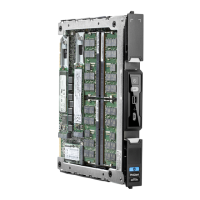
| Product Name | HPE ProLiant m510 Server Blade |
|---|---|
| Form Factor | Server Blade |
| Storage | Up to 2 x 2.5" SATA HDD/SSD |
| Networking | Integrated 10GbE FlexibleLOM |
| Power Consumption | Variable depending on configuration |
| Compatible Enclosure | HPE Moonshot 1500 Enclosure |
| Operating Temperature | 10° to 35°C (50° to 95°F) |

 To Next Page