Need help?
Do you have a question about the HGLRC F428 and is the answer not in the manual?
Shows how to connect the RC receiver to the flight controller.
Steps to enable serial ports for receiver communication.
Details for setting up an SBUS receiver.
Illustrates the wiring for VTX connection.
Shows the wiring for GPS connection.
Steps to configure the serial port for GPS.
Important safety cautions for flight controller operation.
Information regarding warranty, repair, and customer service.
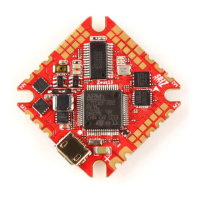
The HGLRC F428 FC is a flight control board designed for use in various drone applications, particularly for 110mm-1000mm frame kits. This manual provides comprehensive instructions for setting up, configuring, and maintaining the device, ensuring optimal performance and stability for your aircraft.
The HGLRC F428 FC serves as the central processing unit for your drone, managing flight dynamics, sensor data, and communication with other components. It integrates an MPU6000-SPI for motion sensing and an STM32F405RGT6 CPU for high-speed processing. The board supports various receiver protocols, including SBUS, PPM, and DSMX, allowing for flexible integration with different remote control systems. It also features a 16MB flash memory for black box logging, which is crucial for analyzing flight data and troubleshooting.
The flight controller is equipped with multiple serial ports (UARTs) for connecting peripherals. UART1 is dedicated to the receiver, ensuring reliable communication with your remote control. UART3 can be utilized for GPS and VTX (video transmitter) connections, enabling navigation and real-time video feedback. UART6 supports ESC telemetry and GPS, providing data from your electronic speed controllers and an alternative GPS connection.
A key feature of the HGLRC F428 FC is its integrated OSD (On-Screen Display) smart audio functionality, which allows for convenient adjustment of VTX settings directly through the OSD menu. This eliminates the need for physical button presses on the VTX, simplifying field adjustments. The OSD also displays critical flight information such as battery voltage, mAh consumed, and other customizable parameters, enhancing situational awareness during flight.
The board supports LED strips, allowing users to customize lighting effects for their drone. This feature can be configured through the Betaflight configurator, offering various functions and color modifiers.
Setting up the HGLRC F428 FC involves several steps, starting with driver installation and firmware flashing. To install the driver, you need to long-press the BOOT button while connecting the USB. If the driver fails to install automatically, the ImpulseRC_Driver_Fixer tool can be used. Once the driver is installed, you can enter DFU mode and flash the Betaflight firmware. The manual recommends using DSHOT600 as the ESC/Motor protocol for optimal performance with the F428.
Calibration of the accelerometer is a crucial step to ensure accurate flight. This involves placing the aircraft horizontally and clicking "Reset Z axis" in the Betaflight configurator. The manual also guides users through selecting the appropriate aircraft model (e.g., Quad X) and configuring motor direction.
Receiver setup is detailed for SBUS, PPM, and DSMX protocols, including instructions for connecting the receiver to UART1 and enabling the serial Rx feature in the Ports tab. The manual also covers enabling receiver telemetry on a serial port, which allows for transmitting data back to your remote control.
For VTX integration, the manual provides a connection diagram and instructions for enabling the VTX serial port. The OSD smart audio feature allows for adjusting VTX parameters such as frequency band, channel, and power level directly through the OSD menu. This is accessed by a specific stick command (throttle centered, yaw left, pitch forward) which brings up the OSD menu. Within the OSD, users can navigate through various settings, including "VTX SA" or "VTX TR" for SmartAudio or IRC Tramp Telemetry, respectively.
GPS functionality is also supported, with a connection diagram and instructions for enabling the GPS serial port on UART6. Users are reminded to configure the serial port for GPS in the Ports tab and select the UBLOX protocol.
Flight mode setup is explained, allowing users to assign different flight modes to switches on their remote control. This is done in the "Modes" tab of the Betaflight configurator.
The manual emphasizes several critical maintenance and safety precautions to ensure the stability and longevity of the flight controller. Users are warned to pay close attention to polarity and carefully check connections before applying power to prevent damage. It is crucial to cut off power when connecting, plugging, or unplugging any components.
The manual highlights the importance of the refresh rate for PID and Gyroscope, which can be up to 32K/16K, indicating the high performance capabilities of the board.
For troubleshooting, the manual addresses common issues such as OSD garbling, which can be resolved by uploading the correct font through the "Font Manager" in Betaflight. If the aircraft does not pass the self-test with the expected "BBB" sound, users are advised to check the ESC agreement. Persistent spinning of the aircraft prompts users to verify propeller direction and motor direction.
The after-sales section outlines the support policy for product issues. If the product is found to be unusable due to a quality problem upon receipt, free repair service is provided. For damage caused by improper operation, repair service may be offered after inspection, subject to repairability. Domestic customers are directed to contact after-sales service personnel, while overseas customers are advised to reach out via the official website.
 General
| Processor | STM32F405 |
|---|---|
| Firmware | Betaflight |
| Input Voltage | 2-6S Lipo |
| Mounting Hole | 20x20mm |
| Built-in OSD | Yes |
| Built-in PDB | Yes |
| Current Sensor | Yes |
| ESC Firmware | BLHeli_S |
| BEC Output | 5V 3A |
| ESC Current | 28A |

 To Next Page