15
www.hglrc.com
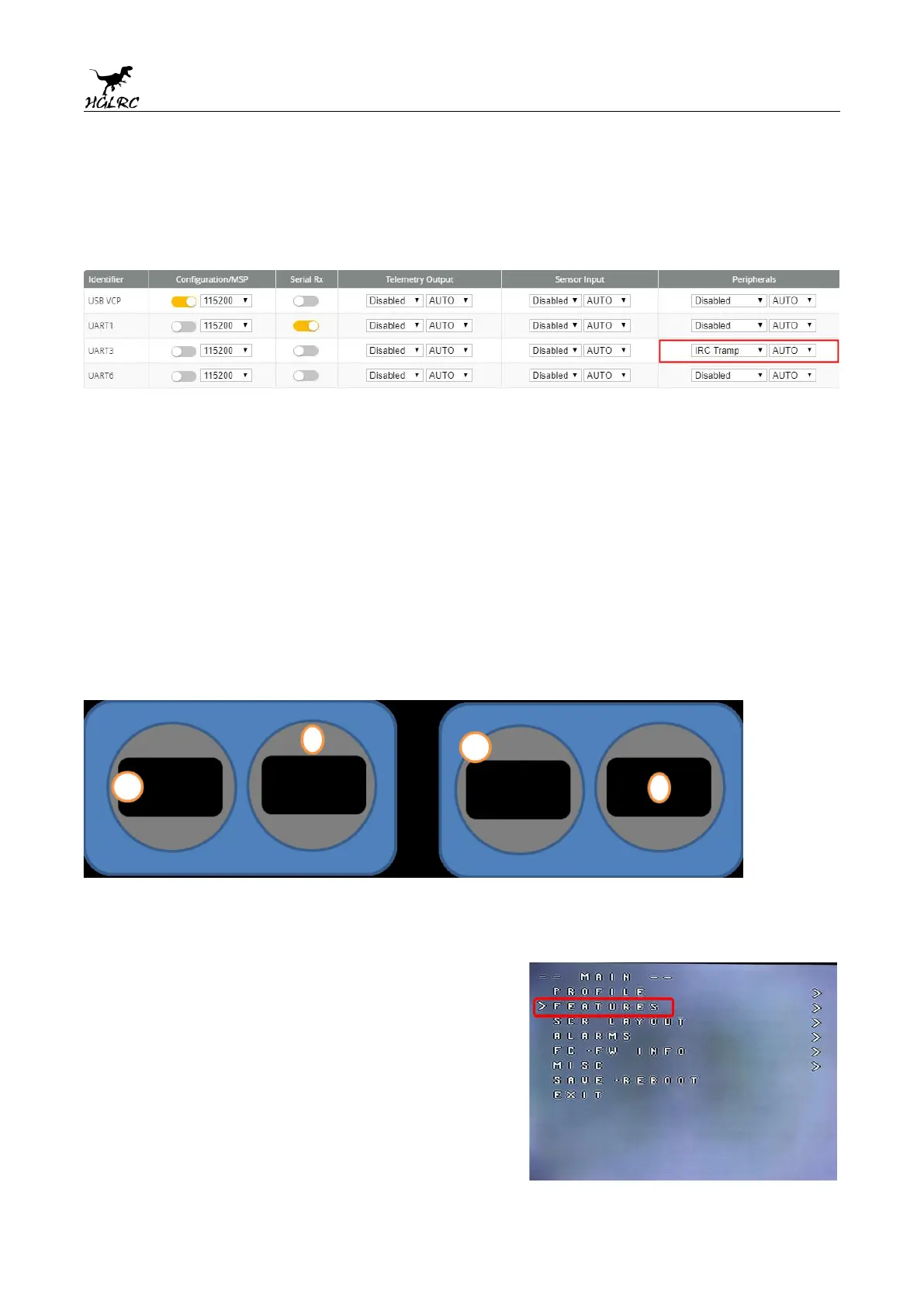
2.VTX serial port opens. The protocol is selected according to its own VTX
protocol.
3.Use OSD to adjust VTX
which displays information like battery voltage and mAh consumed while you fly. In addition, the
Betaflight OSD can be used to configure the quadcopter, making in-field adjustments and tuning more
convenient.
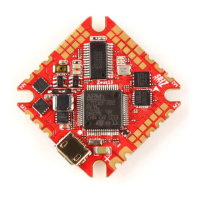
MODE2 MODE1
The graphics above show the stick command to bring up the OSD menu. The stick command is: throttle
centered, yaw left, pitch forward. The exact stick command therefore depends on which mode your
transmitter sticks are in.
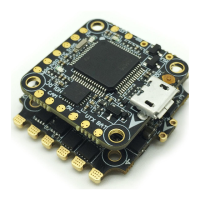
In the OSD menu, use pitch up/down to move the cursor
between menu items. When a menu option has a > symbol
to the right of it, this indicates that it contains a sub-menu.
Roll-right will enter the sub-menu. For example, in the
screen to the right, moving the cursor to “Features” and
then moving the roll stick to the right will enter the
“Features” sub-menu.


 To Next Page