6
www.hglrc.com
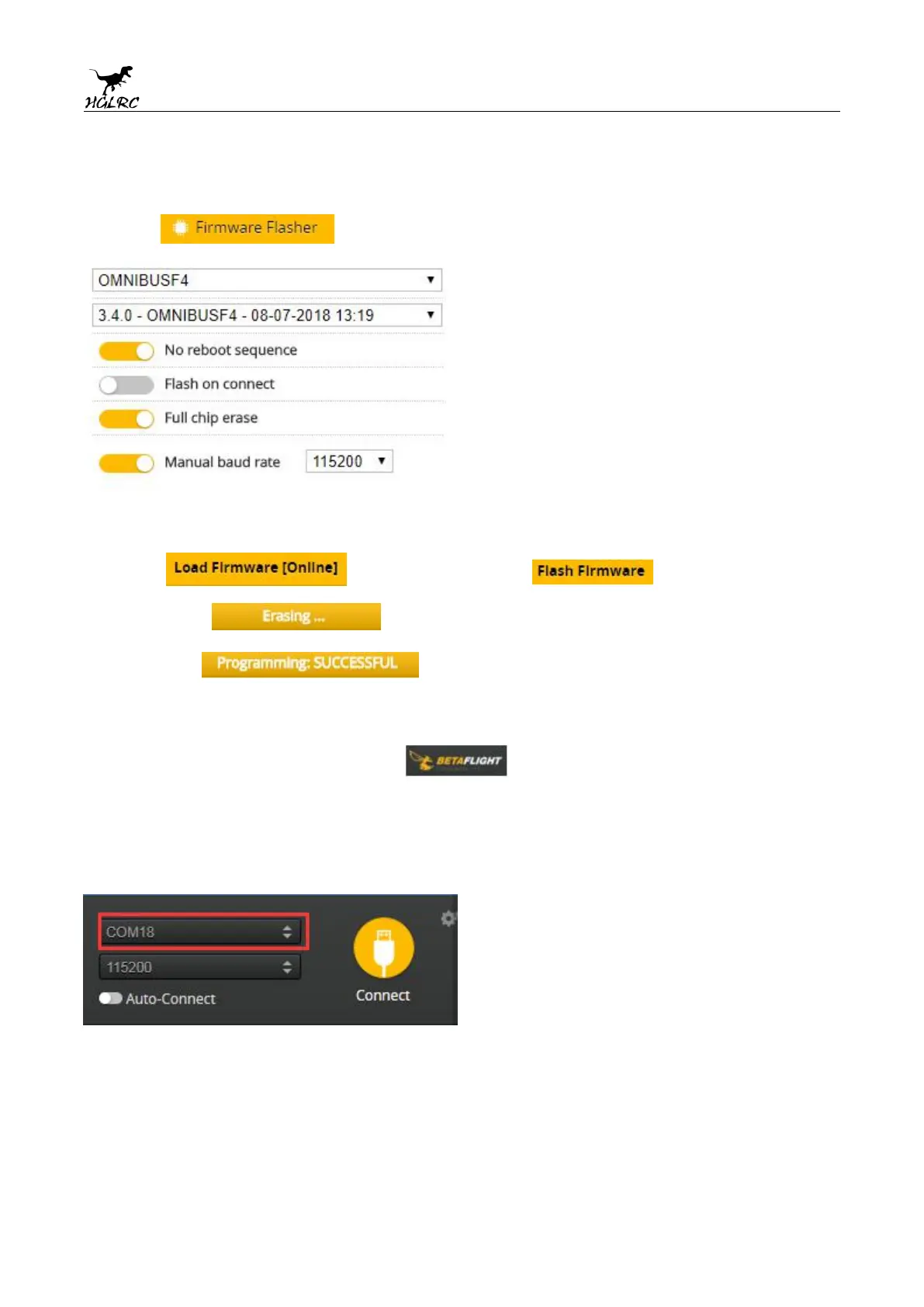
5.Click Select firmware version
6.Click Load firmware. Waiting for
completion It will be prompted upon
completion.
7.open betaflight configurator
。
Controller plugged into the
computer. Betaflight Automatically assigned port,click “Connect”
Enter setup interface(Different computer COM)


 To Next Page