1/3
CB18ControlBoxInstructions
1.ProductOverview
ProductName:ControlBox
ProductModelNo.:CB18
FCCID:2AEQWCB18HHC004
2.Environmentrequirement
Operationtemperature:+10℃~+40℃.
Storagetemperature: -10℃~65℃.
OperatingHumidity:10%~80%RH,non‐condensing.
StorageHumidity:10%~85%RH,non‐condensing.
3.DirectionsforOperation
Tousethecontrolbox,
thePSK2920Aswitchpowersupplymustbeconnectedasthecontrol
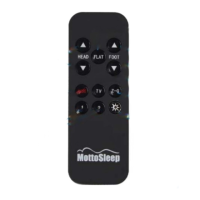
boxpower supply.TheCH18remotecontrol must also be paired to be used.Detailedusage for
eachportisasfollows:
Beforeuse,theCH18remotecontrolandCB18controlboxmustbepaired:
Pressandholdthebutton,approx.15seconds,untiltheremote’sfrontindicatorlights
up.Then,connectittothecontrolboxPowerplug.Afterthebeepsound,thepairingiscomplete
andremotecanoperate.
Indicator
light

 Need help?
 General

 To Next Page