42
MOTION
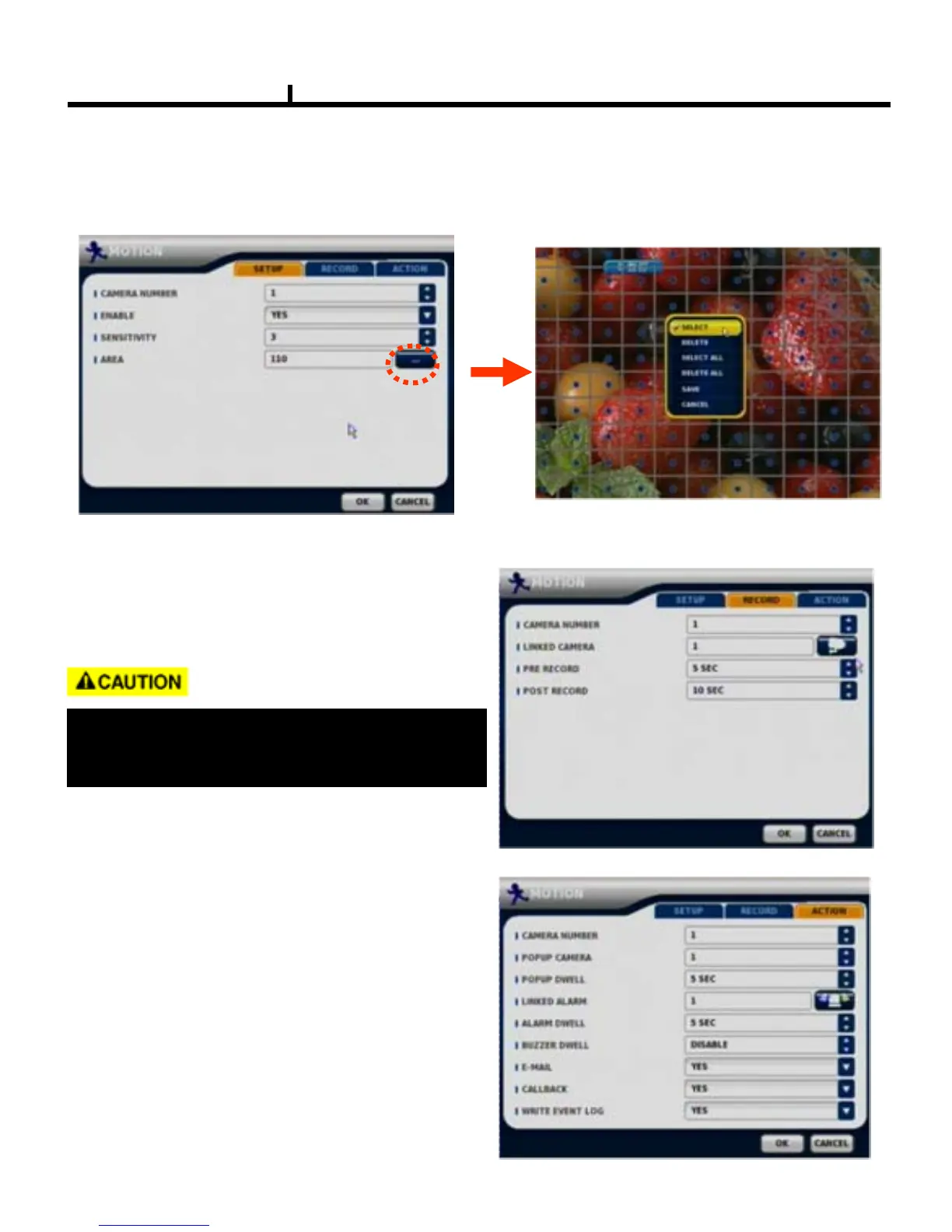
SETUP
Set up the MOTION area & sensitivity.
Click mouse right button or MENU KEY
button to see motion area window
RECORD
Set pre& post record mode.
ACTION
Setting up list for how to act after EVENT.
-POPUP CAMERA / DWELL
:Set popup channel & time.
LINKED ALARM
:When event active , enable the alarm output .
-ALARM / BUZZER DWELL
:Set alarm & buzzer time.
-E-MAIL
:Select EVENT info to be sent by e-mail.
-CALLBACK
:Select EVENT info to be sent to AGENT.
-WRITE EVENT LOG
:Select to write LOG info.
When record frames are less, PRE/POST
RECORD need to be set a lot more for
correct record search.



 To Next Page