43
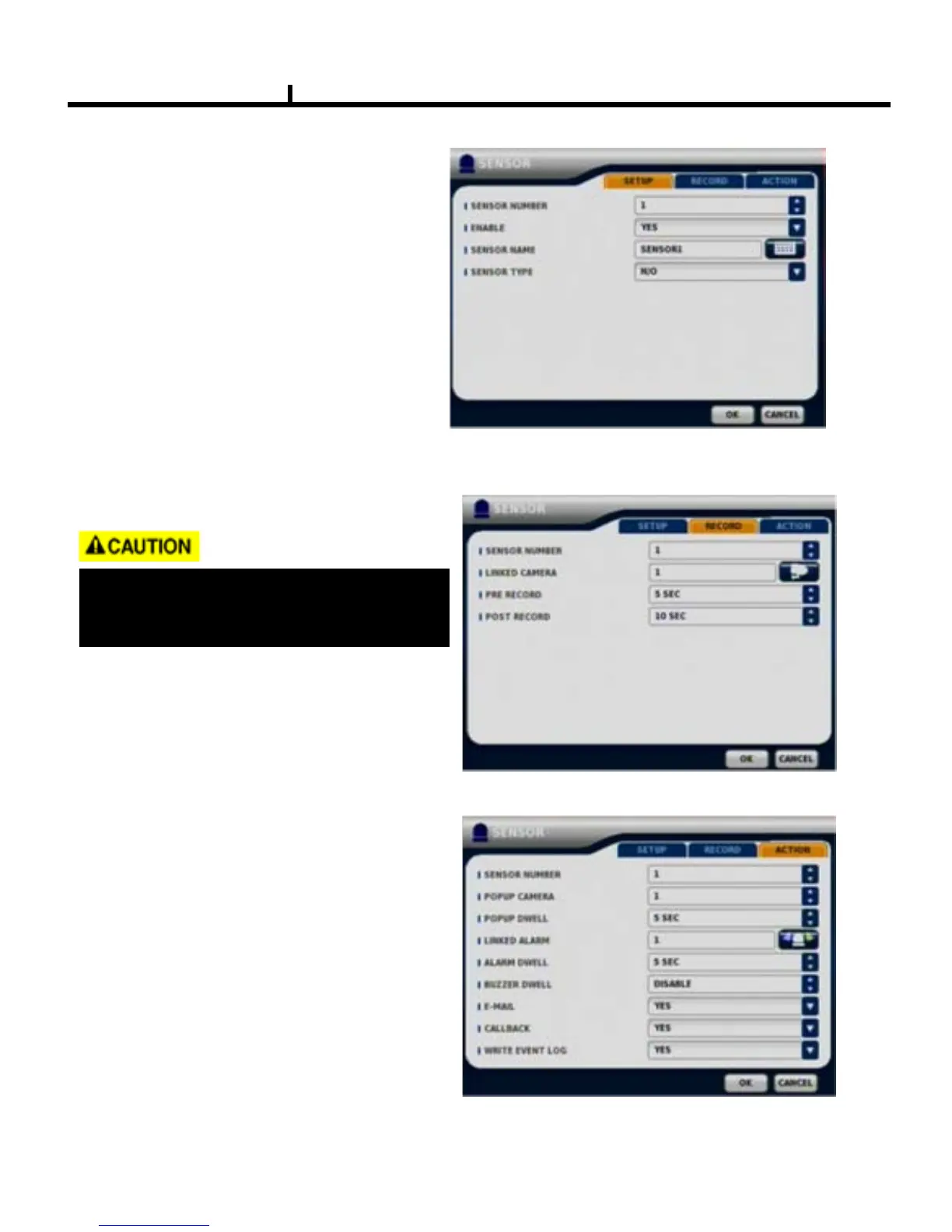
SENSOR
SETUP
Set the SENSOR name & TYPE.
NORMAL OPEN : Normally it opens
and sends signals when detects sensors.
NORMAL CLOSE : Normally it closes,
and it sends SIGNAL when detects sensors.
RECORD
Set Connecting camera,
Pre / Post record.
ACTION
Setting up list for how to act after EVENT.
POPUP CAMERA
/
DWELL
:Set popup channel & time.
LINKED ALARM
:When event active , enable the alarm outp
ut
-ALARM
/
BUZZER DWELL
:Set alarm & buzzer time.
-E-MAIL
:Select EVENT
info to be
sent by
e-mail.
-CALLBACK
:Select EVENT
info to be
sent to AGENT.
-WRITE EVENT LOG
:Select to write
LOG
info.
When record frames are less, PRE/POST
RECORD need to be set a lot more for
correct record search.



 To Next Page