74
5
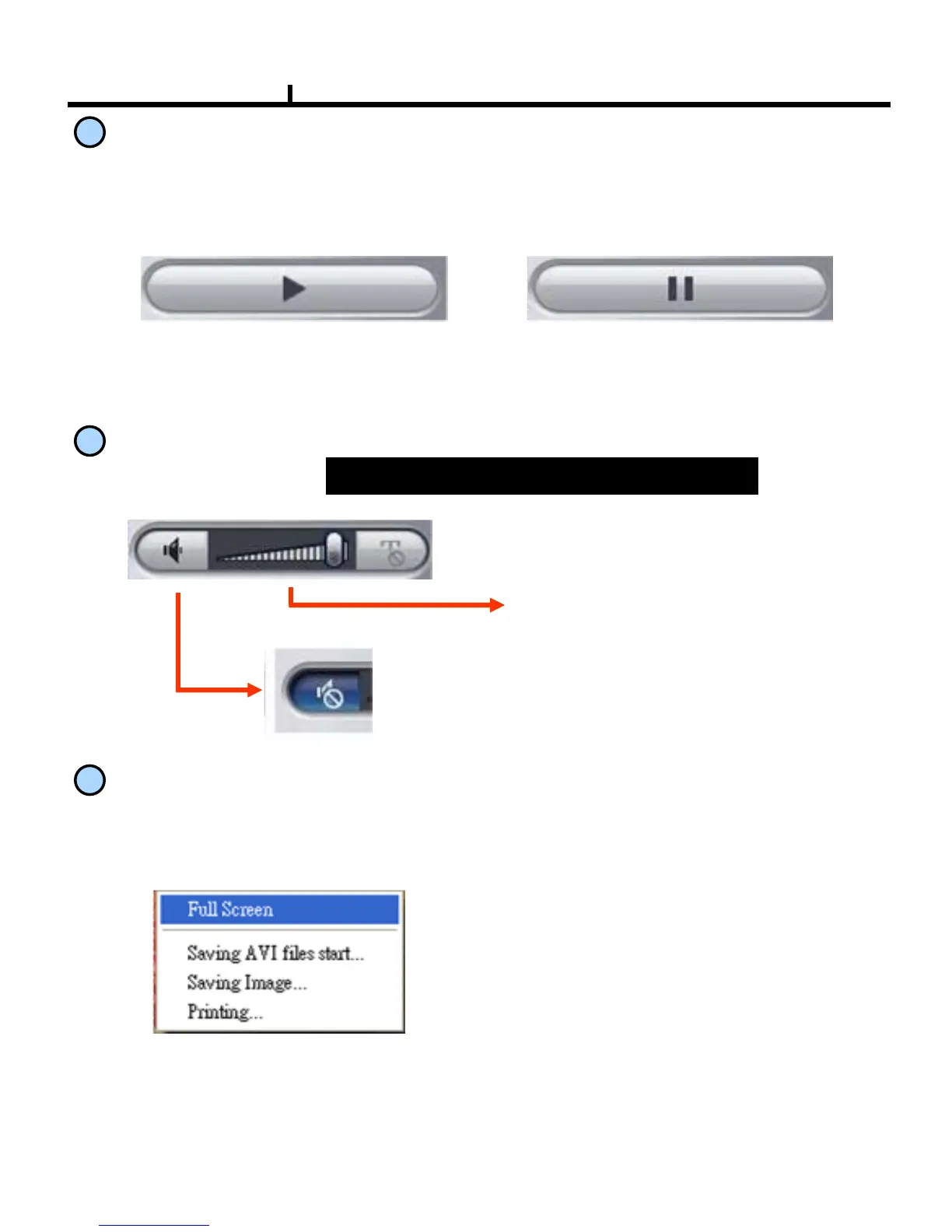
PLAY & PAUSE
Starts to play when pressed.
Starts or stops image transmission on the Remote Live screen.
This starts automatically when search or set in the setup menu.
Stops to play when pressed.
6
AUDIO Transmission
Controls Audio volume.
Mute Button :
Stops audio transmission.
Sound volume control gauge
7
Right Mouse Click Action
When the right button is clicked on Remote Live, the following menu below appears and the
following functions can be used.
Full Screen : Hides the function
button and shows the image full
screen.
Saving AVI files start :
Starts AVI saving of the channel
Selected.
※Audio signal is saved on full
screen mode only.
Saving
Image . : Save image file of channel selected (Save JPEG File )
Printing.. : Print current image of the channel.
※Audio signal is sent on full screen mode only.



 To Next Page