76
PTZ Operation
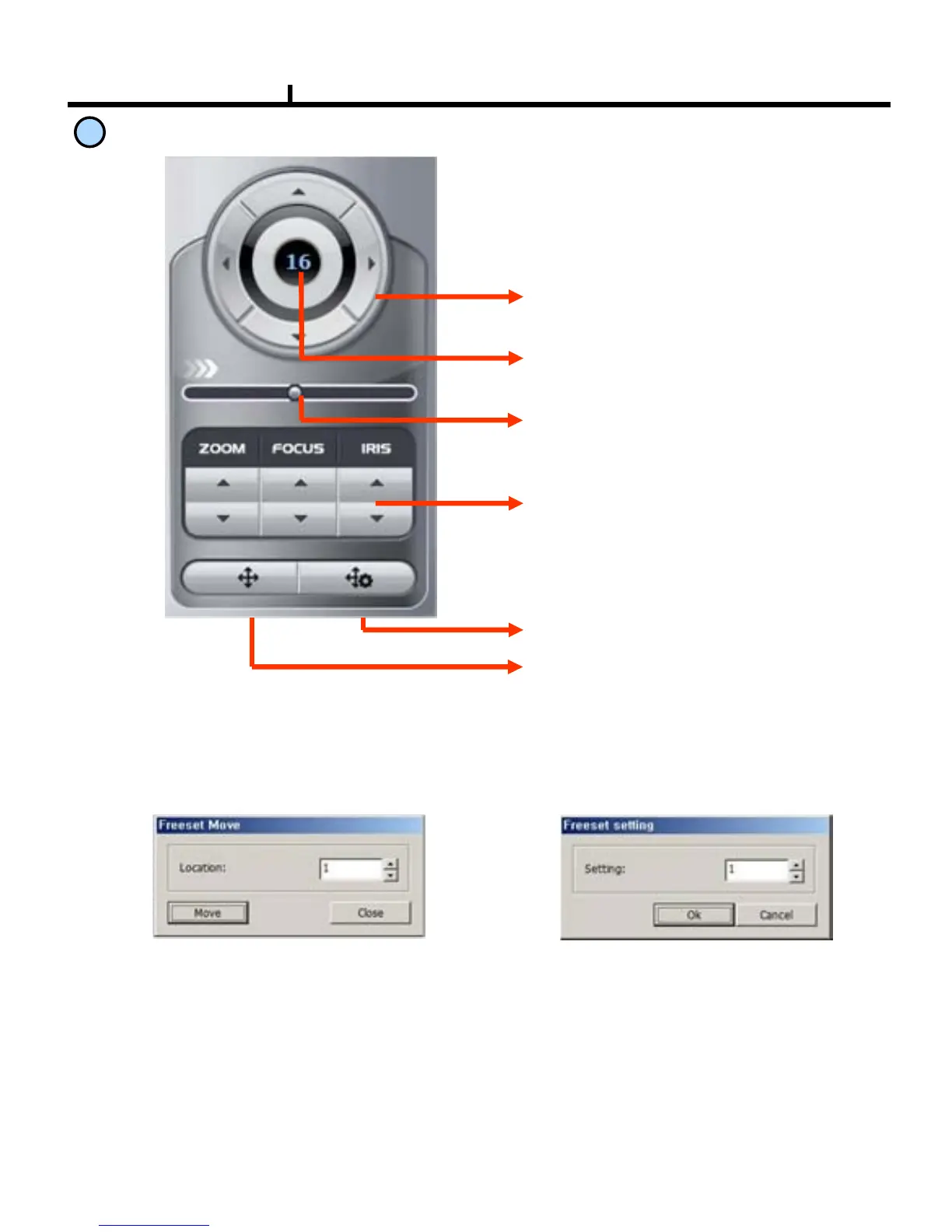
PTZ Control Function
Direction Button :
Button to move top, bottom, left, right
Channel Indication :
Indicate current channel
Speed Control Button :
Button to control moving speed
Image Control Button :
Button to adjust Zoom, Focus, Iris
Preset move button
Preset save button
10
Preset Move: Move to saved preset No.
Preset Save : Save preset No.
<Preset Move> <Preset Save>



 To Next Page