78
3
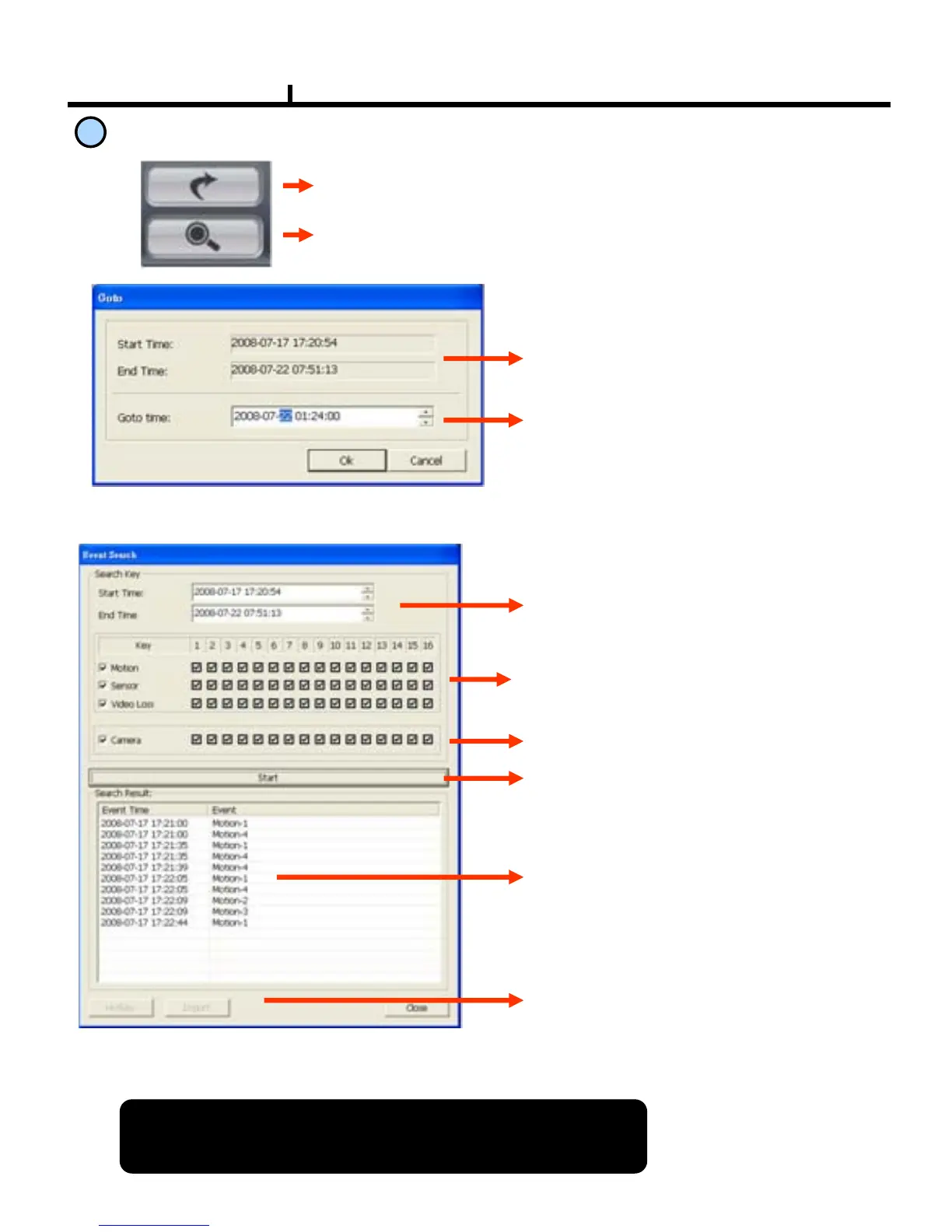
Move & Event Search
Time Search Button
: Go
to selected time
Event Search Button
: Popup the event search window
<Time Search Window>
Shows start and end time of recorded
data.
Go
to the time to search and press OK
button.
<Event Search Window>
Select the time to event search
Select events in detail.
Select the camera to search.
Start event search. Click below Import
button to list events.
Shows current searched event lists.
Hotkey :
Playback
the searched event.
Click Stop button first and select a
certain event list and click Hotkey to
play the event.
Import : Search the next event list.
※ 10 lists are shown every time clicks
import buttton
Please make sure to select “WRITE LOG” of the system.
If not, event lists aren’t searched.



 To Next Page