79
4
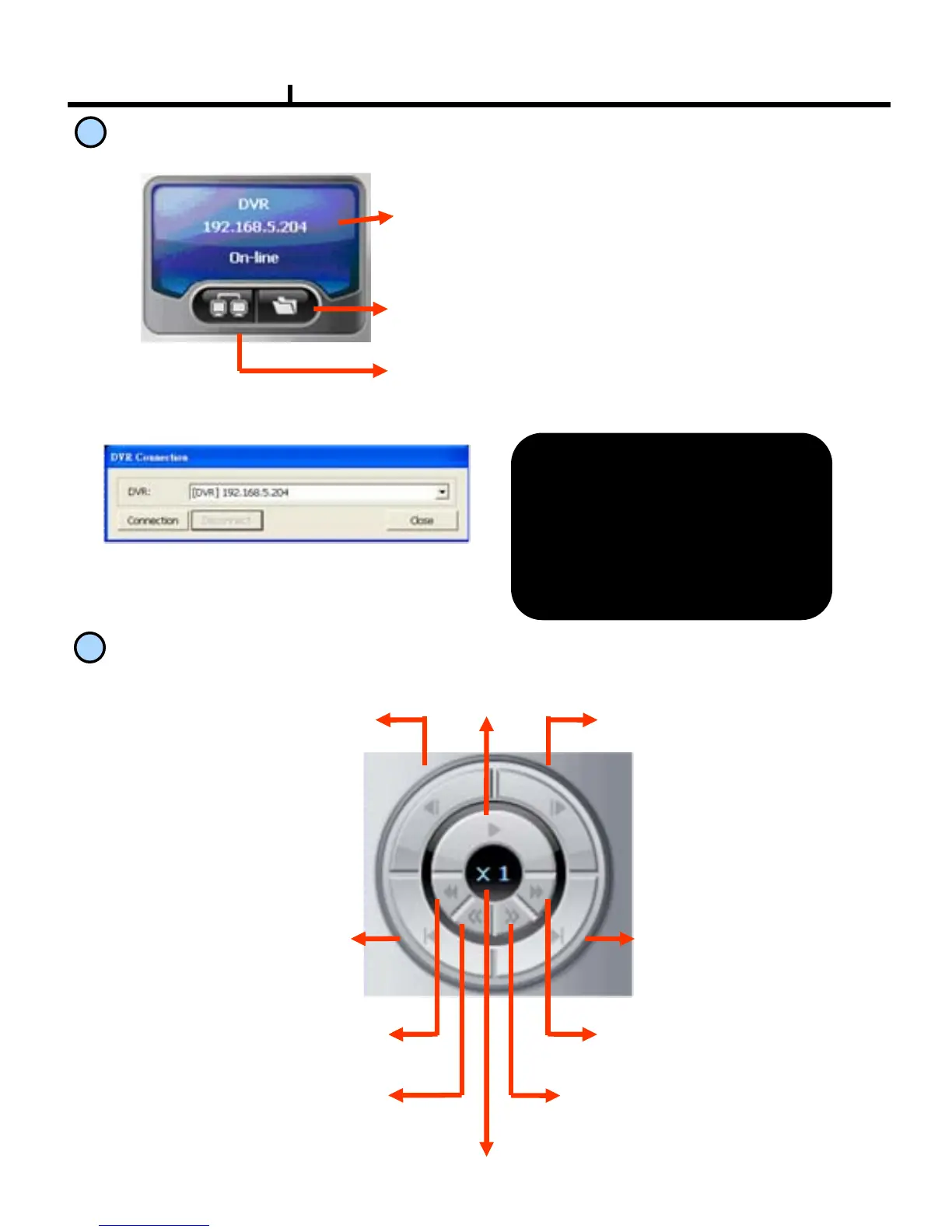
Connection Information and Button
Shows DVR’s name, IP address and connection
status.
Connect / Disconnect DVR Button
<Connection List Window>
When many DVRs are registered
in the DVR list, each DVR can be
remotely searched without closing
The Remote Program.
The linked list s can’t be edited
while search.
Open backup file play button
5
Playback Button
Previous Frame :
Play previous frames
reverse direction
Next Frame :
Play next frames
forward direction
Play / Pause
Fast Rewind : Fast reverse
play every 1 minute
Fast Forward :
Fast play every 1 minute
End :
Move to end of record data
Starting :
Move to starting
of record data
Speed Control Bar
Slow Rewind : Slow reverse play Slow Forward :Slow forward play



 To Next Page