80
6
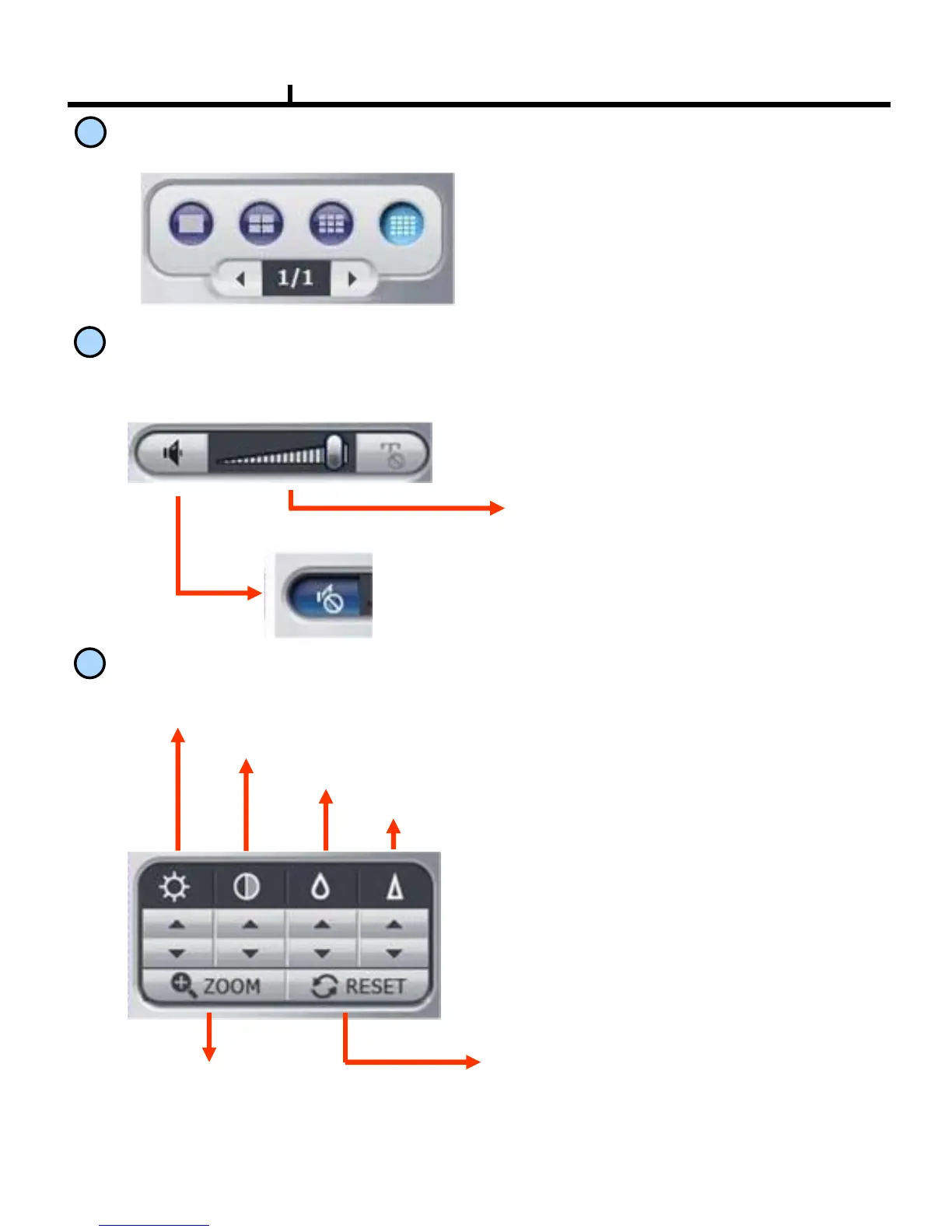
Screen Division Button
Screen Division Button
7
AUDIO Play
Controls audio volume. ※Audio signal is sent only on one full screen.
Mute Button :
Stops audio transmission
Sound volume control gauge
8
Image Control Button
Brightness adjustment button :
Adjusts the brightness of playing images.
Contrast adjustment button
:
Adjust the contrast of playing images.
Sharpness adjustment button:
Adjust the sharpness of playing images.
Blurring adjustment button:
Adjusts the blurring of playing images.
Brightness
Contrast
Blurring
Sharpness
Reset button :
Initializes the adjusted image to original image.
Zoom Button :
Zoom the selected part



 To Next Page