81
9
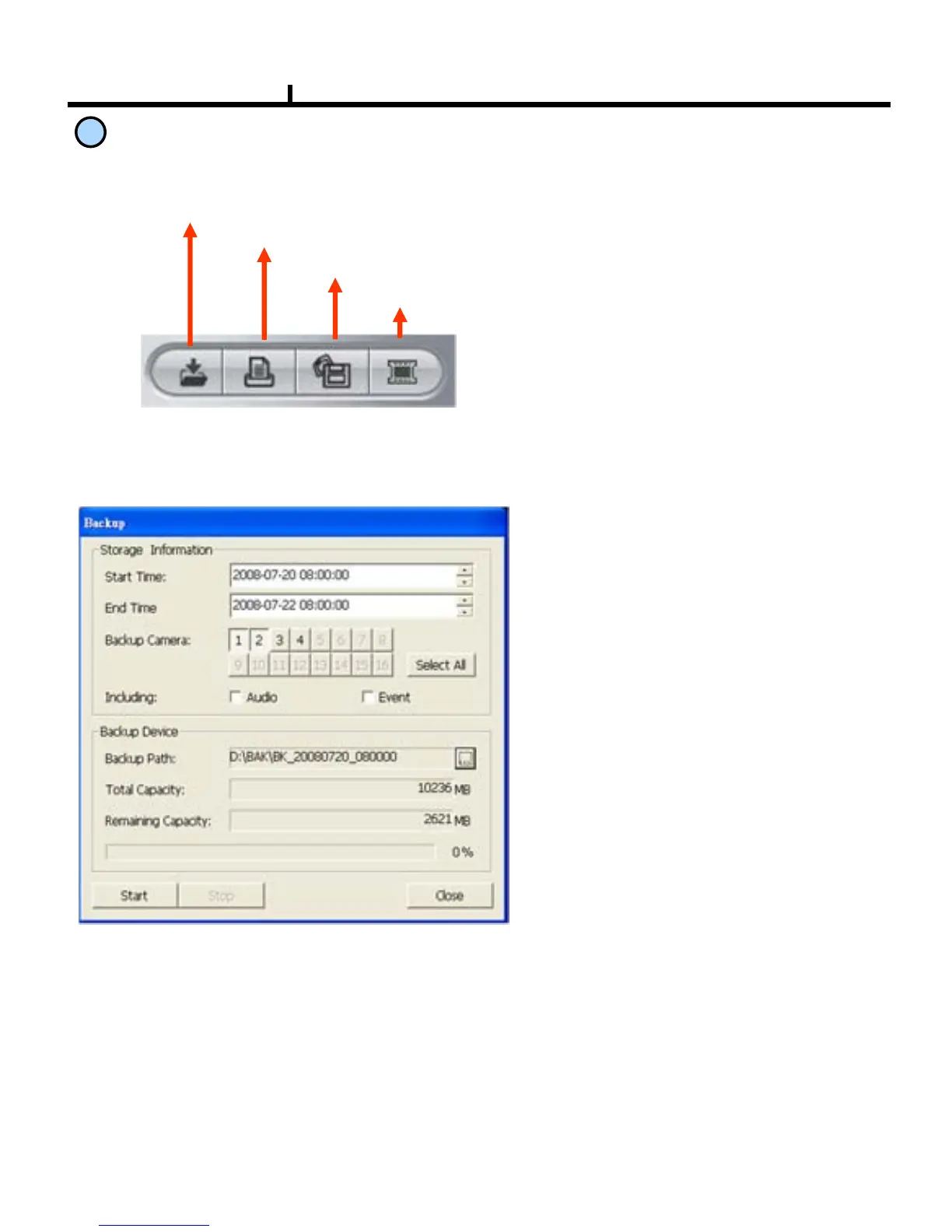
Saving Button
Backup
Print
Saving Image file
Saving AVI file
BackUp :
Backup the searched image as
compressed image file.
Print :
Print the searched images.
Saving AVI File :
Saves the searched images as AVI file.
Saving Image
File :
Saves the searched images as Image File.
(Save JPEG format )
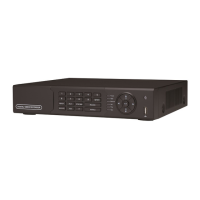
Storage Information :
Select start and end time to backup
image.
Backup Camera
:
Select the camera to backup
Including
:
Selects audio and event to include.
Backup Path :
Selects the local computer path to
backup
Total Capacity :
Shows local computer HDD total
capacity
Remaining Capacity :
Shows local computer HDD
remaining
capacity
<Backup Window>


 To Next Page