83
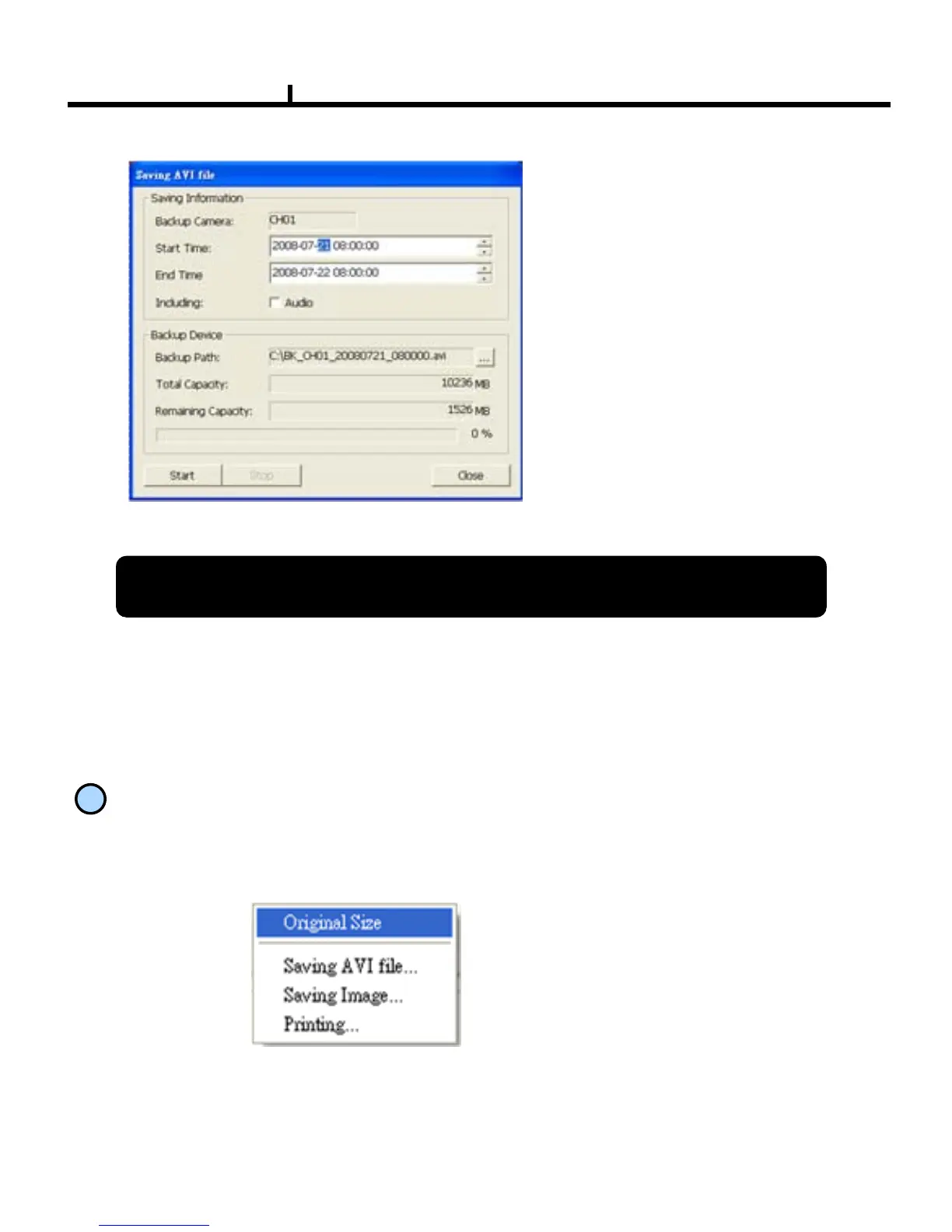
Saving Information
Selects camera No and start/end time
to save.
Including
:
Selects audio to include.
Backup Path
:
Selects the path to backup
Total Capacity :
Shows total capacity
Remaining Capacity :
Shows remaining capacity
Check “Caption option” of Media Player to display time/date of playing AVI file.
<AVI Save Window>
10
Right Mouse Click Action
When the right button is clicked, the following menu below appears and the following
functions can be used
Original Size : Shows original size.
Saving AVI
file :Starts to save AVI file
※ Audio signal is save only on full
screen.
Saving
Image.. : Save image of the selected camera (Save
JPEG )
Printing.. : Print current image of the camera



 To Next Page