9999
6
PTZ
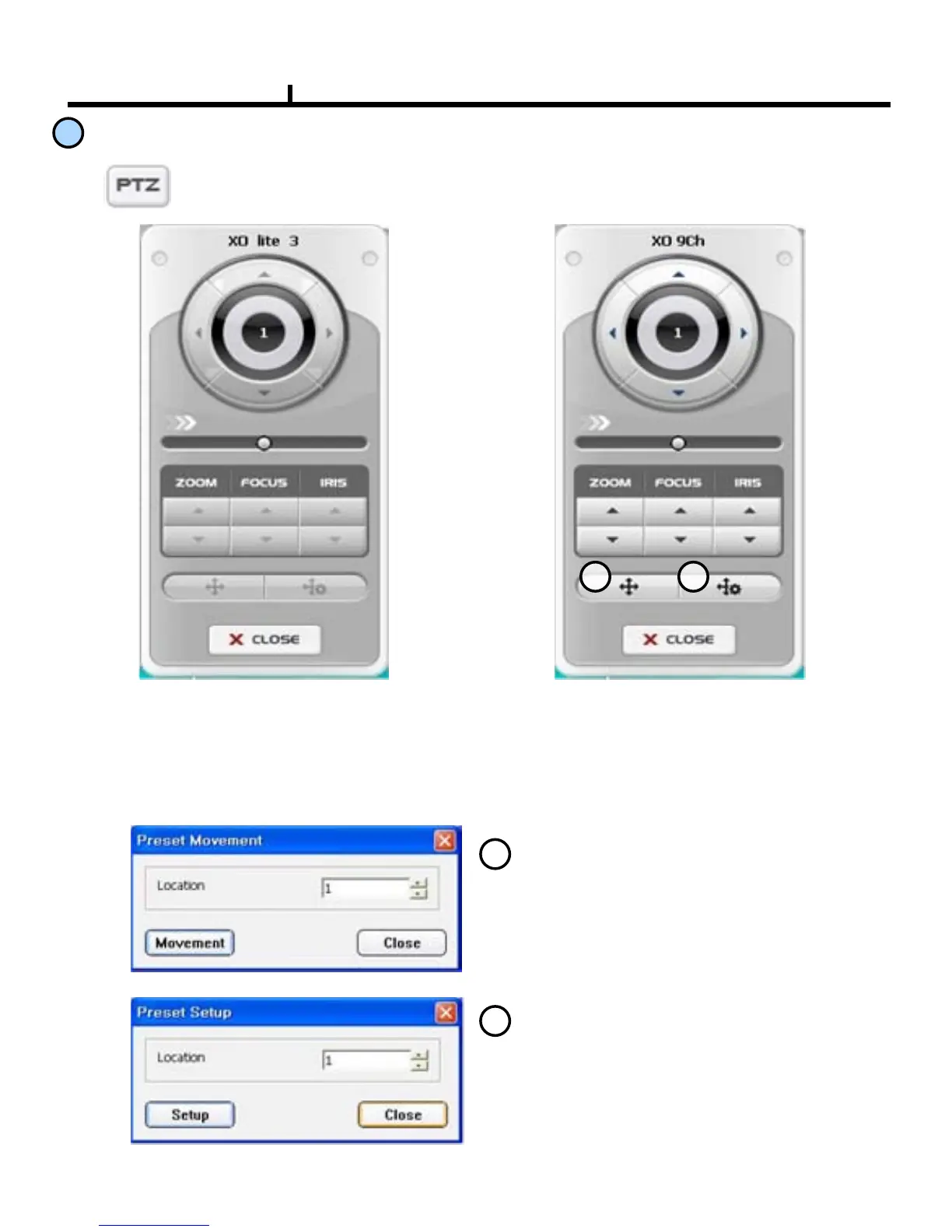
On clicking the PTZ button, the PTZ control panel appears. If the selected camera
has the disabled setting of PTZ, it will be disabled status like No.1pic. If not, it will
be enabled status like No.2pic.
PTZ Disabled PTZ Enabled
1 2
1
Preset Movement
2
Preset Setup
It makes the preset moved to the selected area.
It sets up the preset to the selected area.
Chapter II



 To Next Page