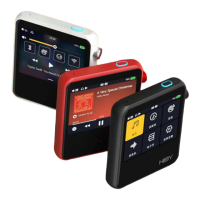
Need help?
Do you have a question about the HiBy R6III and is the answer not in the manual?
Details the device's physical buttons for power, playback, and status indication.
Covers the volume knob and various audio/data output ports including 3.5mm, 4.4mm, and USB Type-C.
Instructions for powering on, off, restarting, and locking/unlocking the device screen.
Describes the Android 12 OS and the preloaded HiBy Music Professional edition.
Specifies the compatibility and maximum size for Micro SD cards.
Details charging capabilities, including PD2.0 support.
Explains auto-detection for line out mode and details audio format indicators (RGB LED).
Covers coaxial and USB digital audio output functionalities, including acting as a USB DAC.
Details Bluetooth 5.0 pairing and WiFi connectivity for streaming and network features.
Instructions for performing over-the-air online firmware updates.
 General
| RAM | 4 GB |
|---|---|
| Internal Storage | 64GB |
| Operating System | Android 12 |
| Battery Capacity | 4500mAh |
| Resolution | 1280 x 720 pixels |
| SoC | Snapdragon 665 |
| Expandable Storage | MicroSD up to 2 TB |
| Connectivity | Bluetooth 5.0 |
| Headphone Output | 3.5mm |
| Charging | Quick Charge 3.0 |
| Supported Audio Formats | DSD, FLAC, WAV, ALAC, AIFF, APE, MP3 |
| Wi-Fi | Dual-band Wi-Fi |


 To Next Page