Bluetooth Connection
1. Open the mobile location service and GloryFit APP location
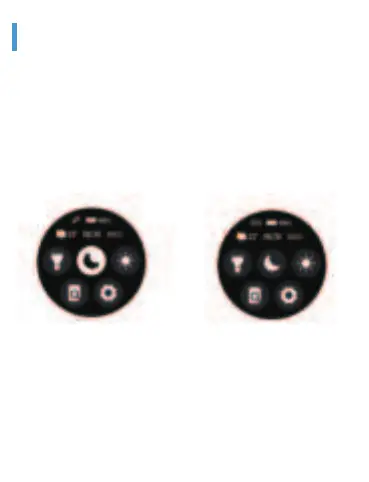
The upper left icon is red,
which means the watch is not
connected and occupied
The upper left icon is green,
which means the watch has
been connected and occupied.
2. Open GloryFit APP→Device→Add device→Search for Bluetooth
and link
※ Do not connect Bluetooth via the background of phone,Need be
sure Via APP search Bluetooth and link. If do wrong operation will
cause the Bluetooth of the watch to be occupied, the GloryFit APP will
not be able to search for the Bluetooth. At this time, the Bluetooth in
the Phone’s background must be ignored and released.Then Go back
to the GloryFit APP to search an connect.


 To Next Page