(2) Set the cooking time.
Example: Set 12 minutes 50 seconds, press "1", "2", "5", "0" in order.
(3) Press " Start/+30SEC. " to start cooking. The cooking time counts down,
":" will light and " Grill " indicator will flash.
1) Press the "Convec" once, the oven will display "100". "F" and " Conv."indicator
will light. (Press the convection temperature key to select the temperature you need.)
2) Press " Start/+30SEC. " button to start preheating.
The temperature figure will flash when the oven reach the temperature setted, and
buzzer will ring twice to remind you to put food into the oven, then close the door.
3) Press the number keys to set cooking time.
4) Press the "Start/+30SEC." button to start cooking.
" Conv." indicator will flash, ":" will light, and cooking time will count down.
Presses Instructions
1
2
3
1) Press the "Convec" once, the oven will display "100". "F" and " Conv."indicator
will light. (Press the convection temperature key to select the temperature you need.)
2) Press the "Convec" button to confirm the temperature.
3) Press the number keys to set cooking time.
4) Press the "Start/+30SEC." button to start cooking.
" Conv." indicator will flash, ":" will light, and cooking time will count down.
11
Note: "Grill" Pad presses instructions
5. Convection Cooking
B. Convection Cooking(Without preheating function)
6. Convection Roast Cooking
There are ten temperatures of convection: 100F,150F,250F,275F,300F,325F,350F,
375F,400F,425F.
A. With preheating convection
1) Press " Roast" once, the oven will display "325F", and the "Micro.", "Conv." indicator
will light.(Press the convection temperature key to select the temperature you need.)
2) Press " Roast" button to confirm the temperature.
3) Press the number keys to set cooking time.
4) Press " Start/+30SEC. " button to start cooking, ":" will light, and cooking time will
count down.
Note: If half the grill time passes, the oven sounds twice, and this is normal. It denotes
turning food over in order to have a better effect of grilling food, and you should
turn the food over, close the door, and then press" Start/+30SEC." to continue cooking.
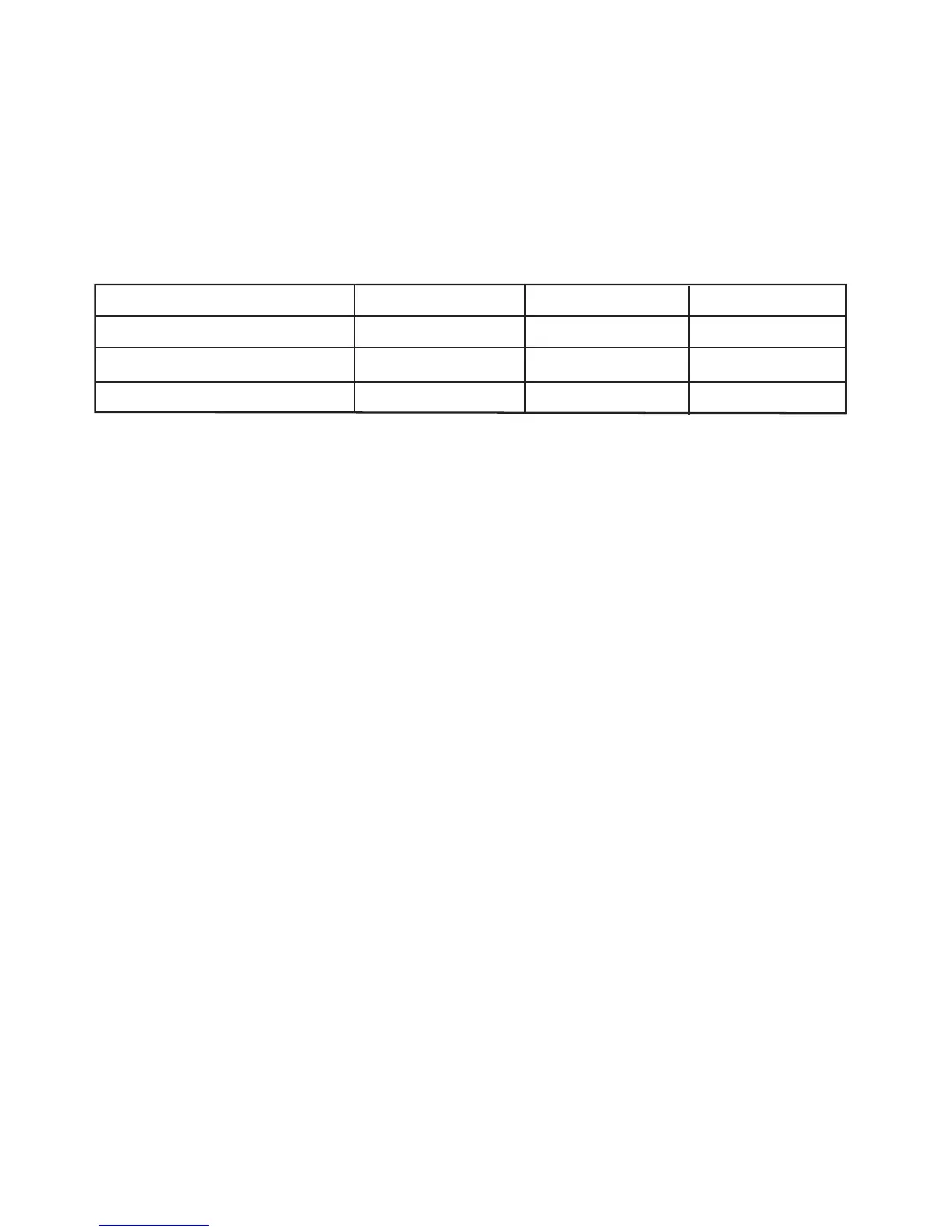
Display
G-1
G-2
G-3
Microwave
36%
55%
Grill
100%
64%
45%



 To Next Page