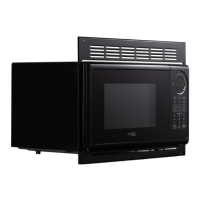
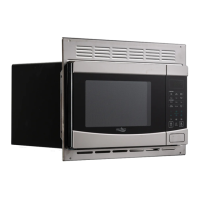
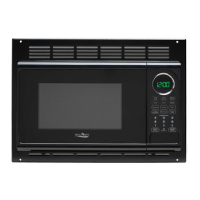
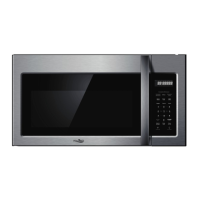
This document is an instruction manual for the HIGH POINTE Microwave Oven, model EM925AWW. It provides comprehensive guidance on the safe operation, installation, and maintenance of the appliance, ensuring users can achieve many years of good service. The manual emphasizes safety precautions to prevent exposure to excessive microwave energy and outlines important safety instructions to reduce the risk of burns, electric shock, fire, and injury.
The primary function of this appliance is to heat, cook, or dry food using microwave energy. It is designed for household use and is not intended for industrial or laboratory applications. The microwave oven offers various cooking modes and features to facilitate convenient and efficient food preparation.
Usage Features:
The microwave oven is equipped with a user-friendly control panel that allows for precise control over cooking settings. Key features include:
- Time Cook: This function enables users to set a specific cooking duration. The maximum cooking time that can be set is 99 minutes and 99 seconds. Users can also adjust the power level from 100% down to 0% across 11 different levels (PL10 to PL0), with PL10 being the default 100% power. This flexibility allows for a wide range of cooking needs, from rapid heating to gentle simmering.
- Speedy Cooking: For quick heating, the oven offers instant cooking at 100% power. Users can start cooking for 1 to 6 minutes by pressing the corresponding number pads. Additionally, pressing the "START/+30SEC." button initiates cooking for 30 seconds at 100% power, and each subsequent press adds another 30 seconds to the cooking time, up to a maximum of 99 minutes and 99 seconds. This feature is also available during microwave cooking and time defrost to add extra time.
- Weight Defrost: This function allows users to defrost food based on its weight. After selecting "WEIGHT DEFROST," users input the weight of the food in ounces, ranging from 4 to 100 oz. The oven automatically calculates the appropriate defrosting time. If an invalid weight is entered, the oven will beep and not operate until a valid number is provided.
- Time Defrost: Alternatively, users can defrost food by setting a specific time, ranging from 1 second to 99 minutes and 99 seconds. The default power level for time defrost is level 3, but this can be adjusted if needed.
- Auto Menu Functions: The microwave includes several pre-programmed auto menus for common food items, simplifying the cooking process. These include:
- Popcorn: Offers settings for 1.75 oz, 3.0 oz, and 3.5 oz popcorn bags.
- Potato: Provides settings for 1, 2, or 3 potatoes (approximate weights of 230g, 460g, and 690g respectively).
- Frozen Vegetable: Allows users to select weights of 4.0 oz, 8.0 oz, or 16.0 oz for frozen vegetables.
- Beverage: Features settings for 1, 2, or 3 cups (each cup being approximately 120ml).
- Dinner Plate: Offers options for 9.0 oz, 12.0 oz, or 18.0 oz dinner plates.
For all auto menu functions, users repeatedly press the corresponding button until the desired quantity or weight appears on the display, then press "START/+30SEC." to begin cooking.
- Multi-stage Cooking: The oven supports up to two cooking stages. If one of the stages involves defrosting, it is automatically set as the first stage. This feature allows for complex cooking sequences, such as defrosting followed by cooking at a specific power level and duration. Auto cooking functions cannot be used in multi-stage cooking.
- Clock Setting: Users can set the current time on a 12-hour system. The clock display will flash and remain lit once set.
- Kitchen Timer: A separate kitchen timer function allows users to set a countdown timer for up to 99 minutes and 99 seconds, independent of cooking operations. The buzzer will sound five times when the timer finishes.
- Memory Function: The microwave oven can store up to three custom cooking procedures. Users can program a sequence of cooking stages (up to two stages) and save it as a memory setting. Once saved, these procedures can be easily recalled and initiated with a few button presses. The memory settings are retained even if the electricity is temporarily cut off, but a complete power outage would require resetting them.
- Inquiring Function: During cooking, users can check the current time by pressing "CLOCK" or inquire about the microwave power level by pressing "POWER." The display will show the requested information for three seconds before returning to the previous state.
- Lock Function for Children: To prevent unintended operation, especially by children, the oven features a child lock. This is activated by pressing "STOP/CANCEL" for 3 seconds, indicated by a long beep and a lock symbol on the LED display. The lock is released by repeating the same action.
- Cooking End Reminding Function: When a cooking cycle is complete, the oven will sound a "beep" five times to alert the user.
- Start/+30Sec. Button: This versatile button serves multiple purposes: it starts cooking, adds 30 seconds to the cooking time during operation, and confirms settings for various functions.
- Stop/Cancel Button: This button clears all previous settings before cooking starts. During cooking, pressing it once stops the oven, and pressing it twice stops and clears all entries.
Maintenance Features:
The manual provides clear instructions for maintaining the microwave oven to ensure its longevity and safe operation.
- Cleaning: The manual advises using only mild, nonabrasive soaps or detergents applied with a sponge or soft cloth for cleaning the surfaces of the door and oven cavity that come together when the door is closed. This prevents damage to the door seals and sealing surface. It also recommends cleaning the cavity with a wet towel if food spills occur.
- Troubleshooting: A dedicated troubleshooting section helps users identify and resolve common issues. It lists potential problems such as the oven not starting, arcing or sparking, unevenly cooked food, overcooked food, undercooked food, and improper defrosting. For each problem, possible causes are identified, along with corresponding remedies. For instance, if the oven does not start, remedies include checking if the electrical cord is plugged in, ensuring the door is closed, and verifying that the correct operation is set. If arcing or sparking occurs, users are advised to use microwave-safe cookware, avoid operating the oven empty, and clean any spilled food from the cavity.
- General Care: The manual emphasizes the importance of not operating the oven if it is damaged, particularly if the door, hinges, latches, or door seals are compromised. It also states that the oven should not be adjusted or repaired by anyone other than properly qualified service personnel. Users are warned not to cover or block any openings on the oven and to keep the cord away from heated surfaces.
- Utensil Guidance: The manual includes detailed lists of materials that can be used in a microwave oven and those to be avoided. This guidance helps prevent arcing, fires, and damage to the oven or utensils. For example, aluminum foil can be used for shielding thin parts of meat, but it must be at least 1 inch (2.5cm) away from oven walls to prevent arcing. Metal or metal-trimmed utensils, metal twist ties, and plastic foam are explicitly listed as materials to avoid. A "Utensil Test" procedure is provided for users to determine if a non-metallic utensil is safe for microwaving.
- Installation: Proper installation is crucial for the oven's performance and safety. The manual specifies countertop installation requirements, including minimum clearances from adjacent walls (3.0 inches/7.5cm), above the oven (12 inches/30cm), and the importance of not removing the legs from the bottom. It also warns against blocking intake and outlet openings, as this can damage the oven. Users are instructed to plug the oven into a standard household outlet with the correct voltage and frequency. The manual also highlights the importance of not removing the light brown Mica cover inside the oven cavity, which protects the magnetron.
- Grounding Instructions: The appliance must be properly grounded to reduce the risk of electric shock. The manual provides detailed grounding instructions, including the use of a 3-wire extension cord with a 3-pronged grounding plug if an extension cord is necessary. It advises consulting a qualified electrician or serviceman if there is any doubt about proper grounding.
Overall, the HIGH POINTE Microwave Oven is designed for safe, convenient, and efficient food preparation, with features that cater to various cooking and defrosting needs, supported by clear instructions for proper use and maintenance.


 To Next Page
 General