10
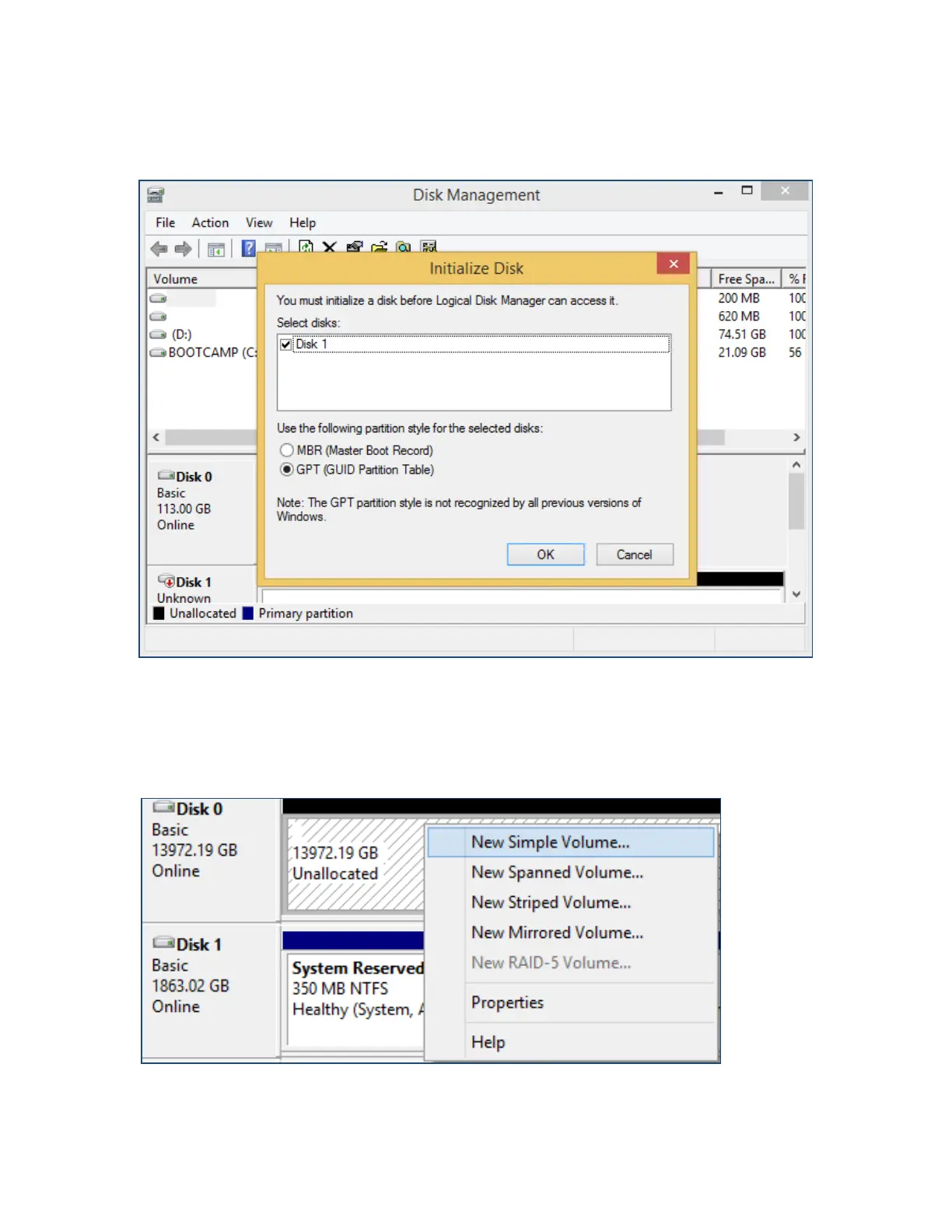
6. Disk Management will ask to initialize unknown disks either in MBR format or
GPT.
(Windows) Disk Management asks to initialize the disks before use. As a general rule,
select MBR for disks less than 2TB and GPT for disks greater than 2TB.
7. Right click the unallocated space and click New Simple Volume.
Right Click unallocated space, then click New Simple Volume.



 To Next Page