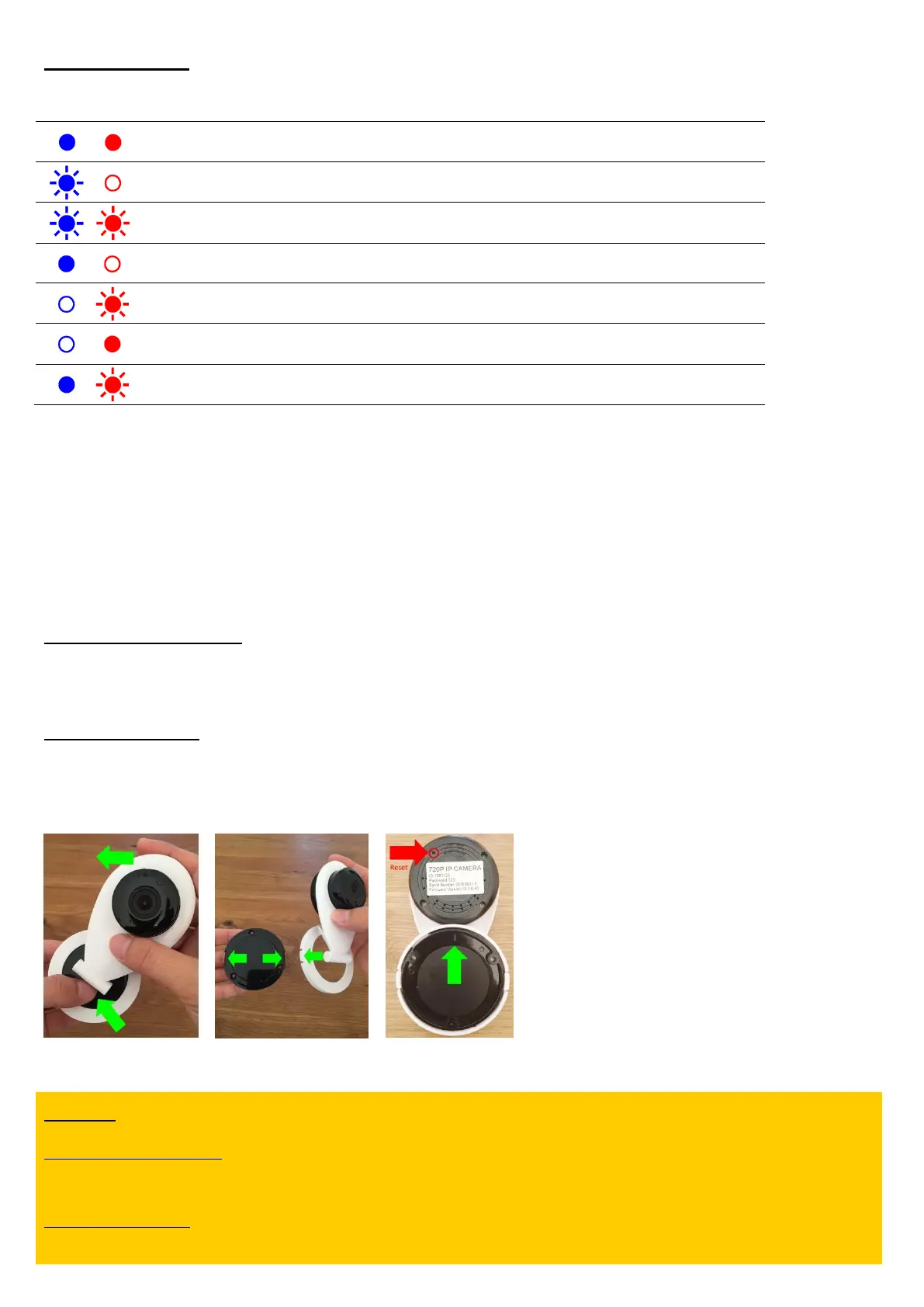
Error diagnostics:
The camera is connected to the router via WiFi. This status
LED can be switched off in HiKam app
Wrong WiFi password. Please reset the camera and launch it
again
WiFi signal strength weak. Please move the camera closer to
the router.
Receipt of an IP address failed. In the router settings, please
enable DHCP and disable MAC filter.
Please check the following conditions in the router in case of failure:
- Power off the router, wait for 30 seconds, power on the router and wait until the router is online
- Turn off the 5GHz WiFi signal in the router
- Use security mode: WPA2-TKIP or WPA2-PSK/AES
- In case “guest access” is used: disable the option: ‘guest access’ and enable the option: ‘the devices are allowed to
communicate with each other’
- Set WiFi channel selection to ‘automatic’
Launch using ‘AP mode’
If during the ‘AirLink’ setup, the camera does not emit the confirmation sound (‘dong…’), please try ‘AP mode’. The
instructions for ‘AP mode’ can be found on the second page.
Installation manual
- Hold mounting plate with one hand and turn the white frame counter-clockwise to open / clockwise to close (pictures 7, 8).
- For vertical installation, set the mark pointing upwards (picture 9).
- The RESET button is located on the back of the camera (picture 9).
Support:
http://support.hi-kam.com
For further instructions, video tutorials, software, data sheets, specs, FAQs.
service@hi-kam.com
Guaranteed feedback within 24hrs, often within 4hrs.


 To Next Page