Wireless Router • User Manual
1
Chapter 1 Activation and Login
Activation is required before using the router (hereafter referred to as device) for the first time.
After activation, the router can be configured via Web Login.
Activate
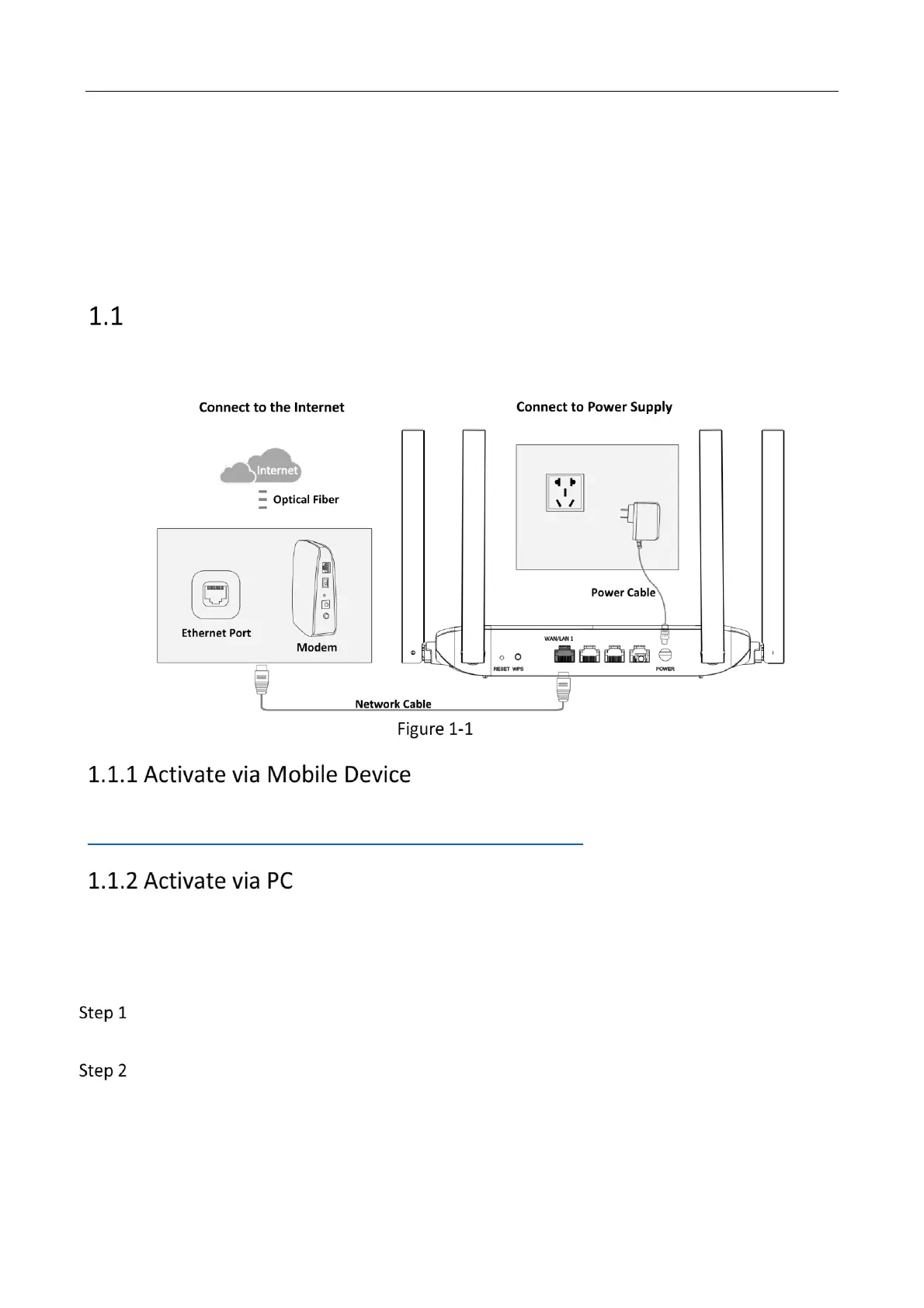
The device can be activated via a mobile device or PC. Make sure the device is connected to
network and power supply before activating.
Wiring
Please refer to the Quick Start Guide in the packing box, or click
https://enpinfodata.hikvision.com/analysisQR/showQR/15f499be to view guidance video.
Wired Mode
The wired mode is applicable to PC. The device can be activated through network cable
connection.
Connect any LAN port of the device to the network port of the desktop directly with a
network cable.
Enter Management IP Address (192.168.9.1) in the browser address bar to go to the
activation page.



 To Next Page