Wireless Router • User Manual
2
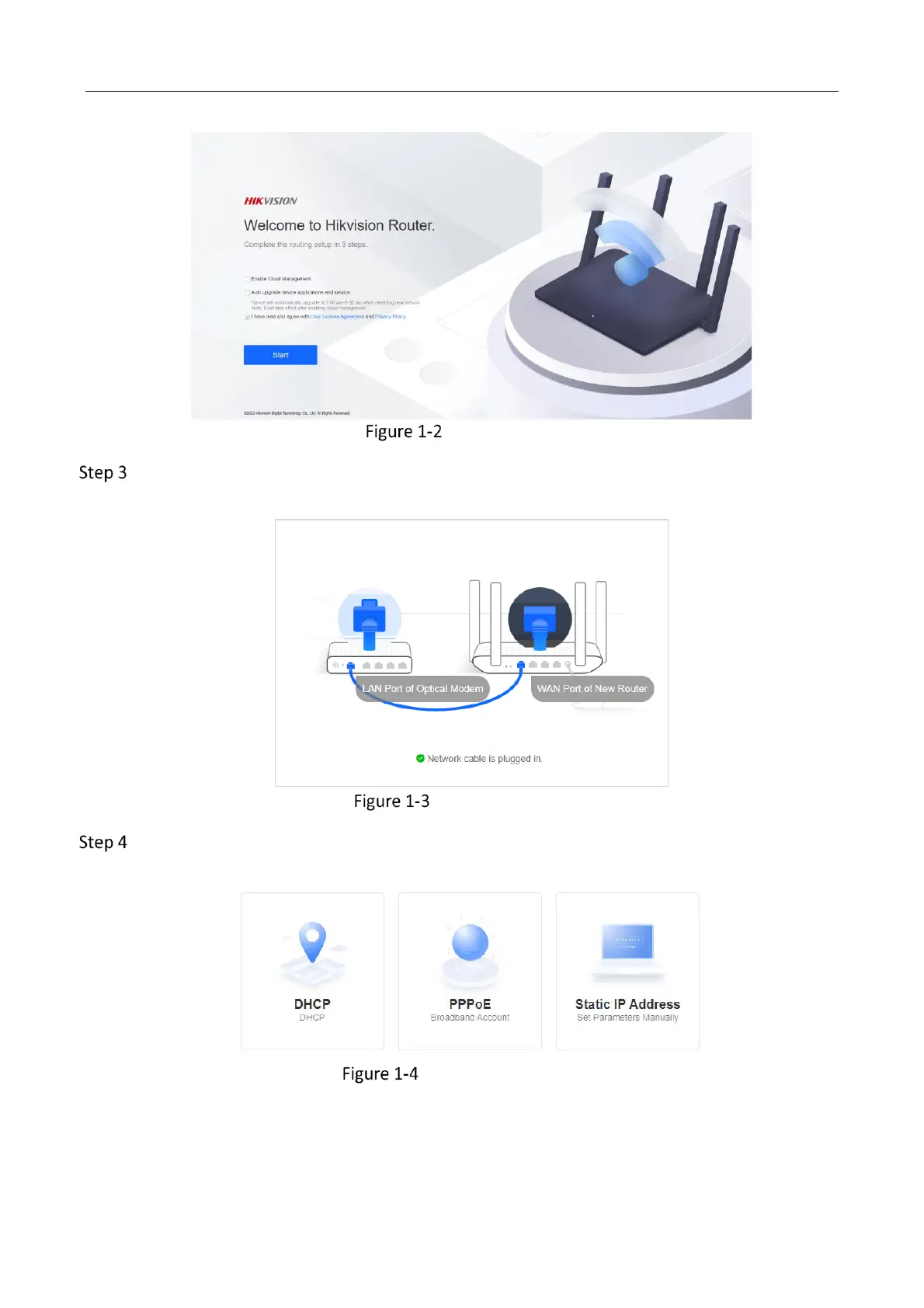
Activation Page
Click Start to go to the activation page. The system will automatically detect device network
connection.
Device Connection
The system will detect the Internet access mode automatically, or you can select it manually.
Internet Access Mode
DHCP: It is recommended to select this mode. Dynamic IP address will be allocated
automatically. No additional configuration is required.



 To Next Page