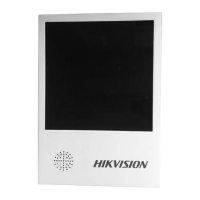
This document describes the Hikvision Entrance and Exit Screen, a device primarily used in entrance and exit scenarios to display information such as license plates, E&E time, and guidance messages. The manual covers product introduction, installation, configuration, and testing of the LED screen.
Function Description:
The Hikvision Entrance and Exit Screen serves as a visual communication tool in access control and traffic management systems. Its main function is to display dynamic information to drivers and visitors at entry and exit points. This includes, but is not limited to, license plate numbers for verification, timestamps for entry/exit, and various guidance messages (e.g., "Welcome," "Stop," "Thanks," "Full," "Empty"). The screen is designed to be integrated into broader security and management systems, allowing for automated or manual display of relevant data.
Important Technical Specifications:
The manual details two main types of LED screens:
-
DS-TVL224-4-5Y (4-Lines 3-Color 8-Characters Outdoor Entrance & Exit LED Screen):
- Width: 64
- Height: 64
- Color: Two Colors (likely red, green, and possibly amber/yellow for 3-color capability)
- OE Polarity: Low
- Data Polarity: Low
- Save Control: 1: not store
- Line: 1. General
- Color Channel: R+G+B
- Driver IC: General
- Scan mode: 8.4
- Physical Dimensions: Approximately 474.5mm (height) x 395mm (width) x 65mm (depth) for the display unit, with an additional side mounting bracket. The overall structure includes a separate control box.
-
DS-TVL224-4-5Y (2 Rows) (2-Lines 3-Color 8-Characters Dark-Grey Outdoor Entrance & Exit LED Screen):
- Width: 64
- Height: 32
- Color: Two Colors
- OE Polarity: Low
- Data Polarity: Low
- Save Control: 1: not store
- Line: 1. General
- Color Channel: R+G+B
- Driver IC: General
- Scan mode: 8.8
- Physical Dimensions: Approximately 243.5mm (height) x 395mm (width) for the display unit, with a similar side mounting bracket and control box as the 4-line version.
Both models are described as "Outdoor Entrance & Exit LED Screen," indicating their suitability for external environments. The "3-Color" designation suggests the ability to display messages in multiple colors, enhancing visibility and the ability to convey different types of information (e.g., red for "Stop," green for "Go"). The "8-Characters" likely refers to the maximum number of characters displayable per line at a given time.
Usage Features:
- Information Display: The primary usage is to display dynamic information such as license plates, entry/exit times, and guidance messages.
- Customizable Messages: Users can input custom content for display, allowing for flexible communication.
- Multi-line Display: Depending on the model, the screen can display 2 or 4 lines of text, enabling more comprehensive messages.
- Color Display: The 3-color capability allows for color-coded messages, which can be used to convey urgency or different types of instructions more effectively.
- Outdoor Use: Designed for outdoor environments, suggesting durability and weather resistance.
- Network Connectivity: The device supports network communication (RJ45) for configuration and data transfer.
- RS-485 Interface: Includes an RS-485 interface, indicating compatibility with industrial control systems and longer-distance communication.
- Audio Output: Features an audio output, suggesting the possibility of audible alerts or messages in conjunction with visual displays.
Maintenance Features:
- LED Test Tool Software: A dedicated "LED Test Tool V2.01C" software is provided for searching, configuring, and testing the LED screen. This tool is crucial for initial setup and ongoing management.
- IP Address Configuration: The software allows users to search for the screen's IP address and change it, facilitating network integration and management. The default IP is 192.168.1.99.
- Display Parameter Setting: Users can configure various display parameters, including width, height, color, OE polarity, data polarity, save control, line type, color channel, driver IC, and scan mode. This allows for fine-tuning the screen's performance and appearance.
- Firmware Update: The configuration tool includes an option for firmware updates, ensuring the device can be kept up-to-date with the latest features and bug fixes.
- Save/Check Settings: The software provides options to save and check the configured settings, preventing accidental data loss and verifying correct setup.
- Test Functionality: A "Test" function within the software allows users to input content and display it on the screen to verify that it is working normally. This includes setting display speed and message content.
- Installation Simplicity: The installation process involves mounting the screen to a vertical pole using a hoop and connecting power, RS-485, RJ45, and audio cables. This straightforward installation aids in maintenance and replacement.
- Troubleshooting: The manual includes "Symbol Conventions" to highlight important information:
- Danger: Indicates a hazardous situation that could result in death or serious injury.
- Caution: Indicates a potentially hazardous situation that could result in equipment damage, data loss, performance degradation, or unexpected results.
- Note: Provides additional information to emphasize or supplement important points. These conventions are crucial for safe and effective maintenance.
The Hikvision Entrance and Exit Screen is a robust and configurable solution for displaying critical information in various access control scenarios, supported by comprehensive software tools for easy setup and maintenance.

 Need help?
 General



 To Next Page