1.9.5 Set Informaon Overlay
Set Single Picture Overlay
If you want to overlay informaon on the captured single pictures, set capture overlay.
Steps
Note
The supported parameters vary with dierent models. The actual device prevails.
1.
Go to Conguraon → Capture → Capture Parameters → Text Overlay .
2.
Select single picture channel.
3.
Check Capture Picture Overlay.
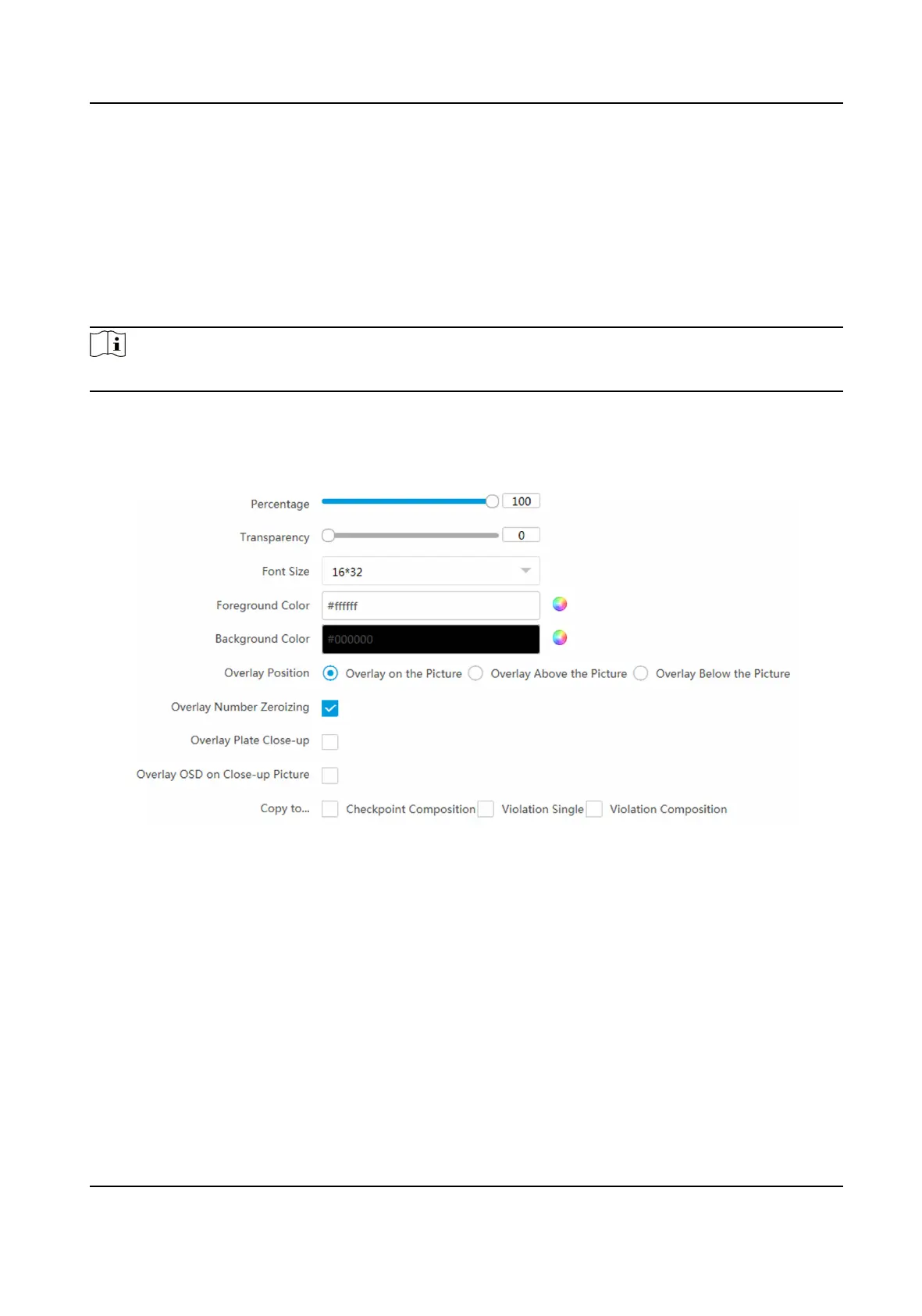
Figure 1-24 Set Single Picture Overlay
4.
Set the percentage, front size, color, overlay posion, etc.
Percentage
It is the percentage that the overlaid informaon occupies on the picture. For example, if you
set the percentage to 50, the overlaid informaon in a row will occupy up to half of the image
width, and the excess content will be overlaid from a new line.
Transparency
It is the
condion of viewing the live view image through the overlaid informaon.
Overlay Number Zeroizing
Network Trac Camera Conguraon Manual
49



 To Next Page
 Loading...










