
 Need help?
Do you have a question about the HIKVISION Network Speed Dome Camera and is the answer not in the manual?
Details FCC compliance for digital devices and radio frequency energy.
Outlines CE marking and compliance with EU directives for safety and EMC.
Warns about live circuits, power supply, grounding, and connection safety.
Details power cord requirements, battery handling, and EMI warnings.
Differentiates between warnings (serious injury/death) and cautions (injury/damage).
Lists operational safety advice for handling, environment, and product care.
Specifies OS, CPU, RAM, display, and browser requirements for web access.
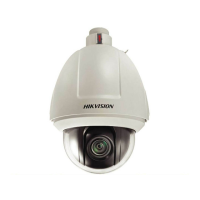
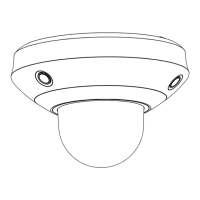
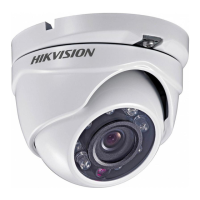
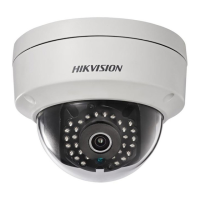
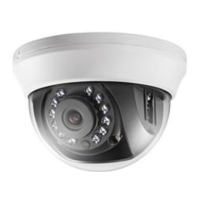
Details the physical appearance and key technical features of the speed dome.
Lists operational functions such as Limit Stops, Scan Modes, Presets, and Auto Flips.
Guides on connecting and configuring the speed dome on a Local Area Network.
Illustrates wiring methods and explains IP address detection and modification.
Covers connecting and configuring the speed dome on a Wide Area Network.
Explains setup for dynamic IP using PPPoE, including router and modem connections.
Step-by-step guide to log in and view the device using a web browser.
Guide on using the iVMS-4200 client software for managing the speed dome.
Describes self-test actions and the live view interface layout.
Explains toolbar, PTZ controls, and starting live view.
How to manually capture images and record video clips.
Details PTZ panel, setting/calling presets, patrols, and patterns.
Configures the initial PTZ position and basic parameters like speed and freezing.
Defines operational boundaries and automated PTZ task schedules.
Sets idle actions and masks sensitive areas in the video feed.
Configures local parameters, time zone, and synchronization.
Covers TCP/IP, ports, PPPoE, DDNS, SNMP, and FTP settings.
Adjusts video stream, audio encoding, and image parameters.
Configures responses to motion detection, tamper-proof, external inputs, and exceptions.
Steps to add and initialize Network Attached Storage for recording files.
Sets up schedules for automatic recording based on time or events.
Instructions on how to search and play recorded video files.
Steps to select and download recorded video clips from the device.
Guides on setting search criteria and exporting operational logs.
Covers creating, modifying, and deleting user accounts and permissions.
Displays device details and covers rebooting, default restore, and upgrades.
Manages device settings by importing/exporting files and performing system upgrades.
Visual representation of the on-screen display menu hierarchy for remote control.
Overview of SADP tool for searching and managing network devices.
Guides on searching, modifying network parameters, and restoring passwords via SADP.
Configuration of WAN connection and LAN parameters on a router.
Forwarding necessary ports on the router for network access.
 General
| Image Sensor | 1/2.8" progressive scan CMOS |
|---|---|
| Max. Resolution | 1920 × 1080 |
| Digital Zoom | 16 × |
| Noise Reduction | 3D DNR |
| Interface | 1 RJ45 10M/100M Ethernet interface |
| Ingress Protection | IP66 |
| Vandal Resistance | IK10 |
| Lens | Motorized zoom lens |
| Min. Illumination | 0.005 Lux @ (F1.6, AGC ON), 0 Lux with IR |
| Pan Range | 360° |
| Protocols | IPv4/IPv6, HTTP, HTTPS, SNMP, FTP, DHCP, DNS, DDNS, NTP, RTSP, RTP, SMTP, UPnP |
| Protection Level | IP66 |
| Video Compression | H.264 / H.265 / MJPEG |
| Frame Rate | 50 Hz: 25 fps (1920 × 1080) |
| Bit Rate | 32 Kbps to 16 Mbps |
| Network | Ethernet |
| Pan Speed | 0.1° to 300° /s |
| Tilt Speed | 0.1° to 200° /s |


 To Next Page