Step 6
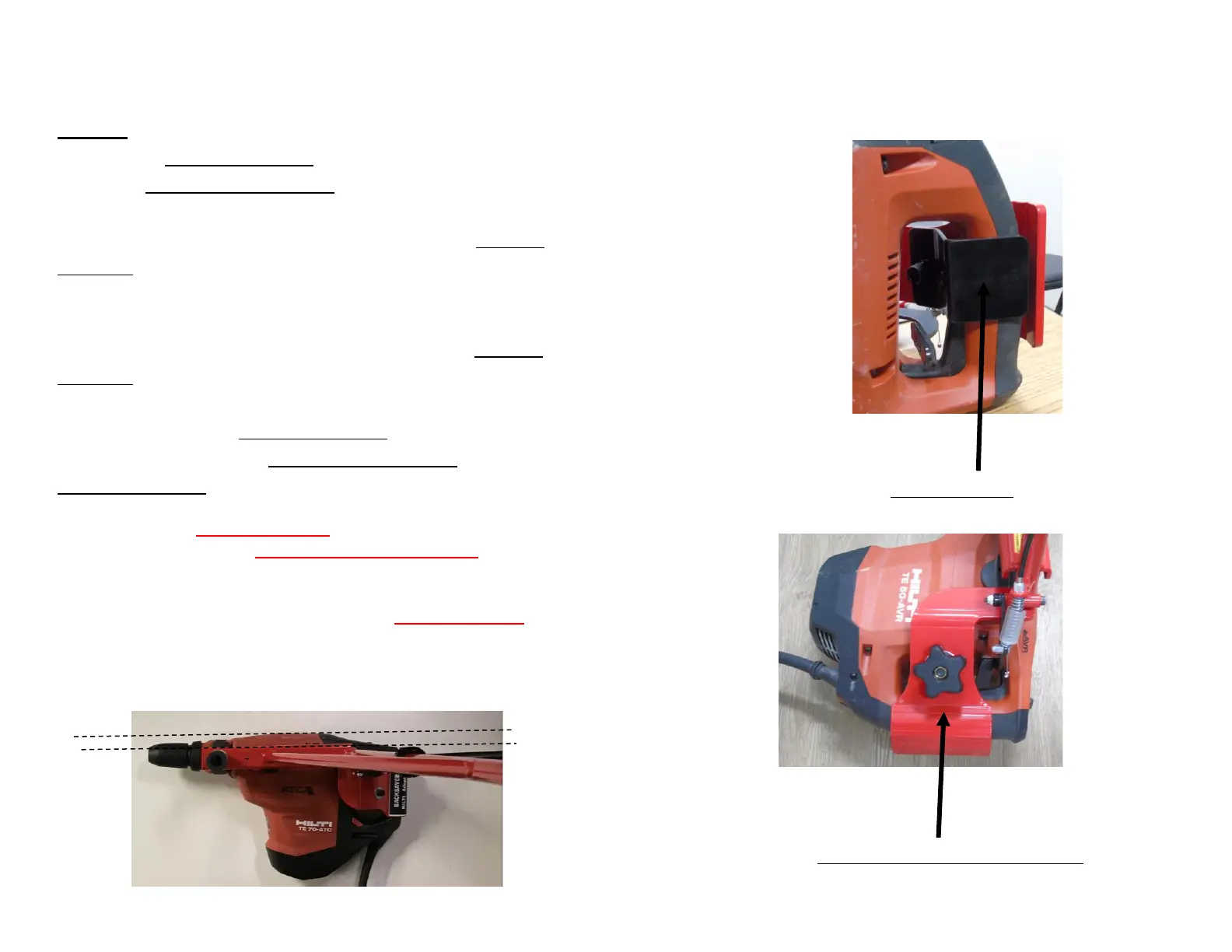
Attach the handle bracket to the drill by securing it
with the handle clamp knob. Ensure the drill is
parallel to the top of the base of the BackSaver, as
shown in the photo below. Make sure the handle
bracket does not engage the Hilti® trigger when
attaching. If it is engaging the Hilti® trigger, the
BackSaver will need to be re-adjusted to ensure the
Hilti® trigger is not being engaged by the handle
bracket. Make sure the BackSaver trigger is the
only item engaging the Hilti® trigger as shown in
the photo, not the handle bracket. After Aligning
properly, tighten the handle clamp knob to the
handle bracket.
**Make sure the handle bracket is always secure in the
correct location. If the BackSaver handle bracket would
become loose, it could activate the Hilti® trigger. Make
sure if this happens, STOP IMMEDIATELY, unplug or
disconnect the battery and re-align the handle bracket.
**Again, make sure the hammer drill is unplugged or
battery is disconnected while attaching or adjusting parts
of the BackSaver.
9


 To Next Page
 Loading...