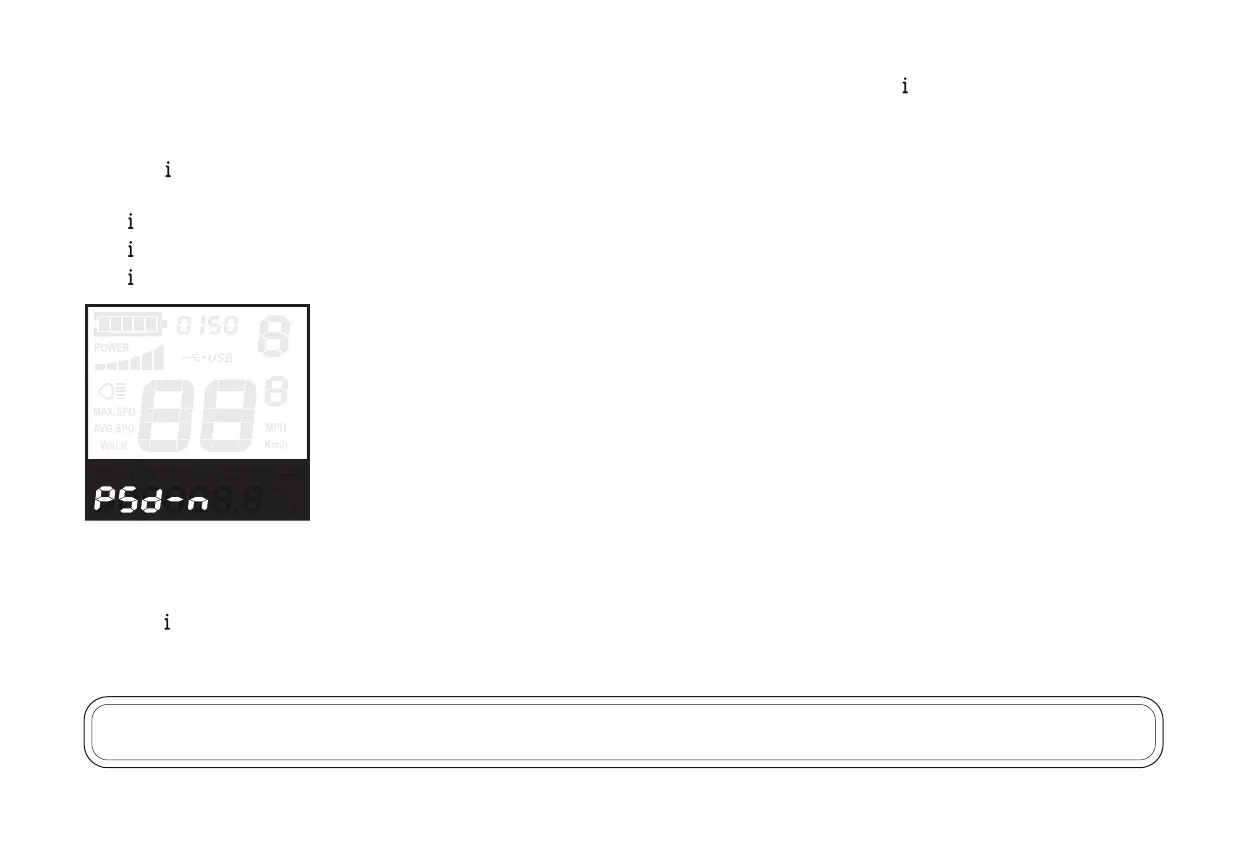
Display will then show “ PSd-n ” (no), press “ + ” to change it to “ PSd-y ” (yes) to turn the security passcode on. Press “ ” to confirm.
Then, choose a 4-digit passcode of your preference.
Press “ + ” and “ - ” to adjust numbers up/down.
Press “ ” to confirm.
Hold “ ” for two seconds to return to the “ PSd-y ” screen.
Hold “ ” again for two seconds to return to the “PS” screen.
Hold “ ” one last time to return to the main screen.
Now, when powering the e-bike on, the bike will prompt you for the passcode you set above.
Press “ + ” and “ - ” to adjust numbers up/down.
Press “ ” to confirm.
If the passcode was entered correctly, the e-bike will power on and display the main screen.
•
•
•
•
NOTICE: if the e-bike is reset to factory defaults as described above, the security passcode will be lost and will need to be reentered.
26


 To Next Page