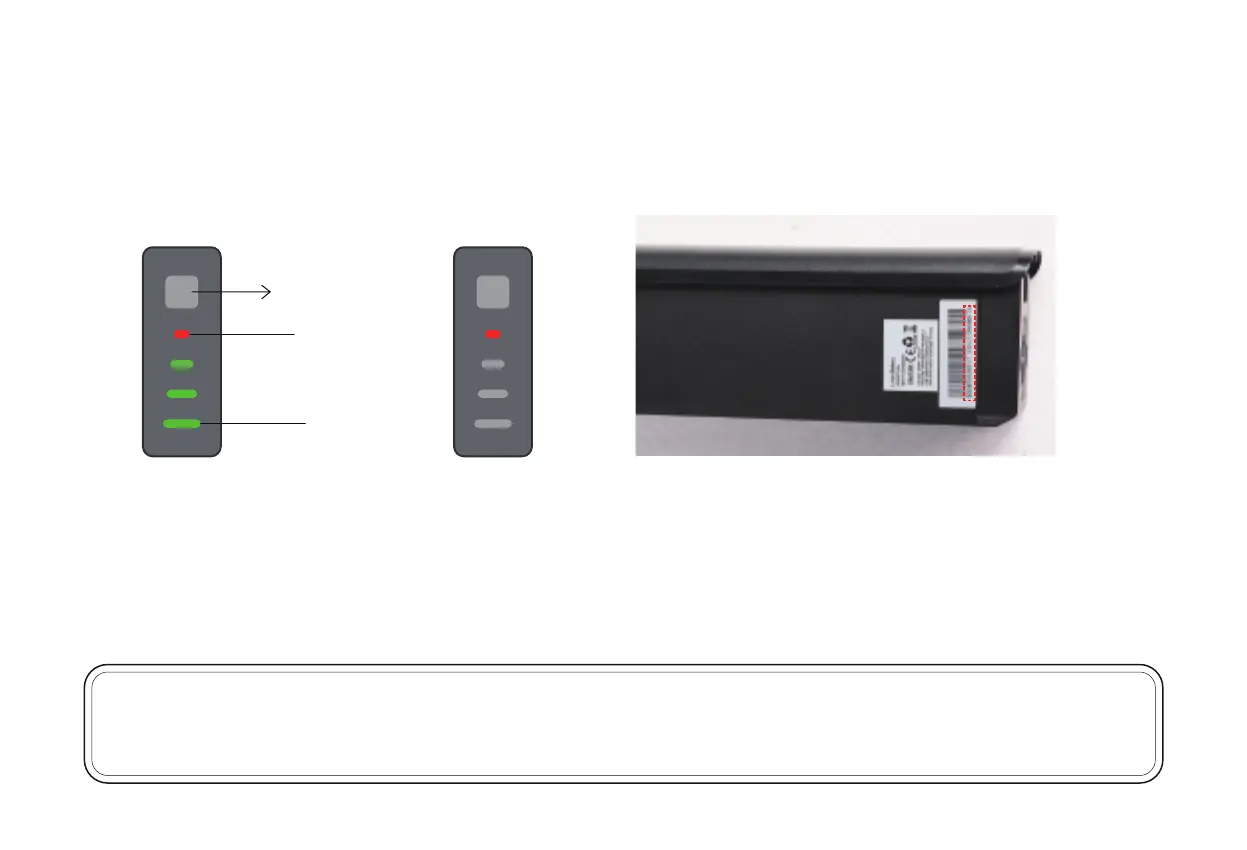
Figure 7
Step 3: Press the light button to check the battery status.
When all four bars are lit as shown in Figure 5, the battery is fully charged.
When only the red bar is lit as shown in Figure 6, the battery is empty and needs to be charged before riding further.
NOTICE: Please write down the serial number found on the battery beneath the barcode (fig. 7) on the inside front cover of this manual to facilitate
failure reporting. Products that have the serial number and/or barcode removed, defaced, damaged, altered, or made illegible will not be covered
by the warranty.
29
Light button
Empty
Full
Figure 5 Figure 6


 To Next Page