Get to know C26 quickly
(Wiggle the wheels to increase the bottom space for easier battery
installation and removal)
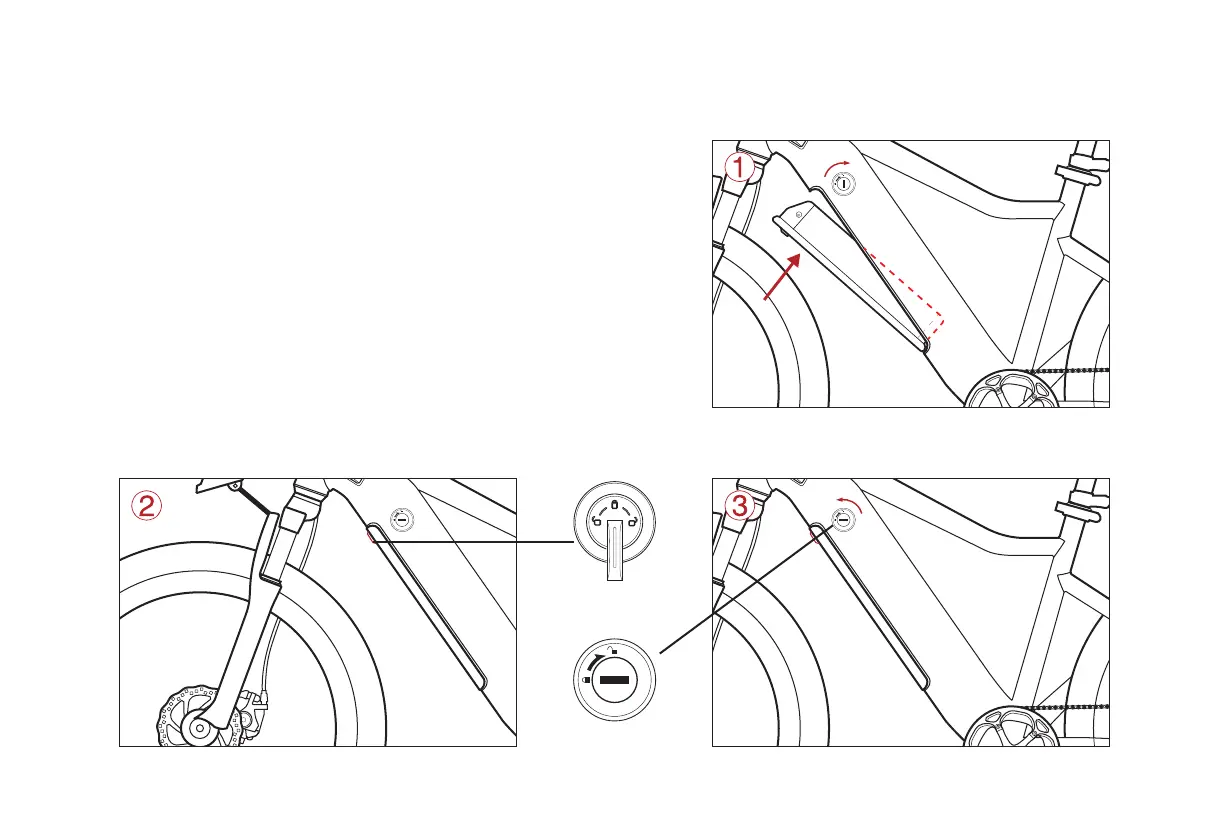
Battery mounting and locking
Battery out
Insert the key to open the battery lock,hold the battery with your hand and push
the safety clasp to remove the battery.(please be sure to hold the battery with
your hand when taking out the battery to avoid the accident of touching the ground)
1.Insert the key to rotate to the open state,put the battery into the
predetermined position of the body,push it upward until the machine
makes a clear sound and the battery is energized.
2.Push the battery safety buckle to the tight position.
3.Turn key to lock and pull out.(the key cannot be pulled out when the battery lock is open).
Security card buckle
Battery lock


 To Next Page