HM100
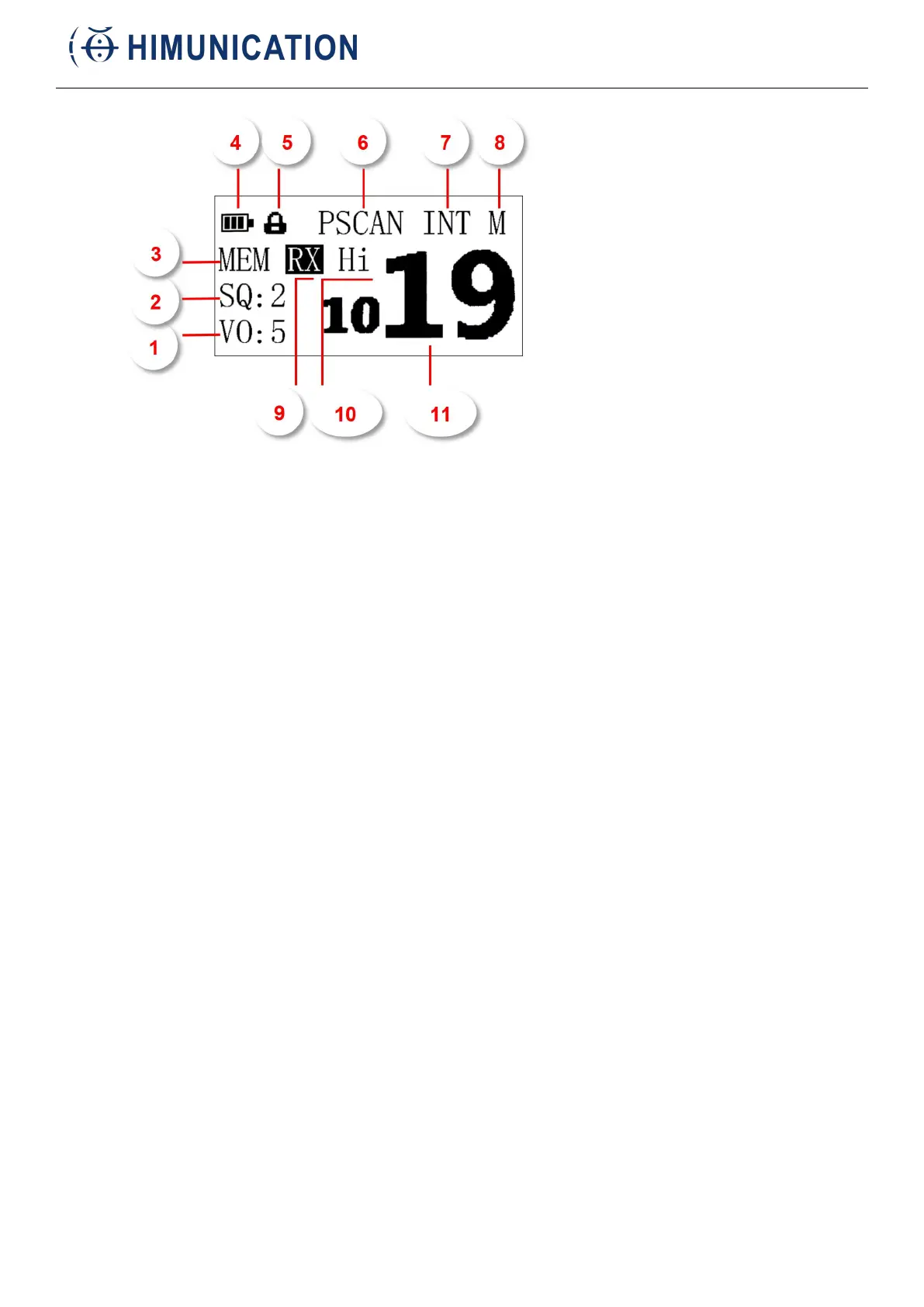
“VO” VOL Indicator
This indicator shows the receive audio volume level.
“SQ” SQL Indicator
This indicator shows the squelch setting level.
MEM Indicator
This indicator shows it is in memory mode.
Battery Indicator
Battery display
Lock Icon
Short press H/M/L LOCK key to change the transmit power, long press to lock the key.
“P” Indicator
Shown when the channel is set as the Priority Channel.
“SCAN” scan channels
DUAW: Dual Watch is activated.
TRIW: Tri-Watch is activated.
SCAN is activated.
INT Channel Group Indicator
These indicators show the selected channel group.
“USA”: USA BAND
“INT”: International BAND
“CAN”: Canada BAND
“WX”: weather channel
“M”The channel memoried Indicator



 To Next Page