EasyManua.ls Logo

Hinowa LL2010 - User Manual

Default Icon
129 pages
Print Icon
To Next Page IconTo Next Page
Loading...
1
TECHNICAL COURSE
BOOKLET
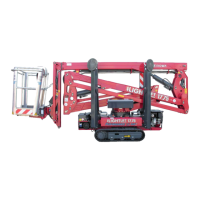
LightLift 17.75 3S
LightLift 20.10 3S
PERFORMANCE
TTPE1720021602

Table of Contents

Questions and Answers

  • C
    Christina WoodJul 25, 2025
    What to do if Hinowa LL2010 show a low battery level alarm?
    • J
      Joel MartinJul 25, 2025
      If you are experiencing a low battery level alarm on your Hinowa Boom Lifts, you should check the battery level and charge it if necessary.
  • N
    ngravesJul 31, 2025
    How to fix device not communicating properly by CAN BUS line in Hinowa Boom Lifts?
    • C
      Corey SuarezJul 31, 2025
      If you are experiencing device communication issues via the CAN BUS line on your Hinowa Boom Lifts, you should first check the connection. If the problem persists, inspect the device and replace it if needed.
  • C
    Cathy ReynoldsAug 6, 2025
    Why CAN BUS problems after disconnecting modem in Hinowa Boom Lifts?
    • S
      Sarah WallerAug 7, 2025
      If you are experiencing CAN BUS problems after disconnecting the modem on your Hinowa Boom Lifts, disconnecting the modem should resolve the issue. If CAN BUS problems disappear after disconnecting the modem, this indicates that the modem was the cause.
  • A
    Amy JosephAug 12, 2025
    What to do if software issues after an update in Hinowa LL2010?
    • V
      Veronica BrewerAug 12, 2025
      If you encounter software issues after an update on your Hinowa Boom Lifts, verify that the platform's devices are compatible with the new software. If compatibility is confirmed and issues persist, contact Hinowa, providing the serial number and the software release number installed.
  • B
    Bryan WalkerAug 18, 2025
    How to fix 2[nd] cylinder sensor missing in Hinowa LL2010?
    • R
      Ricardo TaylorAug 18, 2025
      To address a missing 2[nd] cylinder sensor error on your Hinowa Boom Lifts, check the connector of the position sensor on the 3[rd] arm and the sensor itself. Also, check the battery charge level. If the battery level is low, let the engine run for a few minutes to charge it, and then see if the alarm disappears.

Summary

INTRODUCTION

PERFORMANCE DATAS

PERFORMANCE TECHINCAL SPECIFICATIONS

Detailed technical specifications for LL17.75 3S and 20.10 3S performance models.

SERIAL NUMBER LOCATION

Shows the location of the machine's serial number plate.

SUMMARY OF REMOTE CONTROL FUNCTIONS

MACHINE IGNITION

GASOLINE ENGINE PRE-HEATING

Explains the procedure for pre-heating the gasoline engine to increase RPM.

OPERATION AND SAFETY FEATURES OF THE MACHINE

FUNCTIONING OF THE GROUND PART

Explains the operation of the machine's ground-based components, including tracks.

FUNCTIONING OF THE AERIAL PART

Details the operational aspects of the aerial platform's boom and basket movements.

STOP BUTTONS

Describes the function and location of emergency stop buttons on the machine and remote.

EMERGENCY OPERATION

EMERGENCY OPERATIONS OF THE AERIAL PART

Covers procedures for safely lowering the aerial part in emergencies.

ENGINES EMERGENCY START PROCEDURES

Provides instructions for starting the engine in emergency situations.

HYDRAULIC SYSTEM

COMPONENTS LOCATION

Identifies the location of key hydraulic system components on the machine.

GROUND PART FUNCTIONING

Explains the operational principles of the hydraulic system for the ground part.

ELECTRICAL SYSTEM

CAN-BUS SYSTEM

Describes the CAN-BUS communication system used in the machine's electronics.

SAFETY DEVICES NOT IN CAN-BUS

Lists and explains safety devices that do not use the CAN-BUS system.

ELECTRONIC BOARDS REPLACEMENT AND SETTING

ELECTRONIC BOARDS SOFTWARE UPLOADER

Details the process and requirements for uploading software to electronic boards.

ELECTRONIC BOARDS SOFTWARE UPDATING

Explains how to update the software on the machine's electronic boards.

POWER SUPPLY AND ELECTRIC MOTOR

ELECTRIC MOTOR

Explains how to start and operate the electric motor connected to the mains.

BATTERY CHARGE SYSTEM

Describes the battery charging system, including LED indicators and voltage.

REMOTE CONTROL

DISPLAY ICONS

Lists and explains the various icons displayed on the remote control screen.

ERROR MESSAGES - SELF DIAGNOSIS

Details error messages and self-diagnosis information shown on the remote display.

FUNCTIONING OF THE REMOTE CONTROL ON THE GROUND

Describes how to operate the remote control from the ground.

POWER SYSTEM

GASOLINE ENGINE HONDA IGX440

Provides specifications and operation details for the Honda IGX440 gasoline engine.

LITHIUM VERSION - ELECTRIC MOTOR FOR BATTERY PACK

Details the lithium battery system and electric motor specifications.

DIAGNOSTICS AND FAULT CODES

APPENDIX 1 - HYDRAULIC SYSTEM (1 st part - GROUND PART)

APPENDIX 3 - CAN-BUS DIAGNOSTICS AND TROUBLESHOOTING

DISPLAYED ICONS

Lists and explains icons that indicate CAN-BUS errors or issues.

CAN BUS DEVICES AND CONNECTIONS CHECK

Guides on checking CAN BUS device connections and schematics.

APPENDIX 4 - CURRENTS AND RAMPS SETTING

CURRENT DEFINITION

Defines current values used in proportional valves for movement control.

RAMPS DEFINITION

Defines ramps used for controlling acceleration and deceleration.

APPENDIX 5 - LOAD CELL SYSTEM CALIBRATION PROCEDURE

APPENDIX 6 - ACCELEROMETERS CALIBRATION PROCEDURE (TILT SENSOR RESET)

APPENDIX 9 - FREQUENTLY ISSUES SOLVING

Dead display

Troubleshooting steps for a non-functional or blank display on the remote control.

“PREOPERATING” on the remote control display:

Steps to resolve the "PREOPERATING" message on the remote control display.

“JIB ONLY” system doesn’t work:

Troubleshooting for issues with the "JIB ONLY" operational mode.

Self-stabilization system doesn’t work:

Steps to troubleshoot and fix problems with the self-stabilization system.

“STOP” icon visualized on the display:

Troubleshooting for the "STOP" icon, checking stop button status and related signals.

“SEN 3 FAIL” icon visualized on the display:

Steps to diagnose and resolve "SEN 3 FAIL" errors, possibly related to battery level.

“CARD?” or “CAN BUS?” icons visualized on the display:

Guidance on troubleshooting "CARD?" or "CAN BUS?" icons by checking the CAN BUS system.

APPENDIX 10 MK2 UPDATINGS

MAIN KEY ON GROUND CONTROLS BOX

Information on the main key location for MK2 machines on the ground controls.

Hinowa LL2010 Specifications

General IconGeneral
BrandHinowa
ModelLL2010
CategoryBoom Lifts
LanguageEnglish

Related product manuals