EasyManua.ls Logo

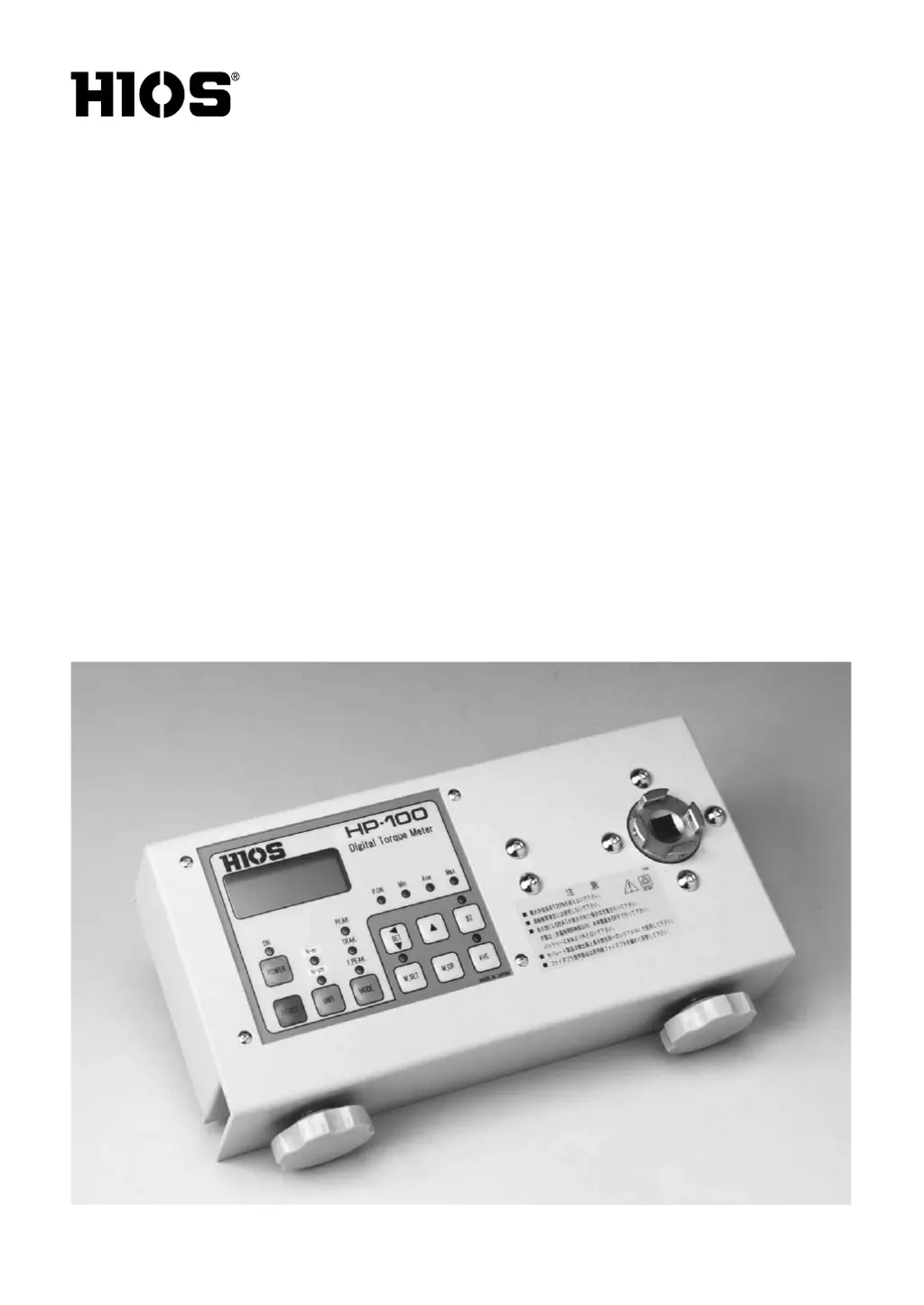
HIOS HP-100 - User Manual

HIOS HP-100
20 pages
Print Icon
To Next Page IconTo Next Page
Loading...
Digital Torque Meters
HP-100 / HP-10 /
HP-1
(Option)
Operation Manual
(May 2019)
ET-C006 19A

Questions and Answers

  • Z
    Zachary CooperAug 16, 2025
    How to fix 'LOBAT' display on HIOS HP-100?
    • B
      Benjamin ZunigaAug 17, 2025
      If the HIOS Measuring Instruments display shows "LOBAT", it means the battery charge is insufficient. Recharge the battery. If the issue persists, it is recommended to contact HIOS or your HIOS dealer.
  • J
    John WhiteAug 22, 2025
    What to do if there is no display on HIOS HP-100?
    • M
      Meagan CarsonAug 22, 2025
      If the HIOS Measuring Instruments display is blank, it could be due to long-term use or natural battery discharge. Turn the power off, fully recharge the battery for 6 hours, then turn the power back on. If there is still no display, it is recommended to contact HIOS or your HIOS dealer.
  • J
    Justin ClarkAug 25, 2025
    Why does the 'LOBAT' display reappear after recharging HIOS HP-100 Measuring Instruments?
    • W
      wilsonjamesAug 26, 2025
      If the "LOBAT" display reappears on your HIOS Measuring Instruments after recharging, the battery may be at the end of its life or the charge may be insufficient. Recharge the battery for no more than 6 hours. If the issue continues, send it to HIOS for repair.
  • K
    Kim WebbAug 28, 2025
    Why displayed values don't stop changing on HIOS HP-100?
    • B
      Brandon MillerAug 28, 2025
      If the displayed values on your HIOS Measuring Instruments do not stop changing, the MODE switch is likely set to "TRACK". Set it to "PEAK."
  • M
    Madeline FullerAug 30, 2025
    What to do if HIOS HP-100 display shows a numerical value when it shouldn't?
    • K
      Kenneth YoungAug 30, 2025
      If your HIOS Measuring Instruments display shows a numerical value when it should not, it may be due to noise from the power source. Press the RESET switch to clear the display.
  • C
    Crystal LangSep 2, 2025
    What to do if HIOS Measuring Instruments display shows "LOBAT"?
    • R
      Robert LongSep 2, 2025
      If the display shows "LOBAT", this indicates insufficient battery charge. Recharge the battery. If the problem persists after recharging, contact Hios or your Hios dealer.
  • F
    Francisco TerrySep 5, 2025
    Why does the "LOBAT" display reappear on my HIOS Measuring Instruments after recharging?
    • C
      Christopher BakerSep 5, 2025
      The "LOBAT" display might reappear after recharging because the battery has reached the end of its operational life, in which case you should send it to Hios for repair. Alternatively, the battery charge may be insufficient, so try recharging the battery for no more than 6 hours.
  • S
    Stephen RamseySep 7, 2025
    What to do if my HIOS Measuring Instruments shows no display?
    • R
      Ralph ThomasSep 7, 2025
      If there is no display, it may be due to long-term use of the meter or natural battery discharge over time. Turn the power switch off, conduct a full battery re-charge (6 hours, no more), then turn the power switch on and see if there is a display. If there is not, contact Hios or your Hios dealer.
  • H
    Heidi JenkinsSep 10, 2025
    Why is my HIOS Measuring Instruments unable to recharge the battery?
    • S
      smithdavidSep 10, 2025
      If you are unable to recharge the battery, check that the battery charger plug is properly connected to its socket and that the connection is to the battery charger socket. If the above does not remedy the problem, contact Hios or your Hios dealer.
  • A
    Andrew DavisSep 10, 2025
    Why HIOS HP-100 Measuring Instruments battery won't recharge?
    • L
      lauren87Sep 12, 2025
      If your HIOS Measuring Instruments won't recharge, ensure the battery charger plug is fully engaged in its socket and connected to the battery charger socket. If the problem persists after these checks, it is recommended to contact HIOS or your HIOS dealer.

Summary

HIOS Digital Torque Meter Controls Overview

Torque Meter Accessories and Components

Fidaptor Usage and Handling

Fidaptor TFG Series Operation

Detailed instructions for operating and using the Fidaptor TFG series for torque measurement.

Digital Torque Meter Operation

Screwdriver Torque Measurement Procedure

Step-by-step guide for measuring torque of screwdrivers using the Fidaptor.

Advanced Functions and Settings

DIP Switch Configuration

Configuration options via DIP switches for auto-reset, data output, and printer settings.

Measurement Data Memory Management

Average Torque Measurement and Fidaptor Care

Fidaptor Handling and Maintenance

Guidelines for proper handling, care, and maintenance of the Fidaptor for optimal performance.

Fidaptor Components and Service

Socket Adapter Usage

Battery Charger Operation

Battery Charging Safety and Procedure

Instructions and safety warnings for operating the battery charger.

Troubleshooting Common Issues

Technical Specifications

HIOS HP-100 Specifications

General IconGeneral
BrandHIOS
ModelHP-100
CategoryMeasuring Instruments
LanguageEnglish

Related product manuals