EasyManua.ls Logo

HIOS HP-10 - User Manual

HIOS HP-10
20 pages
Print Icon
To Next Page IconTo Next Page
Loading...
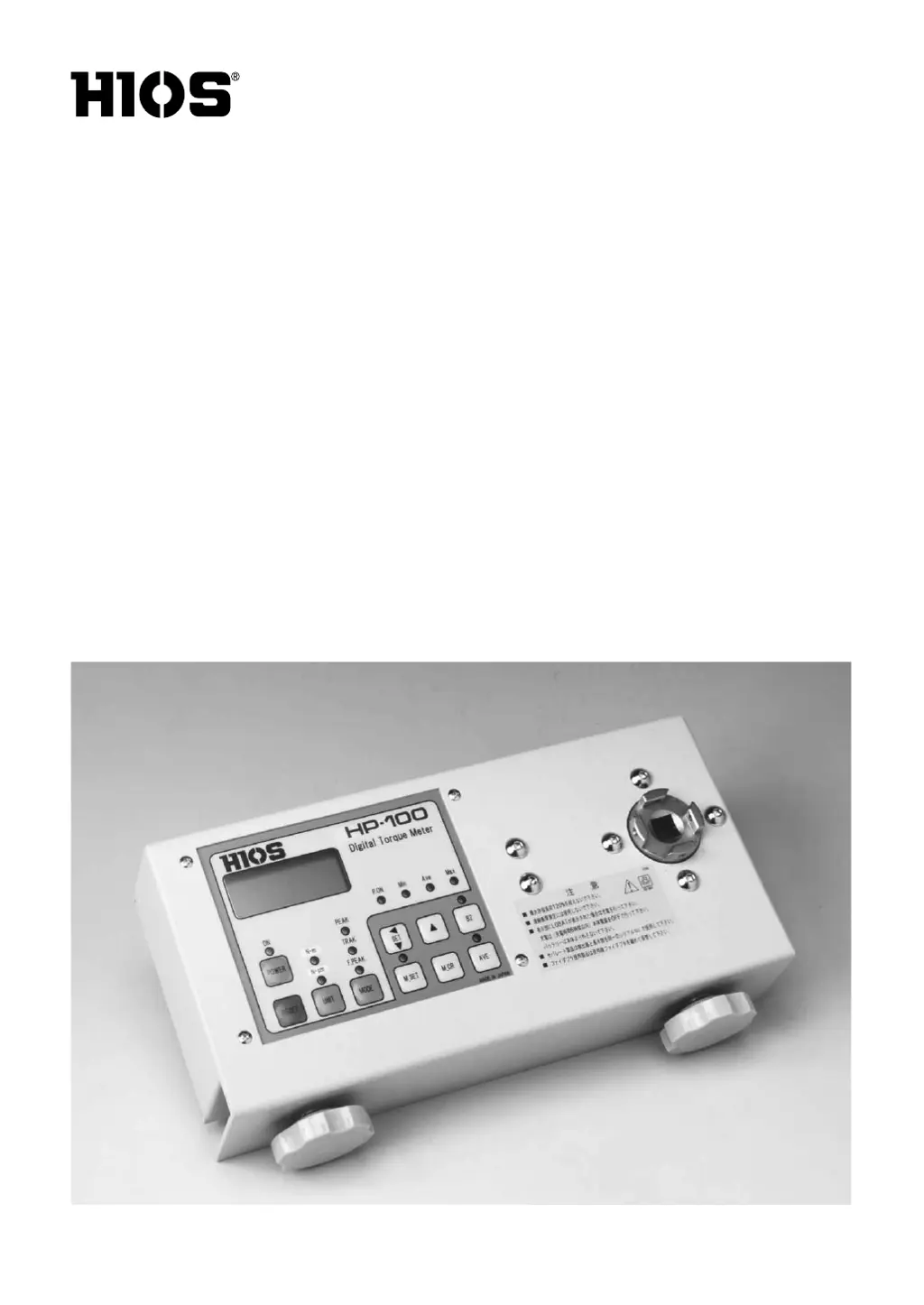
Digital Torque Meters
HP-100 / HP-10 /
HP-1
(Option)
Operation Manual
(May 2019)
ET-C006 19A

Questions and Answers

  • L
    Lauren RobertsonAug 17, 2025
    How to fix 'LOBAT' display on HIOS Measuring Instruments?
    • K
      Kathryn WardAug 17, 2025
      If the HIOS Measuring Instruments display shows "LOBAT", it means the battery charge is insufficient. Recharge the battery. If the issue persists, it is recommended to contact HIOS or your HIOS dealer.
  • R
    Roger CookAug 20, 2025
    Why HIOS HP-10 battery won't recharge?
    • Y
      yphillipsAug 20, 2025
      If your HIOS Measuring Instruments won't recharge, ensure the battery charger plug is fully engaged in its socket and connected to the battery charger socket. If the problem persists after these checks, it is recommended to contact HIOS or your HIOS dealer.
  • C
    Christopher MartinAug 23, 2025
    What to do if there is no display on HIOS HP-10?
    • K
      Keith DaughertyAug 23, 2025
      If the HIOS Measuring Instruments display is blank, it could be due to long-term use or natural battery discharge. Turn the power off, fully recharge the battery for 6 hours, then turn the power back on. If there is still no display, it is recommended to contact HIOS or your HIOS dealer.
  • A
    Allison ParkerAug 26, 2025
    Why does the 'LOBAT' display reappear after recharging HIOS Measuring Instruments?
    • J
      John JordanAug 26, 2025
      If the "LOBAT" display reappears on your HIOS Measuring Instruments after recharging, the battery may be at the end of its life or the charge may be insufficient. Recharge the battery for no more than 6 hours. If the issue continues, send it to HIOS for repair.
  • X
    Xavier DavisAug 28, 2025
    Why displayed values don't stop changing on HIOS HP-10 Measuring Instruments?
    • C
      Christopher ClaytonAug 28, 2025
      If the displayed values on your HIOS Measuring Instruments do not stop changing, the MODE switch is likely set to "TRACK". Set it to "PEAK."
  • H
    Hunter KingAug 31, 2025
    What to do if HIOS HP-10 Measuring Instruments display shows a numerical value when it shouldn't?
    • L
      lwatsonAug 31, 2025
      If your HIOS Measuring Instruments display shows a numerical value when it should not, it may be due to noise from the power source. Press the RESET switch to clear the display.
  • K
    Kiara TurnerSep 3, 2025
    What to do if HIOS Measuring Instruments display shows "LOBAT"?
    • M
      Melinda BuchananSep 3, 2025
      If the display shows "LOBAT", this indicates insufficient battery charge. Recharge the battery. If the problem persists after recharging, contact Hios or your Hios dealer.
  • C
    Charles MitchellSep 5, 2025
    Why does the "LOBAT" display reappear on my HIOS Measuring Instruments after recharging?
    • M
      Maria HendersonSep 5, 2025
      The "LOBAT" display might reappear after recharging because the battery has reached the end of its operational life, in which case you should send it to Hios for repair. Alternatively, the battery charge may be insufficient, so try recharging the battery for no more than 6 hours.
  • M
    Marc ChenSep 8, 2025
    What to do if my HIOS Measuring Instruments shows no display?
    • W
      william77Sep 8, 2025
      If there is no display, it may be due to long-term use of the meter or natural battery discharge over time. Turn the power switch off, conduct a full battery re-charge (6 hours, no more), then turn the power switch on and see if there is a display. If there is not, contact Hios or your Hios dealer.
  • G
    Gina YoungSep 12, 2025
    Why is my HIOS Measuring Instruments unable to recharge the battery?
    • S
      sbridgesSep 12, 2025
      If you are unable to recharge the battery, check that the battery charger plug is properly connected to its socket and that the connection is to the battery charger socket. If the above does not remedy the problem, contact Hios or your Hios dealer.

Summary

Applications

Features

Safety Precautions

Before using

Pre-operational checks and initial setup instructions.

During operation

Guidelines for safe and effective operation.

Precautions in operating a digital torque meter

Specific safety advice for digital torque meter usage.

HIOS Digital Torque Meter Controls

Functions

Fidaptor

Fidaptor with Safety Cover

Description of the Fidaptor's safety cover feature.

Operating Instructions

Measuring Screwdriver Torque with Fidaptor

Procedure for measuring torque with a screwdriver and Fidaptor.

Explanations of Functions

Setting Torque Levels

Procedures for setting torque limits and warning tones.

Memory Operations

Storing and Reading Measurement Data

Process for saving and retrieving stored measurement results.

Average Torque Measurement

Battery Charger Guidelines

Service and Support

Calibration and Shipping Precautions

Guidelines for meter inspection, calibration, and safe shipping.

Troubleshooting

Specifications

HIOS HP-10 Specifications

General IconGeneral
BrandHIOS
ModelHP-10
CategoryMeasuring Instruments
LanguageEnglish

Related product manuals