Hiro H50113
3
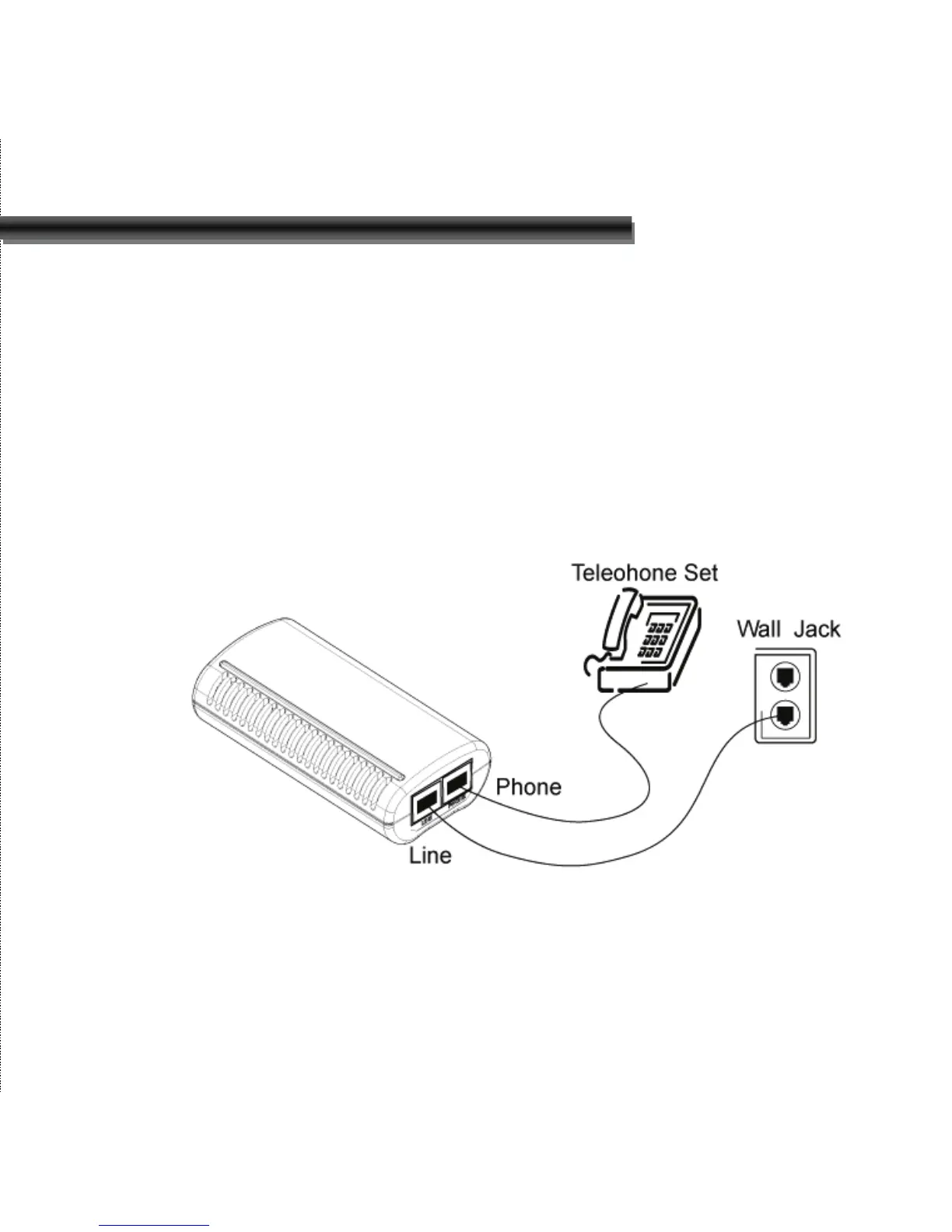
a. Locate an available RJ-11 modular jack telephone outlet.
b. Insert one end of the modular cord that came with your
USB 56Kbps modem into the RJ-11 modular jack marked
“LINE” on the modem. Then plug the other end into the
modular jack on wall outlet. See below Figure.
c. Plug the RJ-11 jack of the telephone set into the RJ-11
jack marked “PHONE” on the modem, if required. See
below figure.
d. If telephone set connected with 56Kbps USB modem via a
telephone cord, life the telephone handset, and check for a
dial tone.


 To Next Page