- 18 -
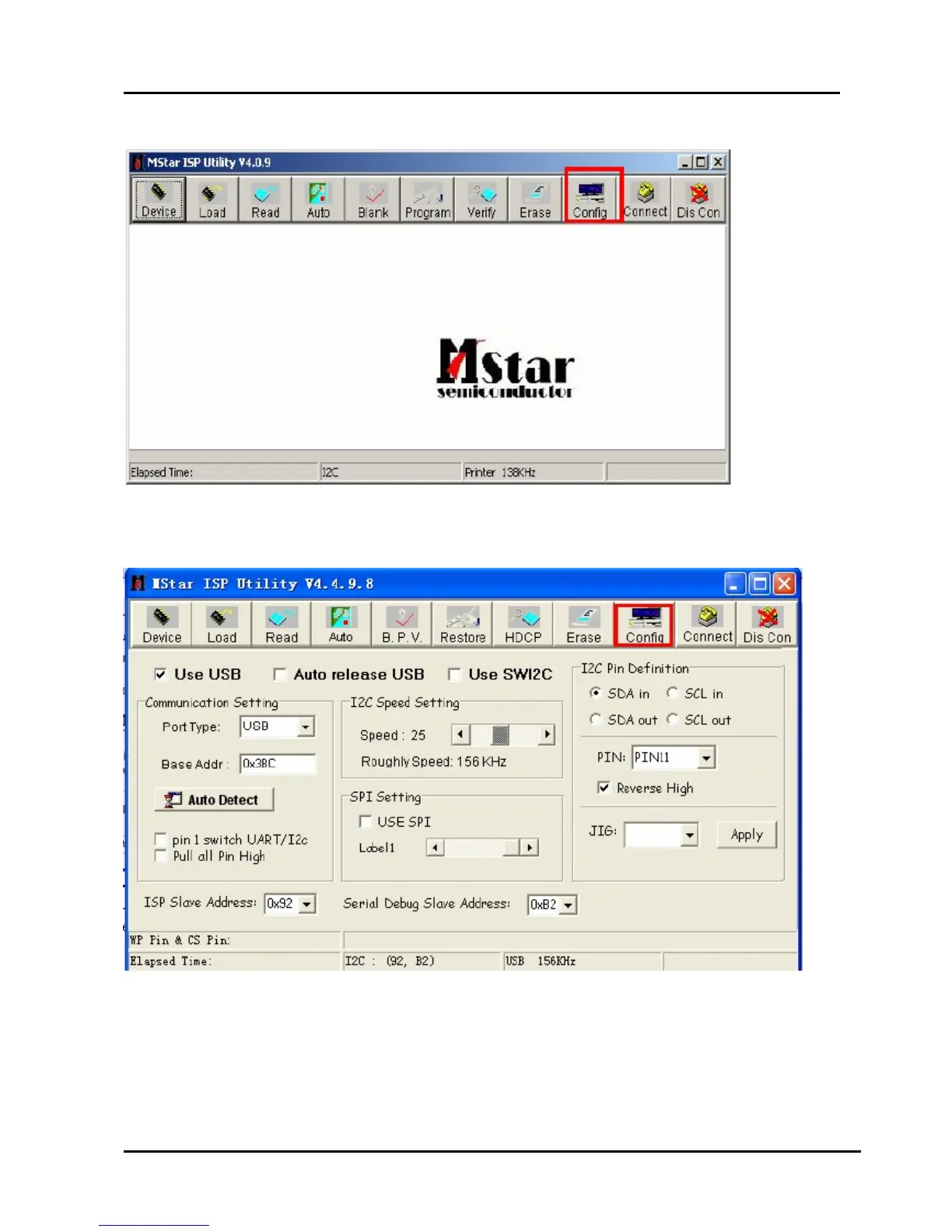
3、Double click the ISP_TOOL4.5.0.4 icon, and then a dialog window will show as below.
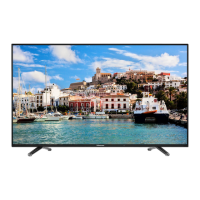
4、Click the” Config “button. And then a dialog window will show as below.
Draw on the front of “Use USB”
Port Type setting is USB
Base Addr setting is 0x38C
ISP Slave Address choose 0x92
Serial Debug Slave Address choose 0xB2,



 To Next Page