- 19 -
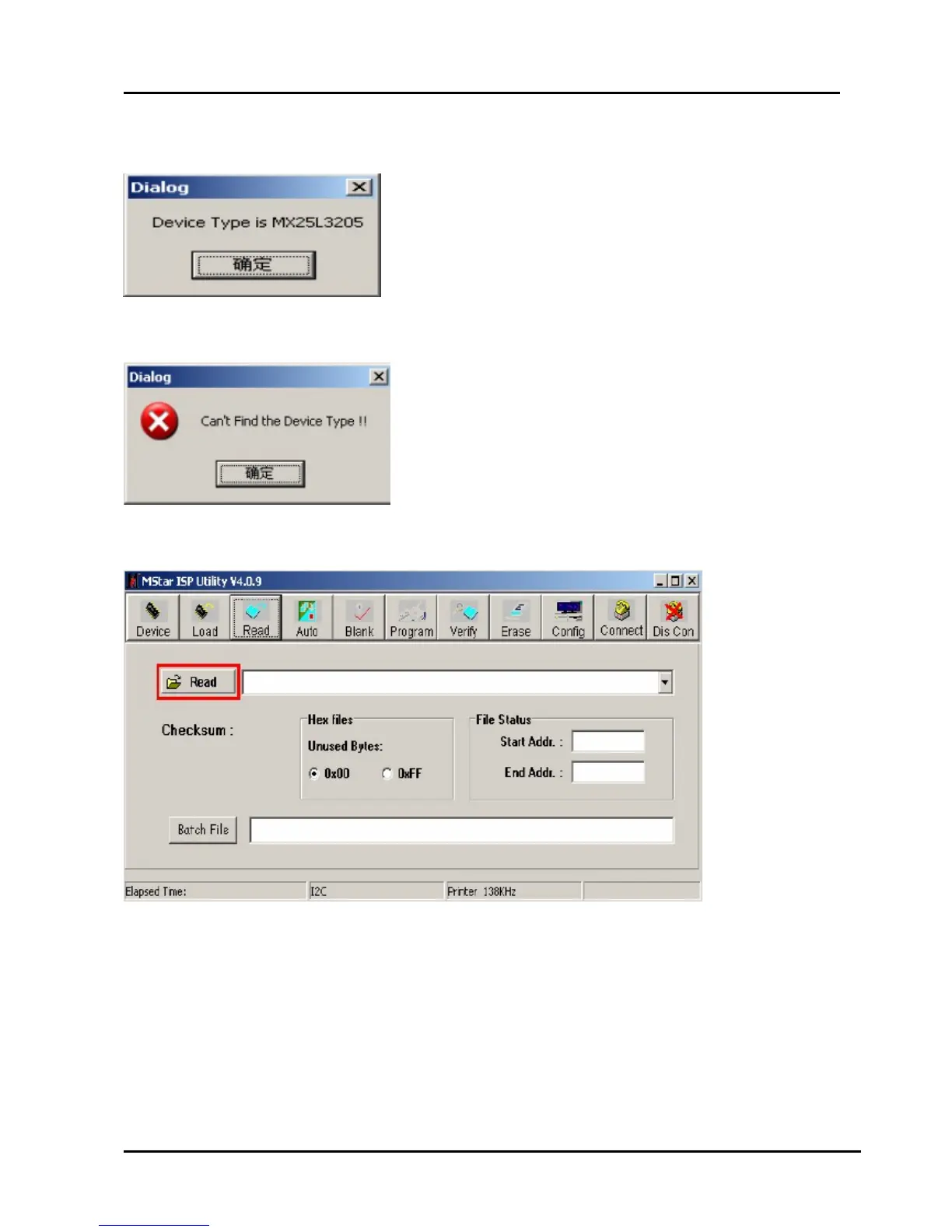
5、Click the “Connect”button,if appear the following figure, It indicates that the ISP_TOOL has
connected.(According to the tv set,”Device Type” maybe different.)
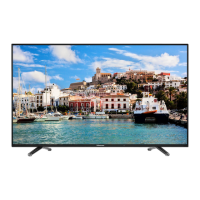
If appear the following figure,It indicates that the ISP_TOOL has not connected. Please click
the“DisCon”button and “Connect”button to connect..
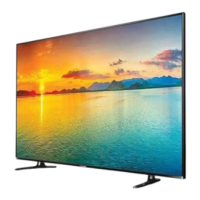
6、Click the“Read ”button,Choose the correct update file。
7、After the update file has been chosen successfully。
Click the“Auto”button and choose parameters as following。



 To Next Page