EasyManua.ls Logo

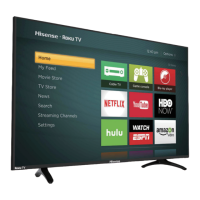
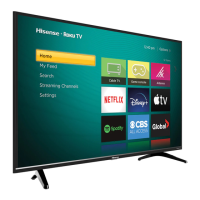
Hisense 40H4C1 - User Manual

Hisense 40H4C1
22 pages
Print Icon
To Next Page IconTo Next Page
Loading...
ES-G160319-1
Question and Answer IconNeed help?

Do you have a question about the Hisense 40H4C1 and is the answer not in the manual?

Summary

Hisense Roku TV H4 Series Quick Start Guide

Welcome and Support Information

Customer Care Center Details

Provides contact information and operating hours for customer support in different countries.

Package Contents and Required Tools

Items Included in the Package

Lists all items included in the TV package, such as the TV itself, remote, and accessories.

Hisense Roku TV Physical Layout Overview

TV Rear and Side Panel Ports

Illustrates ports on the back and side views of the TV.

Attaching the TV Stand

Attaching the Wall Mount Bracket

Connecting External Devices: Part 1

Antenna, HDMI, and AV Connections

Explains hookups for antenna, HDMI, and analog AV devices.

Connecting External Devices: Part 2

Audio Out, Headphone, and USB Connections

Details connections for audio output, headphones, and USB devices.

Remote Control Overview and Functions

Remote Control Button Functions

Provides a detailed breakdown of each button's purpose and operation.

Remote Control Setup and Usage

Powering On and Initial Setup

Connecting to the Internet and Streaming

Guided Setup and Network Connection

Personalizing the Home Screen

Troubleshooting Common Issues: Sound and Picture

Troubleshooting Common Issues: Connectivity and Remote

Summary

Hisense Roku TV H4 Series Quick Start Guide

Welcome and Support Information

Customer Care Center Details

Provides contact information and operating hours for customer support in different countries.

Package Contents and Required Tools

Items Included in the Package

Lists all items included in the TV package, such as the TV itself, remote, and accessories.

Hisense Roku TV Physical Layout Overview

TV Rear and Side Panel Ports

Illustrates ports on the back and side views of the TV.

Attaching the TV Stand

Attaching the Wall Mount Bracket

Connecting External Devices: Part 1

Antenna, HDMI, and AV Connections

Explains hookups for antenna, HDMI, and analog AV devices.

Connecting External Devices: Part 2

Audio Out, Headphone, and USB Connections

Details connections for audio output, headphones, and USB devices.

Remote Control Overview and Functions

Remote Control Button Functions

Provides a detailed breakdown of each button's purpose and operation.

Remote Control Setup and Usage

Powering On and Initial Setup

Connecting to the Internet and Streaming

Guided Setup and Network Connection

Personalizing the Home Screen

Troubleshooting Common Issues: Sound and Picture

Troubleshooting Common Issues: Connectivity and Remote

Hisense 40H4C1 Specifications

General IconGeneral
Screen Size40 inches
Resolution1920 x 1080 (Full HD)
Display TechnologyLED
Smart TVYes
HDMI Ports3
USB Ports1
Wi-FiYes
BluetoothNo
Refresh Rate60 Hz
EthernetYes

Related product manuals