
 Need help?
Do you have a question about the Hisense 50E77HQ and is the answer not in the manual?
Covers critical components, ESD, power cord safety, voltage limits, and unauthorized modifications.
Details safe LCD panel handling, servicing procedures, working space, and power disconnection.
Provides top and rear views of the main board with component identification.
Lists main boards, their function differences, and chassis/series types.
Explains the functions of various buttons on the TV remote control.
Outlines the factory OSD menu structure including version, MAC address, and key information.
Step-by-step instructions for upgrading TV software via USB in user and factory modes.
Details using a flash tool for firmware upgrades, including serial port setup.
Flowchart for diagnosing and resolving remote control issues.
Diagnostic flowchart for issues where the TV fails to turn on.
Flowchart for diagnosing and resolving no-sound issues.
Flowchart for troubleshooting no picture on screen for various video inputs.
Illustrates the sequence of power signals during AC power-on.
Illustrates the sequence of power signals during DC power-on.
 General
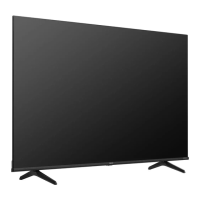
| Screen Size | 50 inches |
|---|---|
| Resolution | 3840 x 2160 (4K UHD) |
| Display Technology | LCD |
| Smart TV | Yes |
| HDMI Ports | 3 |
| USB Ports | 2 |
| Refresh Rate | 60 Hz |
| Audio Technology | DTS Virtual:X |
| Wi-Fi | Yes |
| Bluetooth | Yes |
| Sound Output | 20W |
| HDR Support | HDR10, HLG |



 To Next Page