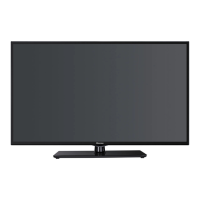
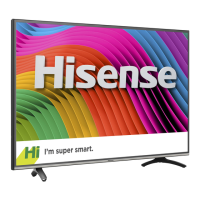
This document describes the Hisense VIDAA Smart TV, a 55" H7 Model Series device designed for integrated TV content viewing, app usage, media playback, and internet access.
Function Description:
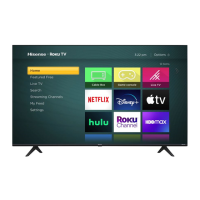
The Hisense VIDAA Smart TV serves as a central hub for home entertainment, offering a comprehensive platform for various media consumption. It integrates live broadcast TV, on-demand video services, a media center for personal content, and an app center for additional applications. The TV can be controlled using three types of remotes: a smaller Bluetooth-based 'Merlin' remote with voice command and air mouse features, a standard infrared (IR) remote, and an IP-based remote via a tablet or mobile phone using the free Hisense Anymote app. The TV's interface is organized into four main centers: TV, On Demand, Media Center, and App Center, accessible from a Home Screen Panel that also includes a Shortcuts Bar for quick access to features like Google Search, PrimeTime, Chrome, Playstore, Google, and Settings. The Screen Share Center allows streaming and mirroring content from compatible mobile devices and computers.
Important Technical Specifications:
- Model Series: 55" H7
- Wireless Connectivity: Built-in Wireless LAN Adapter supporting IEEE 802.11 b/g/n communication protocols. Recommended use with an IEEE 802.11n router for smooth video playback.
- Wired Connectivity: LAN port for Ethernet connection (Cat 5 cable recommended).
- Input/Output Ports:
- HDMI: Multiple HDMI ports (HDMI1, HDMI2, HDMI3, HDMI4) for digital video and audio signals from devices like PVRs, DVDs, Blu-Ray players, and AV receivers.
- Component (YPBPR): For connecting AV devices with component video and audio cables.
- Composite (AV): For connecting AV devices with composite video and audio cables (yellow for video, white/red for audio).
- ANT/CABLE IN: For connecting an antenna, cable, or satellite box via coaxial cable.
- VGA: For connecting a PC with a VGA cable.
- PC/DVI AUDIO IN: For audio input from a PC when using VGA.
- AUDIO OUT: For connecting headphones or an analog sound bar.
- DIGITAL AUDIO OUT: For connecting an audio receiver with a digital audio cable.
- IR Blaster: Port for connecting an IR Blaster cable to control external devices with the TV remote.
- USB Ports: For connecting personal devices like USB thumb drives or hard drives.
- Supported Media File Formats (Media Center):
- Videos: TS, TRP, TP, M2TS, MP4, MKV, WebM, 3gp
- Photos: JPG, BMP, PNG, WebP, GIF
- Music: MP3, FLAC, M4A/AAC, MP4, OGG
- Power: AC power, with an emphasis on energy efficiency (ENERGY STAR® qualified in "Energy Saving" mode).
- Display Technology: LCD Panel with almost 3 million thin film transistors for sharp video quality.
- Audio Technology: DOLBY. DIGITAL PLUS, SRS Surround Sound.
- Remote Control: Bluetooth® remote ('Merlin'™) with voice activation, and a standard infrared (IR) remote.
- FCC Compliance: Complies with part 15 of FCC Rules, including radiation exposure limits for uncontrolled environments (minimum 20 cm distance from radiator).
Usage Features:
- Guided Setup: A step-by-step Setup Wizard for initial TV configuration, including language selection, remote pairing, network connection, and TV environment settings.
- Home Screen Navigation: Access to TV, On Demand, Media Center, and App Center. Shortcuts Bar for quick access to frequently used features.
- Input Management: Ability to show/hide inputs and edit input information (e.g., renaming inputs like "XBOX").
- Air Mouse and Voice Command: 'Merlin' remote enables pointing and clicking on the screen, virtual keyboard input, and voice search for changing channels, searching information, and opening apps.
- On Demand: Access to pre-installed VOD applications like Play Movies & TV, YouTube, Vudu, Amazon Instant Video, and Netflix.
- Media Center: Central location for viewing photos, music, and videos from personal devices (USB drives), Cloud accounts (Dropbox, Skydrive, Google Drive), or via streaming from a home network. Supports creating audio playlists and viewing photo slideshows.
- App Center: Find, manage, and launch Android apps, games, music, and other content from the PlayStore. Includes pre-loaded apps and widgets.
- TV Settings: Customizable settings for Picture (Image Mode, Color Temperature, Smooth Motion, Image Noise Reduction), Screen (aspect ratio: Automatic, Normal, Wide, Cinema, Panorama, Zoom), Sound (Sound Mode: Standard, Cinema, Music, News/Voice, User Mode; Sound Optimizer: Normal, Wall Mount, Stand Mount; Auto Volume Control, SRS Surround Sound, L/R Speaker Balance, Audio Output Settings), and Broadcast (Closed Captioning, Scan Channels).
- Parental Controls: Ability to turn on/off parental control with a 4-digit password, lock input sources, and block TV programs by ratings (U.S. TV Show, U.S. Movie, Canadian English/French Ratings).
- Sleep Timer: Automatic TV shut-off after a selected time increment.
- Information Panel: Contextual information display for currently viewed content (live TV, on-demand episodes), including program details, channel lists, and favorites.
- IR Blaster Cable: Allows the VIDAA Smart TV remote to control external devices (e.g., Set Top Box, DVR) that typically require their own remote.
- Universal Remote Compatibility: Codes provided for programming common cable and satellite provider remotes to control the Hisense TV.
Maintenance Features:
- Software Updates: Automatic software updates for the TV and 'Merlin' remote when connected to the Internet. Manual check for updates is also available.
- Troubleshooting Solutions: A dedicated section for quick problem-solving tips, covering issues like no picture/sound, inability to find channels, remote control issues (batteries, pairing), forgotten parental control passwords, network connection problems, and screen darkness/brightness.
- Factory Reset: Option to perform a factory reset via Settings > Privacy > Backup and Restore to resolve issues or clear personal data.
- Customer Support: Contact information for Hisense Electronics Consumer Care Center for assistance with issues or forgotten passwords.
- Air Circulation: Important tips for proper TV placement to ensure adequate air circulation and prevent overheating.
- LCD Panel Handling: Warnings against pressing hard or jolting the LCD panel, and precautions in case of panel breakage and liquid exposure.
- Power Cord Safety: Instructions to protect the power cord from damage and avoid using non-specified voltages or wet hands when plugging/unplugging.
- Condensation Prevention: Advice to allow the unit to acclimatize to room temperature to prevent performance impairment due to condensation.
- Non-Active Pixels: Acknowledgment that a few non-active pixels (fixed black, blue, green, or red points) may appear on the screen, but are not considered defects.
- End of Life Directives: Information on recycling and proper disposal of TV materials.

 Need help?


 To Next Page
 General