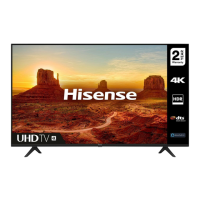
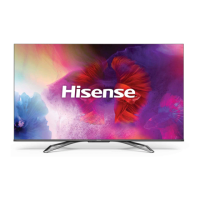
This document provides a quick setup guide and important information for Hisense 55Q8, 65Q8, and 75Q8 series televisions. It covers safety precautions, installation instructions, connection details, remote control functions, and technical specifications.
Function Description:
The Hisense Q8 series televisions are designed for home entertainment, offering a high-resolution display and various connectivity options. They support digital and analog broadcasting, and can be connected to external devices such as audio systems, media players, and gaming consoles. The TVs feature a built-in Wireless LAN Adapter for network connectivity and include a remote control for easy operation.
Important Technical Specifications:
- Models: 55Q8, 65Q8, 75Q8
- Screen Resolution: 3840 x 2160 (4K UHD) for all models.
- Audio Power:
- 55Q8, 65Q8: 10W + 10W
- 75Q8: 15W + 15W
- Power Supply: 100-240V ~ 50/60Hz
- Standby Power: 0.5W
- Receiving Systems:
- Analog: PAL-D/K, B/G, I SECAM-D/K, B/G
- Digital: DVB-T/T2, DVB-C
- Environmental Conditions:
- Temperature: 5°C - 45°C
- Humidity: 20% - 80% RH
- Atmospheric pressure: 86 kPa - 106 kPa
- HDMI Input Support:
- 60 Hz (640×480, 800×600, 1024×768)
- 60 Hz (480 I, 480 P, 720 P, 1080 I, 1080 P)
- 50 Hz (576 I, 576 P, 720 P, 1080 I, 1080 P)
- 24 Hz 30 Hz 50 Hz 60 Hz (3840×2160 HDMI 1,2,3,4)
- Dimensions (W × H × D):
- 55Q8:
- Without Stand: 1232 × 736 × 100 mm
- With Stand: 1232 × 803 × 260 mm
- 65Q8:
- Without Stand: 1452 × 859 × 89 mm
- With Stand: 1452 × 927 × 345 mm
- 75Q8:
- Without Stand: 1676 × 966 × 84 mm
- With Stand: 1676 × 1056 × 361 mm
- Weight (kg):
- 55Q8:
- Without Stand: 17.3 kg
- With Stand: 17.8 kg
- 65Q8:
- Without Stand: 23.9 kg
- With Stand: 25.1 kg
- 75Q8:
- Without Stand: 29.5 kg
- With Stand: 31.3 kg
- Active Screen Size (Diagonal):
- 55Q8: 139 cm
- 65Q8: 164 cm
- 75Q8: 189 cm
- Wall-Mount Hole Pattern (mm):
- 55": 400 × 300
- 65": 400 × 400
- 75": 600 × 300
- Wall-Mount Screw Size: M6
Usage Features:
- Installation: The TV can be installed on a stand (included) or mounted on a wall (wall mount bracket optional). Detailed instructions are provided for both methods, emphasizing careful handling to prevent screen damage.
- Connectivity:
- ANT: Connects to an outdoor VHF/UHF antenna or cable.
- HDMI/AV: Multiple HDMI ports (HDMI 1,2,3,4) and AV input for connecting various external devices like set-top boxes, satellite receivers, and media players. HDMI ARC (Audio Return Channel) is supported for direct digital sound output to compatible audio receivers.
- HEADPHONE: Audio output for headphones.
- DIGITAL AUDIO OUT: Connects to an external digital audio system.
- USB: Two USB ports (USB 1 and USB 2) for connecting USB1.1 and USB2.0 devices such as hard drives, USB sticks, and digital cameras for browsing photos, listening to music, and watching movies. USB 3.0 devices are supported with a 1A current (for some models).
- LAN (Wired setup): Connects to a modem or router via an Ethernet/Cat 5 cable, supporting DHCP for easier network connection.
- Wireless setup: Built-in Wireless LAN Adapter supports IEEE 802.11 b/g/n protocols. Compatible with WPA, WEP, WPA2 security systems. For optimal performance, the distance between the router and TV should be less than 10 meters.
- Remote Control: The included remote control allows for power on/standby, source selection, channel/input number selection, timeshift, subtitle display, quick setup, EPG (Electronic Program Guide) access, navigation, volume control, mute, media control functions, and quick access to apps.
- Battery Installation: Requires two AAA size batteries. Instructions are provided for proper insertion and replacement.
- Bluetooth Remote Control (Optional): For models with Bluetooth remote control, pairing instructions are provided (Settings > System > Bluetooth > Remote Pairing). The remote operates within 8 meters and a specific angle (±30° horizontal, ±15° vertical).
- First-Time Setup: Guides the user through language selection, TV mode (Home or Store), wireless network setup, country selection, time zone setting, End User License Agreement, and Enhance Viewing options.
- VIDAA Account: Allows linking the TV with a VIDAA account.
- Freeview Plus: A new television service providing broadband-delivered EPG and seamless access to catch-up TV across free-to-air networks. Available in Australia territories.
Maintenance Features:
- Safety Precautions:
- Stability: Emphasizes placing the TV on a stable surface or using manufacturer-recommended stands. Warns against placing the TV on tall furniture without anchoring.
- Cleaning: Unplug the TV before cleaning. Use a lightly dampened cloth; avoid liquid, abrasive, or aerosol cleaners.
- Wall Bracket: Ensure proper installation of the wall mount bracket, following provided instructions.
- Power Cord: Avoid placing heavy objects on the power cord. Do not damage or modify the power cord.
- Overloading: Do not overload wall outlets and extension cords.
- Object and Liquid Entry: Never push objects into openings or spill liquid on the TV.
- Servicing: Do not attempt to service the TV yourself; refer to qualified service personnel.
- Damage Requiring Service: Unplug the TV and contact qualified service personnel if the power cord is damaged, liquid has been spilled, or the TV has been exposed to rain or water.
- Battery Safety: Do not mix battery types or combine used batteries with new ones. Dispose of depleted batteries properly. Avoid exposing batteries to excessive heat. Clean battery compartments if leakage occurs.
- Disposal: Product should not be damaged, dismantled, or thrown in municipal waste. It should be packed and handed over to an authorized recycler.
- Updates: Notes that parts of the software function may change with system upgrades.

 Need help?

 To Next Page
 General