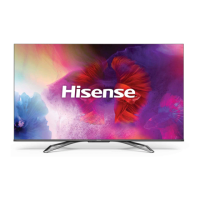
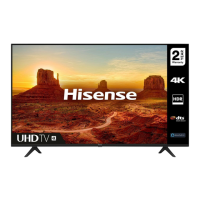
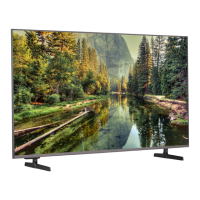
This document is a Quick Setup Guide for the Hisense 85S8 Television, providing essential information for its initial setup, usage, and maintenance. It also includes important safety precautions, warranty, and disclaimer details.
Function Description:
The Hisense 85S8 is a television designed for home entertainment, offering a large display for viewing various content. It supports multiple input sources, including antenna, HDMI, AV, USB, and network connections (both wired and wireless), allowing users to connect a wide range of external devices such as set-top boxes, gaming consoles, digital cameras, and hard drives. The TV features a remote control for easy navigation and operation, including channel selection, volume control, input source switching, and access to special functions like subtitles and the Electronic Program Guide (EPG). It also incorporates advanced audio and video technologies, including Dolby Vision, Dolby Audio, and Dolby Atmos, for an enhanced viewing and listening experience. The Freeview Plus service, available in Australia, provides an Electronic Program Guide (EPG) and access to catch-up TV from free-to-air networks.
Important Technical Specifications:
- Model: 85S8
- Active Screen Size (Diagonal): 215 cm (85 inches)
- Screen Resolution: 3840 x 2160 (4K UHD)
- Dimensions (W × H × D):
- Without Stand: 1900 × 1094 × 84 mm
- With Stand: 1900 × 1189 × 416 mm
- Weight:
- Without Stand: 50.0 kg
- With Stand: 51.3 kg
- Audio Power: 15W + 15W
- Power Supply: 100-240V ~ 50/60Hz
- Standby Power: 0.5W
- Receiving Systems:
- Analog: PAL-D/K, B/G, I SECAM-D/K, B/G
- Digital: DVB-T/T2+C
- HDMI Input Support:
- 60 Hz (640×480, 800×600, 1024×768)
- 60 Hz (480 I, 480 P, 720 P, 1080 I, 1080P)
- 50 Hz (576 I, 576 P, 720 P, 1080 I, 1080 P)
- 24 Hz 30 Hz 50 Hz 60 Hz (3840×2160 HDMI 1,2,3,4)
- Wall-Mount Hole Pattern (mm): 800 × 400
- Wall-Mount Screw Size: M8
- USB Ports: USB 1 (DC 5V 0.5A MAX), USB 2 (DC 5V 0.5A MAX). Max supported current for USB 3.0 device is 1A (for some models).
- Wireless LAN Adapter: Built-in, supports IEEE 802.11 b/g/n communication protocols.
- Environmental Conditions:
- Temperature: 5°C - 45°C
- Humidity: 20% - 80% RH
- Atmospheric pressure: 86 kPa - 106 kPa
Usage Features:
- Installation: The TV can be installed on a base stand (included) or mounted on a wall using a compatible wall-mount bracket (optional). Detailed instructions are provided for both methods, emphasizing the need for at least two people for safe handling due to the TV's size and fragility.
- Connections:
- Antenna: Connects to an outdoor VHF/UHF antenna or cable for receiving broadcast signals.
- HDMI/AV: Multiple HDMI ports (HDMI 1, 2, 3, 4) support 4K@60Hz input. An AV input is also available for older devices. HDMI ARC (Audio Return Channel) is supported on one HDMI port, allowing digital audio output to a compatible audio receiver.
- USB: Two USB ports (USB 1 and USB 2) are available for connecting USB 1.1 and USB 2.0 devices like hard drives, USB sticks, and digital cameras for media playback (photos, music, movies).
- Digital Audio Out: Connects to an external digital audio system. Users are advised to decrease TV and system volume before connecting to avoid sudden loud sounds.
- Headphone: Connects headphones for private listening. Note that headphones without a microphone function are recommended.
- LAN (Wired Setup): Connects the TV to a network via an Ethernet/Cat 5 cable to an external modem or router, preferably one that supports DHCP for automatic network configuration.
- Wireless Setup: Connects the TV to a wireless network using its built-in Wireless LAN Adapter. Supports WPA, WEP, WPA2 security systems. A distance of less than 10 meters from the router is recommended for smooth network performance.
- First-Time Setup: Upon initial power-on, the TV guides the user through an Installation Guide to select language, location, time zone, and network connection settings. Users must review and agree to the End User License Agreement.
- Remote Control: The included remote control provides comprehensive control over the TV's functions, including power on/standby, source selection, channel and volume adjustment, navigation, menu access, and quick access buttons for apps. The remote has an operating range of up to 8 meters and a controlled angle of ±30° horizontally and ±15° vertically.
- Joystick Button: A multi-function joystick button on the TV itself serves as a remote sensor, power indicator, and standby button. It can be pressed to power on/off, call up menus, adjust volume, and switch channels/input sources.
- Freeview Plus: For Australian users, Freeview Plus offers an advanced EPG and catch-up TV access via the 'Green' button on the remote, provided the TV is connected to the internet and an antenna.
Maintenance Features:
- Cleaning: Unplug the TV from the wall outlet before cleaning. Use a lightly dampened cloth; avoid liquid, abrasive, or aerosol cleaners as they can damage the cabinet and screen.
- Ventilation: Ensure proper ventilation by not covering the slots and openings in the cabinet. Maintain a minimum 10cm gap around the unit, with the rear of the TV at least 6cm away from the wall, to prevent overheating.
- Power Cord Protection: Route power supply cords to prevent them from being walked on or pinched. The main plug serves as the disconnect device and should remain readily operable.
- Lightning Protection: Unplug the TV from the wall outlet and disconnect the antenna or cable system during lightning storms or when unused for long periods to prevent damage from lightning or power-line surges.
- Battery Replacement: When replacing remote control batteries, use two AAA size batteries, ensuring correct polarity. Dispose of depleted batteries appropriately and do not mix old and new or different types of batteries. Remove batteries if the remote is not used for a long time.
- Disposal of Used Electrical & Electronic Equipment: The TV and its packaging should be recycled appropriately at designated collection points, not treated as household waste. This helps prevent environmental and health hazards and conserves natural resources.
- Servicing: Do not attempt to service the TV yourself. Refer all servicing to qualified service personnel, especially if the power cord or plug is damaged, liquid has spilled into the TV, objects have fallen into it, or the TV has been exposed to rain or water. Any distinct change in performance indicates a need for service.
- Battery Safety: Incorrect battery replacement can pose risks. Do not expose batteries to excessive heat, sun, or fire. Battery chemicals can cause a rash; if leakage occurs, clean the compartment with a cloth and wash skin immediately if contact occurs.
- Liquid Exposure: The device should not be exposed to dripping or spraying liquids, and objects filled with liquids should not be placed on it.
- Off-gassing: A plastic smell from the TV is normal and will dissipate over time.

 Need help?

 To Next Page
 General