4
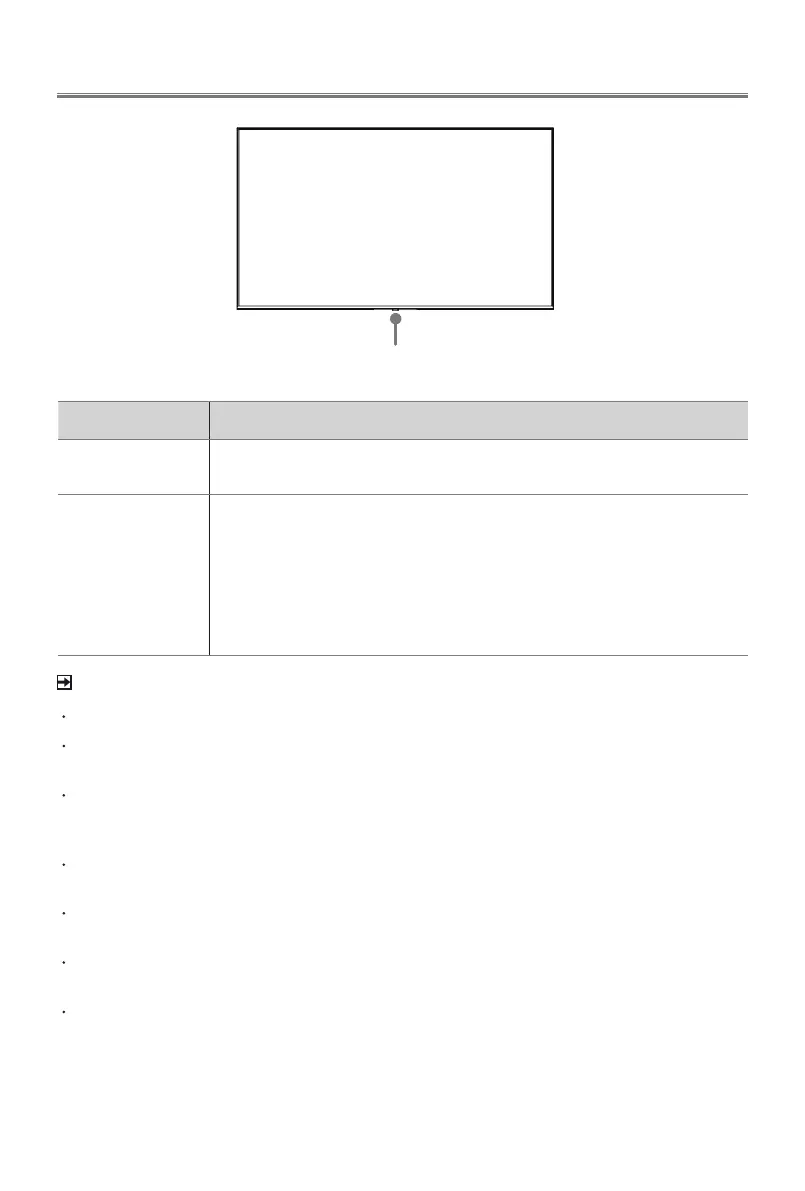
TV Front and Rear
NOTE
For 43", ANT2 Jack supports power supply for satellite antenna (13/18V, 420mA max.)
For 58"/65"/70"/75"/85", ANT2 Jack supports power supply for satellite antenna
(13/18V, 0.5A max.)
Check the jacks for position and type before making any connections. Loose
connections can result in image or colour problems. Make sure that all connections
are tight and secure.
Not all A/V devices have the ability to connect to a TV, please refer to the user’s manual
of your A/V device for compatibility and connections procedure.
Before connecting external equipment, remove the mains plug from the wall socket.
Otherwise, it may cause electric shock.
Powering on the TV requires several seconds to load programmes. Do not rapidly turn
the TV off as it may cause the TV work abnormally.
The Picture is Only for Reference.
Item Description
Power indicator
The light is red in standby mode. (43"/58"/65"/70"/75")
The light is white in standby mode. (85")
Power button
(Standby/Source)
Press the power button when in standby mode, and the TV will be
turned on.
Press the power button to call up the menu. When the focus is
on "Power Off", wait for 3 seconds, and then the TV will go into
standby mode automatically.
Press the power button to call up the menu, and then select among
the different input signal sources.
Power indicator / Power button (Standby/Source)


 To Next Page